18
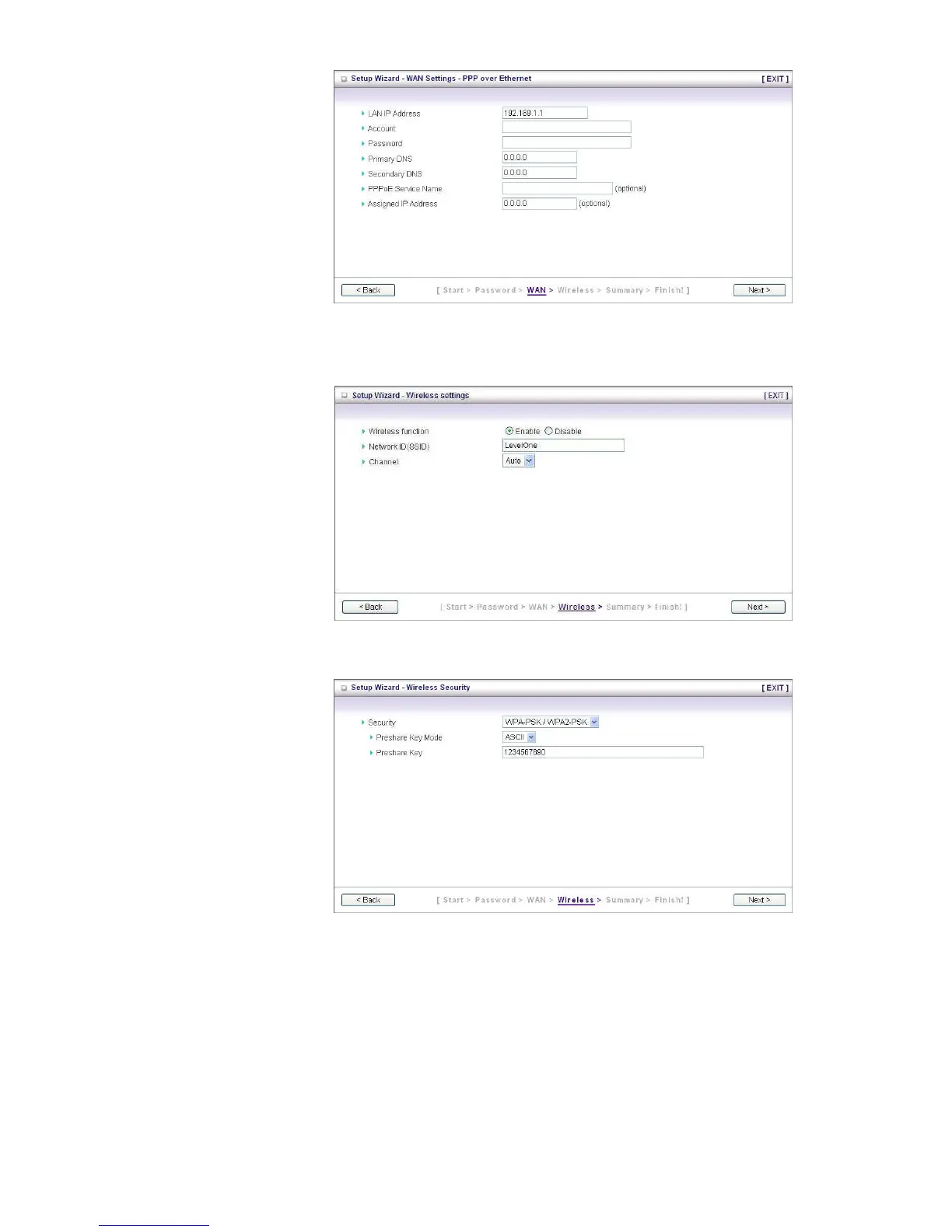
Step 4:
If you choose WAN type
of PPP over Ethernet,
please fill in PPPoE
service information which
is provided by your ISP.
After setup, press “Next”
Step 5:
Set up your Wireless
settings, you can
Enable/Disable wireless,
setup SSID information,
and configure wireless
channel in this page.
After setup, press “Next”
Set up your wireless
security encryption. It is
suggest to use WPA-
PSK/WPA2-PSK to have
stronger wireless
encryption.
After setup, press “Next”















 To Next Page