34
Push Button Method
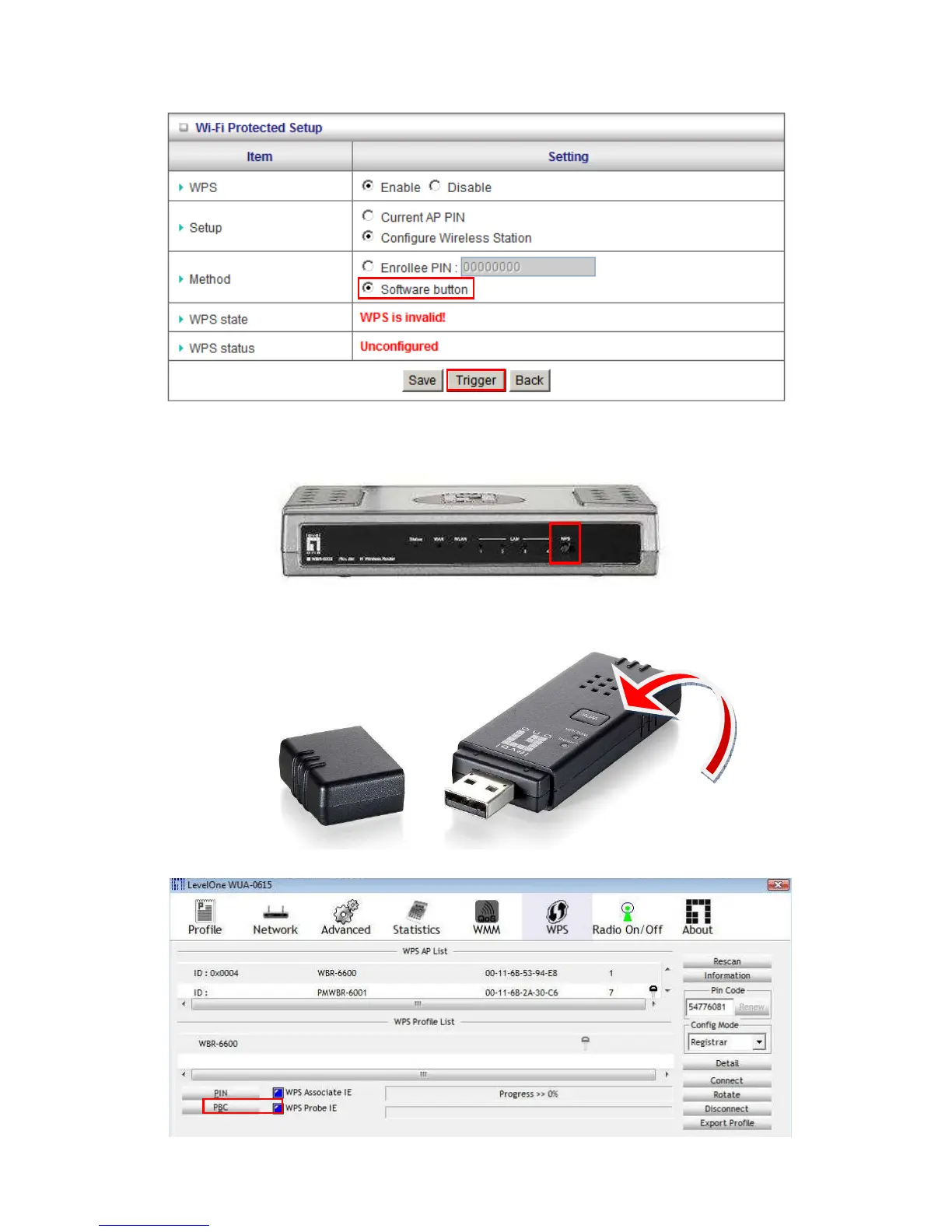
Select the “Software Button” mode and click the “Trigger” button.
An alternative is to press the WPS button at the front of the router for 1 second, until the WLAN light
starts flashing. This indicates that WPS is activated.
Then press and hold the WPS button on your wireless client for 1 second.
If your device has no physical WPS push button, then you can push the software button in the utility.















 To Next Page