70
Appendix A
802.1x Setting
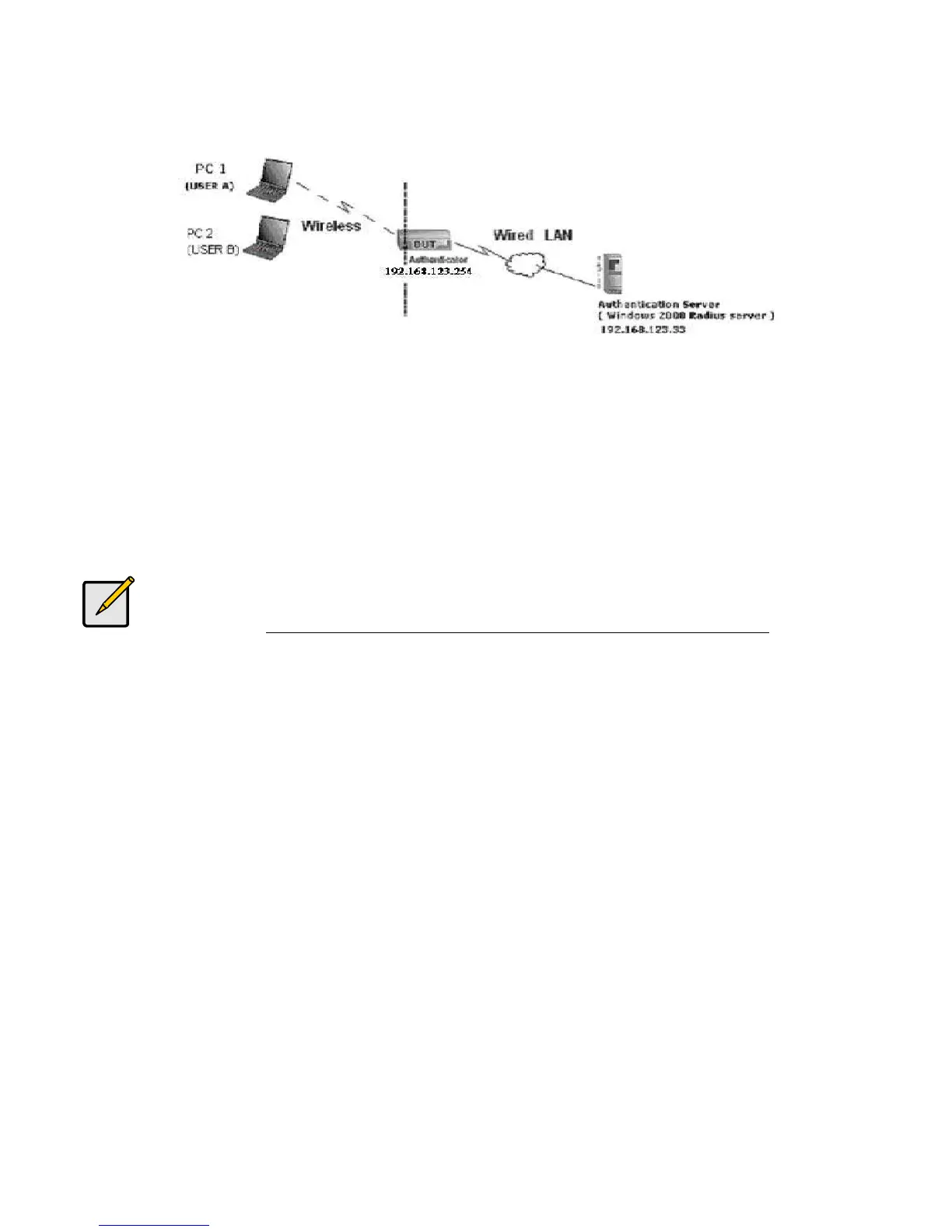
Figure 1: Testing Environment (Use Windows 2000 Radius Server)
Equipment Details
PC1: Microsoft Windows XP Professional without Service Pack 1 and LevelOne Wireless PCI Card
PC2: Microsoft Windows XP Professional with Service Pack 1a or later and LevelOne Wireless PCI
Card.
Authentication Server: Windows 2000 RADIUS server with Service Pack 3 and HotFix Q313664.
Note. Windows 2000 RADIUS server only supports PEAP after upgrade to
service pack 3 and HotFix Q313664 (You can get more information from
http://support.microsoft.com/default.aspx?scid=kb; en-us;313664)
DUT Configuration:
1. Enable DHCP server.
2. WAN setting: static IP address.
3. LAN IP address: 192.168.123.254/24.
4. Set RADIUS server IP.
5. Set RADIUS server shared key.
6. Configure WEP key and 802.1X setting.
The following test will use the inbuilt 802.1X authentication method such as ,EAP_TLS,
PEAP_CHAPv2(Windows XP with SP1 only), and PEAP_TLS(Windows XP with SP1 only) using the
Smart Card or other Certificate of the Windows XP Professional.















 To Next Page