WCS-6020 / WCS-6050 User Manual
10/54
Connect to the Network Camera
For initial access to the network camera, users can search for the camera on the
network through the installer program: CamFinder.
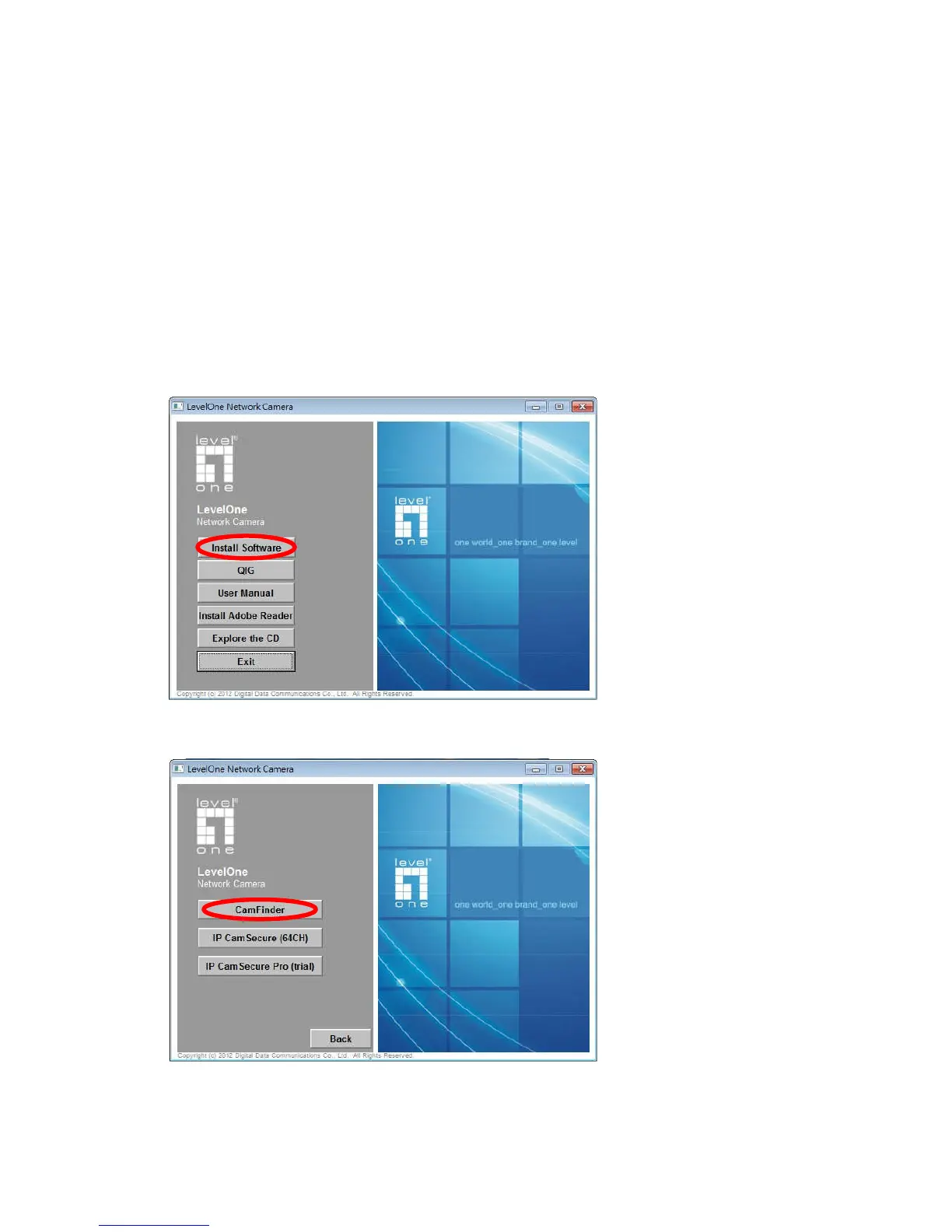
Step 1
Insert product software CD into the CD-ROM drive of a PC running Microsoft
Windows. An auto-run program will pop up (If the program is not on auto-run, go
to the root directory of the software CD and click on “autorun.exe”).
Step 2
Click on “Install Software”
Step 3
Click on “CamFinder” to start install wizard.



 To Next Page