WCS-6020 / WCS-6050 User Manual
7/54
Hardware Installation
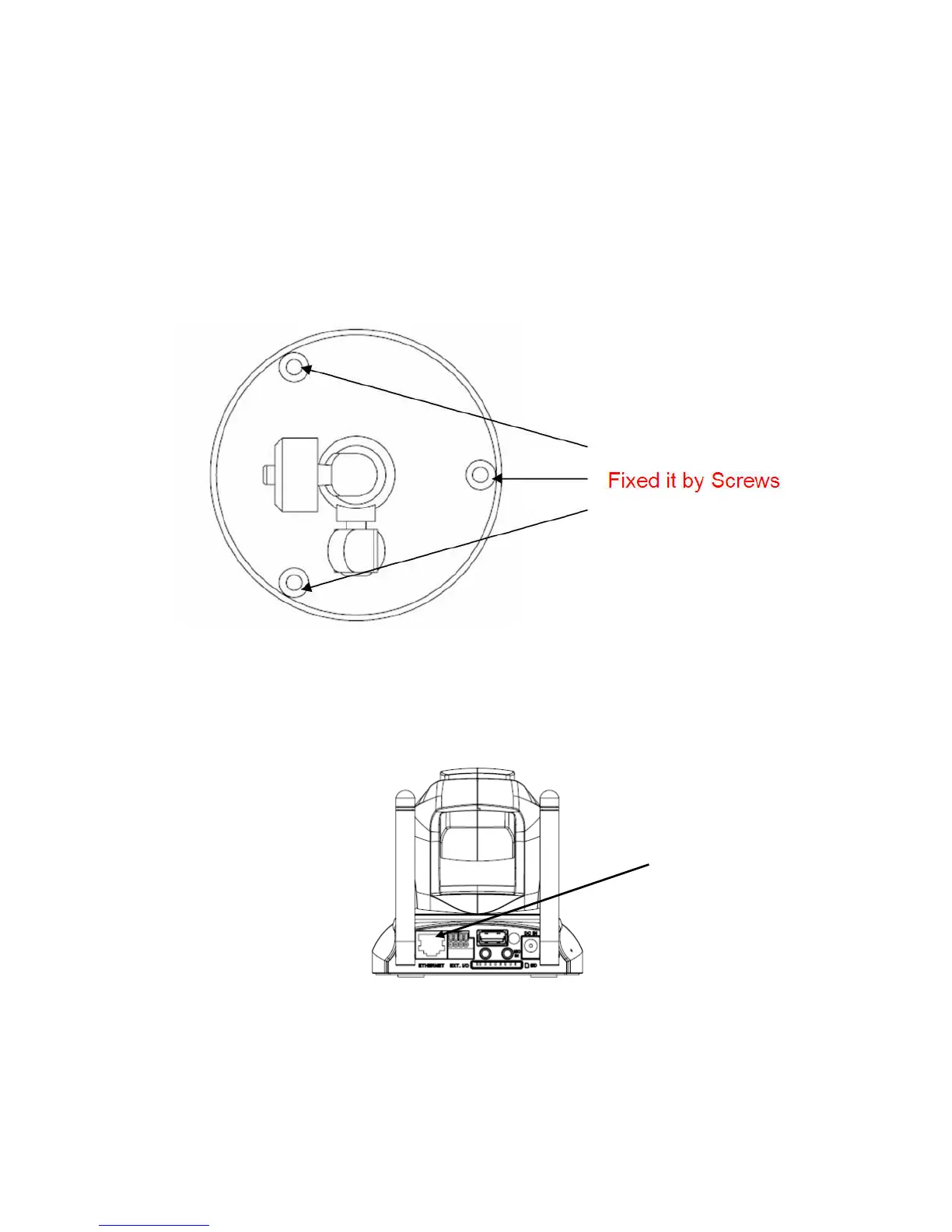
1. Attach the Network Camera with the included stand
2. Place the Camera on the table or fix it onto ceiling or wall
Use screws to fix the Network Camera onto the ceiling or wall. You could also
place the Network Camera on the table directly.
3. Plug a RJ-45 Ethernet cable into the Network Camera
Connect an Ethernet cable to the LAN socket located on the rear of network
camera and connect it to a network.
Ethernet
Cable Socket



 To Next Page