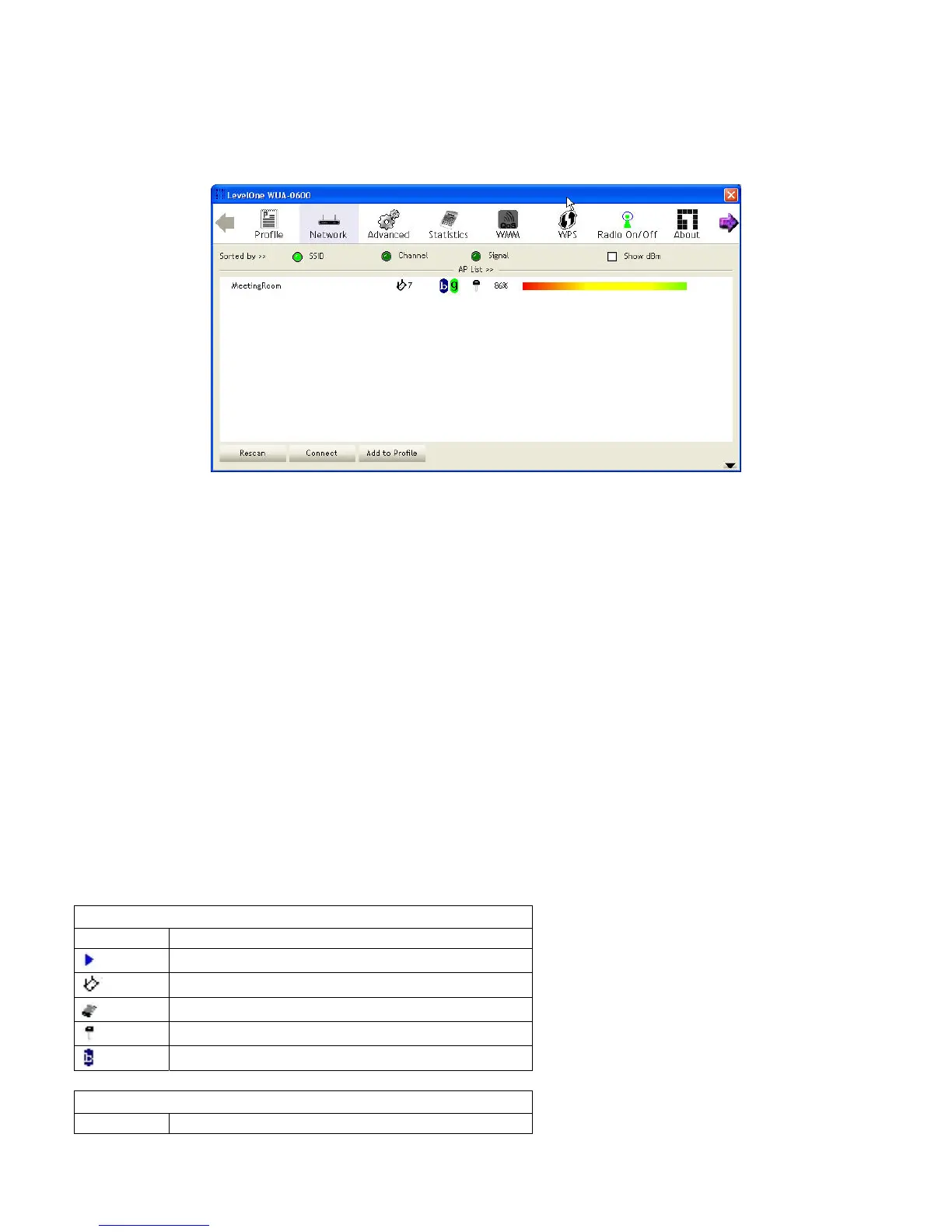
Network
The network setting page allows you to set and save different wireless settings. You can activate the
suitable profile according to the environment where the wireless connection is used.
The displayed items on this page can be described as follows:
Sort by: Indicate that the AP list is sorted by SSID, Channel or Signal.
Show dBm: Show the dBm strength of the received signal.
Rescan: Click the button to scan all channels for nearby wireless networks.
Connect: Click the button to connect the selected network.
Add to Profile: Click the button to add the selected network to the profile setting.
The Profile page is displayed for configuration.
Icon Indications
Icons Description
Connection is successful
Network type is infrastructure mode
Network type is ad-hoc mode
Wireless network is security-enabled
The network supports 802.11b connections
Icon Indications
Icons Description
18















 To Next Page