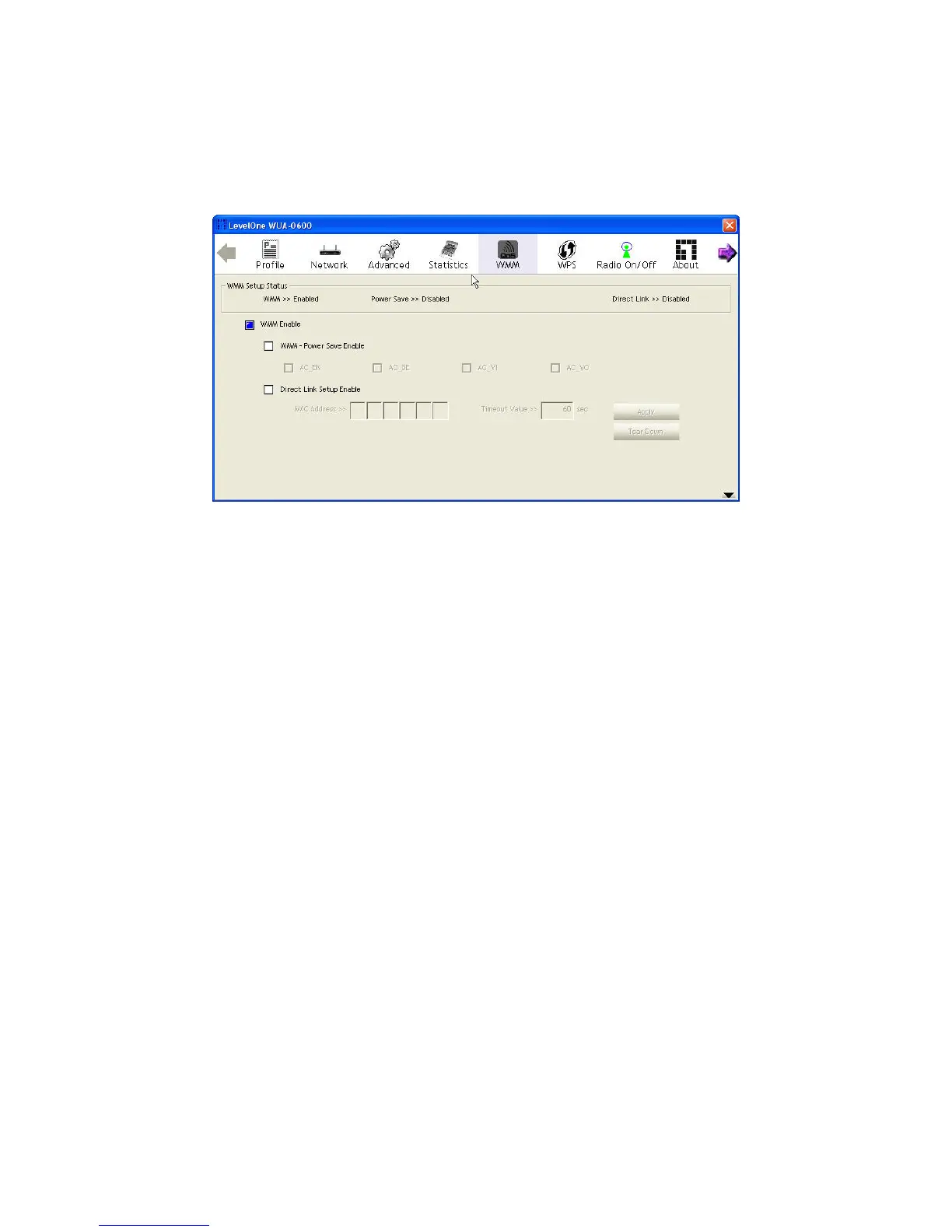
WMM
Wi-Fi Multimedia (WMM), also known as Wireless Multimedia Extensions (WME), is a Wi-Fi Alliance
interoperability certification. It provides basic Quality of Service (QoS) features for IEEE 802.11
wireless networks.
The displayed items on this page can be described as follows:
WMM Enable: Enable WMM function.
WMM - Power Save Enable: Enable the power save mode.
• AC_BK: Background / low priority
• AC_BE: Best effort
• AC_VI: Video first
• AC_VO: Voice first
Direct Link Setup Enable: Enable DLS (Direct Link Setup) function.
MAC Address: MAC address of another WMM-enabled wireless device that has a direct link to this
Wireless USB Adapter.
• Timeout Value: Set the time period before automatically disconnecting the WMM-enabled
wireless device. If the value is zero, the link is always connected. (Default: 60 seconds; Range:
0-65535)
• Tear Down: Select the device that you want to remove from DLS table and click this button.
21















 To Next Page