Page 37
SETUP ZONES
To configure zone expansion, zone resistors, and the zone types (definitions) for each security zone, from the Installer Setup
menu, select the 2 (ZONE) key.
Note: There zone options that define the way that each zone functions. To access Zone Options, press the 8 (ZOPT) key.
ZONE EXPANSION
Expansion Enclosures can be used to add additional zones to the OmniPro II system. Each Expansion Enclosure adds 16 zones to
the system. If used, you must specify the number of Expansion Enclosures (1-8) used.
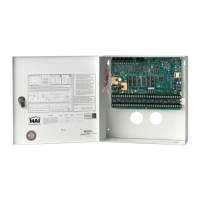
Each Model 17A00 Expansion Enclosure adds 16 hardwired zones to the OmniPro II system.
Wireless Receives can also be used to add additional zones to the OmniPro II system. When connected to an OmniPro II, the
Wireless Receiver is recognized as an Expansion Enclosure. Each Wireless Receiver can handle up to 64 wireless zones, in
groups of 16. Each group of 16 zones is considered 1 Expansion Enclosure. You must specify how many groups of wireless
zones are being used.
Specify the number of 17A00 Expansion Enclosures plus the number of wireless groups:
NUMBER OF EXP ENCL 0
1-8 ↕
NOTES:
1. Up to 2 Model 10A06 Hardwire Expanders can be used with OmniPro II. Zones 1-16 on the first Expander are Zones 17-32
on OmniPro II. Zones 1-16 on the second Expander are Zones 33-48 on OmniPro II.
2. When used, the Model 10A06 Hardwire Expander Modules must be configured under Setup | Installer | Expansion.
3. Zones 1-16 on the first Expansion Enclosure are Zones 49-64 on OmniPro II. Zones 1-16 on the 2nd - 8th Expansion
Enclosure are Zones 65 -176, respectively on OmniPro II.
ZONE RESISTORS
This item is used to specify if the 1000-ohm end-of-line zone resistors will be used with zone inputs on the controller and zone
expanders (this does not affect Expansion Enclosures). If this item is set to "Yes", all zones are required to use an end-of-line
resistor.
End-of-line zone resistors are always required on Supervised Fire and Gas zones, and all zone inputs on Expansion Enclosures.
The default setting is "Yes".
ZONE RESISTORS: 1
0=NO 1=YES ↕
Z 1 TYPE THROUGH Z176 TYPE
This item specifies the zone type for each zone. All choices are listed in this manual under DESCRIPTION OF ZONE TYPES.
For zone types, the current setting is shown on the bottom line.
ZONE 1 TYPE: 64
AUXILIARY #=CHNG ↕
THROUGH
ZONE 176 TYPE: 64
AUXILIARY #=CHNG ↑


 To Next Page