EasyManua.ls Logo

Levoit LV550HH - User Manual

Levoit LV550HH
36 pages
Print Icon
To Next Page IconTo Next Page
Loading...
1
Questions or Concerns?
Please contact us Mon-Fri 9:00AM-5:00PM PST
at (888) 726-8520 or email support@levoit.com
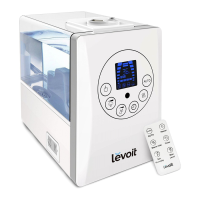
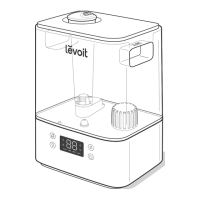
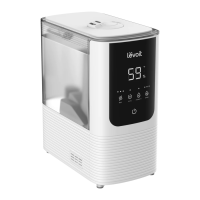
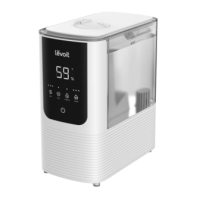
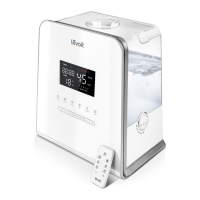
Hybrid Ultrasonic Humidifier
Model No.: LV550HH
Questions or Concerns?
Please contact us Monday - Friday 9:00 am - 5:00 pm PST
at support@levoit.com or at (888) 726-8520.

Other manuals for Levoit LV550HH

Questions and Answers

  • J
    Julie MatthewsAug 25, 2025
    Why is my Levoit LV550HH making a loud noise?
    • D
      David MartinAug 26, 2025
      If your Levoit Humidifier is making loud or unusual noises, it could be due to a few reasons. Ensure the tank is positioned correctly by turning off and unplugging the unit, then align the water tank cap with its respective opening in the inner chamber, and turn the safety lock to the correct position. Add at least 2 cups of clean water into the water tank if the water level is low. Also, make sure the unit is placed on a flat, level surface.
  • C
    Cynthia JonesAug 23, 2025
    Why is there a puddle of water under my Levoit LV550HH Humidifier?
    • M
      Michelle WolfAug 23, 2025
      A puddle of water under your Levoit Humidifier could be due to several reasons. You may have the mist setting too high, so try switching to a lower setting. The room might not be well-ventilated; open a window to improve airflow or move the humidifier to a more ventilated space. Ensure the water tank is correctly positioned by aligning the water tank cap with the opening in the inner chamber and turning the safety lock to the correct position. Also, wipe off any spilled water from the top and bottom of the base before replacing the water tank.

Summary

Package Contents

Specifications

Safety Information

General Safety

Safety guidelines for using the humidifier as described in the manual.

Use & Care

Guidelines for placing and using the humidifier safely and properly.

Getting to Know Your Humidifier

LCD Display

Explains the icons and indicators shown on the humidifier's LCD screen.

Control Panel

Details the functions of each button on the humidifier's control panel.

Getting Started

Operation

General Operation

Step-by-step instructions for turning the humidifier on and off.

Button Controls

Explains the functions of the power, display, warm mist, and night light buttons.

Humidity Button

Details the Auto Mode function for maintaining relative humidity based on ambient temperature.

Customizable Humidity

How to set and adjust the desired humidity level from 30-80% RH.

Cancel Mist Functions

Instructions on how to cancel any mist function on the humidifier.

Timer Button

Explains how to set and cancel the built-in 12-hour timer for automatic shutoff.

Mist Level Controls

How to select between 5 different mist levels using panel buttons or +/- controls.

Humidity Sensor

Tips for ensuring the proper functioning of the humidity sensor on the power cord.

Automatic Shut Off

Explains how the humidifier turns off automatically due to low water or timer completion.

Memory Function

Describes how the humidifier retains programmed settings when powered off.

Using the Aroma Box

Preventing Water Leaks

Keeping Things Clean

General Cleaning

Step-by-step guide for cleaning the humidifier components regularly.

Cleaning the Aroma Pad

Instructions on how to clean the aroma pad and where to purchase replacements.

Disinfecting the Humidifier

Method for disinfecting the water tank and base using bleach or peroxide.

Replacing the Remote Control Battery

Troubleshooting

Warranty Information

Terms & Policy

Details the terms, conditions, and limitations of the product warranty.

Additional 1-Year Warranty

Information on how to register for an extended one-year warranty.

Customer Support

Levoit LV550HH Specifications

General IconGeneral
Model NumberLV550HH
Mist Output500 ml/h
Voltage120V
MaterialPlastic
ColorWhite
TypeUltrasonic Humidifier
Water Tank Capacity6 liters
Coverage Area753 square feet
Humidity Settings40% to 80%
Noise Level30 dB
Additional FeaturesRemote control
Power280W

Related product manuals