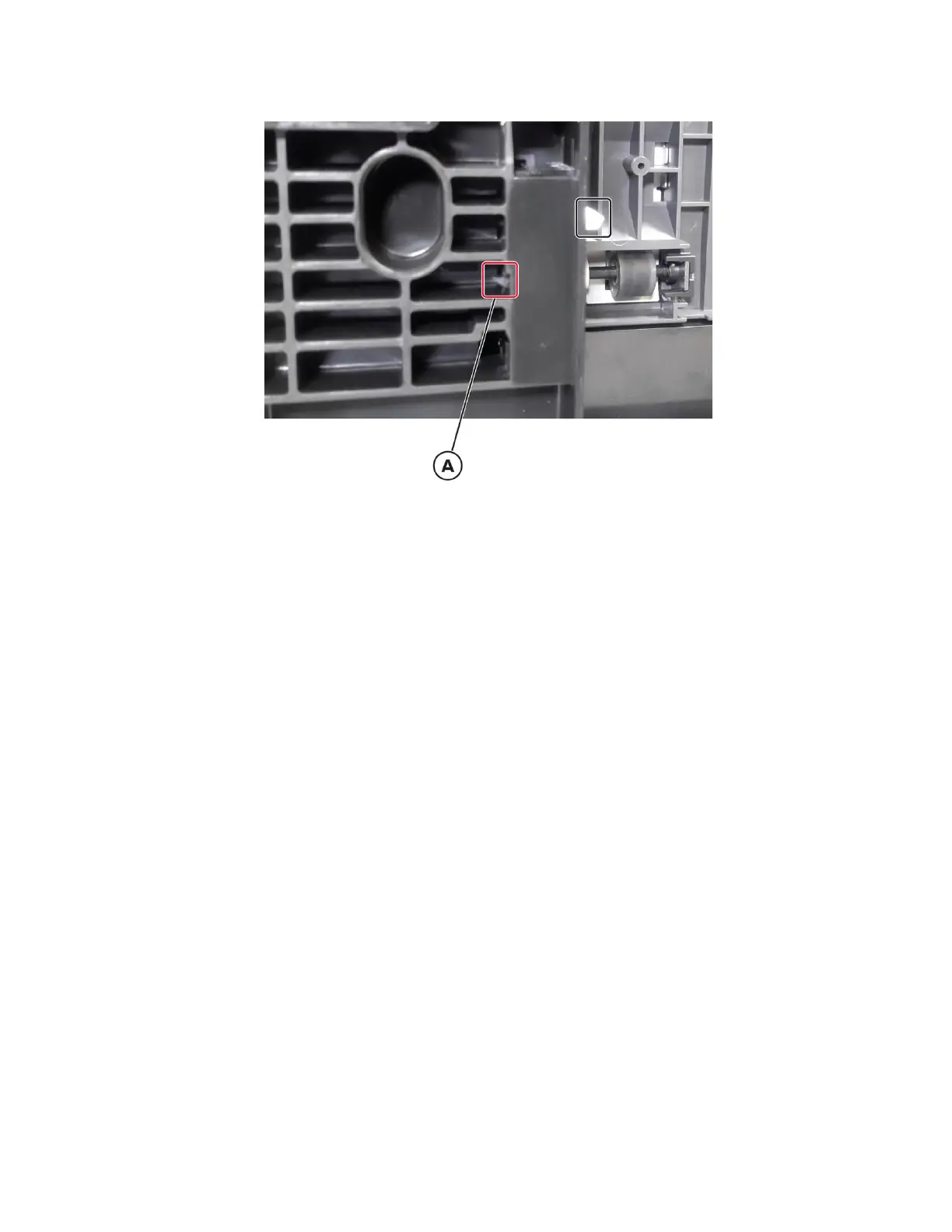
5 Release the sensor latch (A), and then release the sensor from the frame.
6 Disconnect the sensor cable, and then remove the sensor.
Sensor (tray 1 pass‑through) removal
1 Remove all optional trays from the printer.
2 Remove tray 1.
3 To access the bottom, lay the printer on its back on a sturdy surface.
4064
Parts removal
468






 To Next Page