Note: Do not add or remove paper or specialty media when the
printer is printing from the multipurpose feeder or when the printer
control panel indicator light is blinking. Doing so may cause a jam.
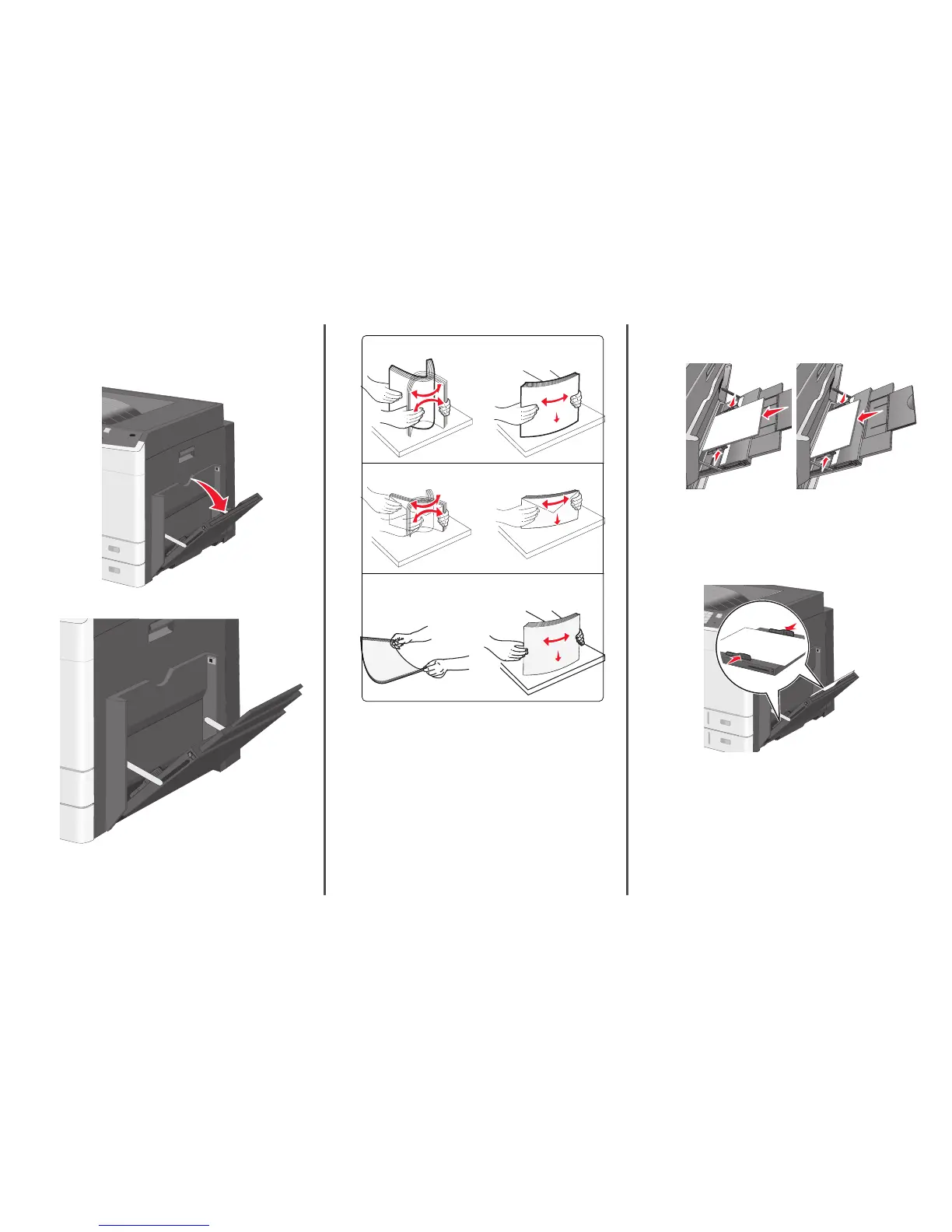
1 Pull down the multipurpose feeder door.
2 Gently pull the extension until it is fully extended.
3 Flex the sheets of paper or specialty media back and forth to loosen
them. Do not fold or crease them. Straighten the edges on a level
surface.
Paper
Envelopes
Transparencies
Note: Avoid scratching or touching the print side.
4 Load the paper or specialty media. Slide the stack gently into the
multipurpose feeder until it comes to a stop.
Notes:
• Load A3‑, A6‑, 11x17, JIS B4‑, Statement‑ and legal‑size
media in short‑edge orientation.
• Load A4‑, A5‑, Exec‑, JIS B5‑ and letter‑size media in
long‑edge orientation.
• Load envelopes flap side up in short‑edge orientation.
• Do not exceed the maximum amount of media that the
multipurpose feeder can hold.
• Load only one size and type of paper at a time.
Long‑edge orientation Short‑edge orientation
Warning—Potential Damage: Never use envelopes with stamps,
clasps, snaps, windows, coated linings, or self‑stick adhesives.
These envelopes may severely damage the printer.
5 Adjust the width guide to lightly touch the edge of the stack. Make
sure the paper or specialty media fits loosely in the multipurpose
feeder, lies flat, and is not bent or wrinkled.
6 From the printer control panel, set the Paper Size and Paper Type
for the multipurpose feeder (MP Feeder Size and MP Feeder Type)
based on the paper or specialty media loaded.
6



 To Next Page