Need help?
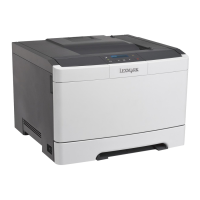
Do you have a question about the Lexmark CS310n and is the answer not in the manual?
Locate documentation, driver downloads, live chat, email, and voice support.
Guidelines for choosing a printer location, including ventilation and temperature.
Diagrams showing printer dimensions and configuration options.
Explanation of printer control panel buttons and their functions.
Explains the meaning of colors for Sleep button and indicator lights.
Accessing and using the printer's web-based interface for management.
Instructions for customizing printer connectivity and memory with optional cards.
Procedure for installing optional hardware, such as trays.
Guide for connecting the printer using USB or Ethernet cables.
Steps for installing printer software and adding hardware options.
Information on connecting the printer to Ethernet or wireless networks.
How to confirm correct printer setup by printing pages.
Procedure for setting paper size and type via the printer control panel.
Defining custom paper sizes for non-preset options.
Instructions for loading paper into the standard 250-sheet tray.
Steps for loading paper into the optional 650-sheet duo tray.
Guide for loading paper into the multipurpose feeder.
Instructions for loading paper into the manual feeder one sheet at a time.
How to link or unlink trays for automatic paper feeding.
Tips for using letterhead, transparencies, and envelopes.
Information on selecting correct paper to reduce printing problems.
Details on paper properties affecting print quality and reliability.
Tables detailing paper support for various trays and modes.
Steps for sending print jobs from Windows and Macintosh.
Instructions for setting the printer to print in black and white only.
How to adjust toner darkness using the control panel or web server.
Choosing between faster print speed and higher toner yield.
Information on printing menu and network setup pages.
Methods for canceling print jobs from the printer or computer.
Overview of menu categories: Supplies, Paper, Reports, Settings, Security, Network/Ports.
Details on checking the status of toner cartridges, imaging kits, and waste toner bottles.
Settings for default paper source, size, type, texture, and weight.
Options for printing various reports like menu settings, device statistics, and network setup.
Configuration for Active NIC, Standard Network, Standard USB, TCP/IP, IPv6, and Wireless.
Settings for date, time, and security-related configurations.
Options for display language, eco-mode, quiet mode, alarms, and timeouts.
Tips for reducing paper and toner consumption, including duplex printing.
Information on using recycled paper for environmental benefits.
Methods to conserve supplies like using both sides of paper and multipage printing.
Settings for reducing energy usage via Eco-Mode and Sleep Mode.
Using Quiet Mode to reduce operational noise.
Information on the ultra-low-power Hibernate mode.
Instructions for returning Lexmark products and cartridges for recycling.
Details on printer memory types and when to erase them.
Procedure to erase volatile memory by turning off the printer.
Steps to securely remove device settings, jobs, and passwords from memory.
Resources for obtaining detailed printer security information.
Instructions for cleaning the printer's exterior and interior parts.
How to view supply status and maintenance requirements.
Information on the accuracy and factors affecting remaining page estimates.
Contact information and methods for ordering parts and supplies.
Procedures for replacing waste toner bottles, imaging kits, and toner cartridges.
Safety precautions and guidelines for moving the printer.
Recommendation to use original packaging when shipping the printer.
Resources for advanced system support tasks using web server guides.
Enables remote interaction with the printer control panel.
Accessing reports from the Embedded Web Server for status assessment.
Setting up alerts for low supplies via the Embedded Web Server.
Procedure for copying printer settings to network printers.
Instructions for resetting printer settings to factory defaults.
Tips and best practices for preventing paper jams.
Interpreting jam messages and identifying jam locations.
Procedures for clearing jams in standard bin, fuser, front door, duplex, tray, manual feeder.
Guides for interpreting various printer messages and error codes.
Step-by-step solutions for common printer issues like non-responsiveness.
Troubleshooting steps for print quality issues like incorrect characters or clipped pages.
Solutions for jammed pages not reprinting and frequent paper jams.
FAQ and explanations for color printing, RGB, CMYK, and manual color correction.
Details product name, machine type, and model numbers.
Legal disclaimers and copyright information.
Lists registered trademarks of Lexmark and other companies.
Regulatory compliance statement for Federal Communications Commission.
Sound pressure level measurements for printing and ready modes.
Information on recycling programs and procedures for electronic products.
Guidance on proper disposal of printers and supplies.
Identifies static-sensitive parts and precautions for handling.
Information regarding ENERGY STAR certification and EPA requirements.
Specifies ambient, shipping, and storage temperature ranges.
Details laser product classification and safety standards.
Statements of conformity with EC Council directives on EMC, safety, and ecodesign.
Regulatory compliance information for Canada.
Details the limited warranty terms for Lexmark printers.
Information regarding intellectual property rights disclosures and patents.

 To Next Page


 General