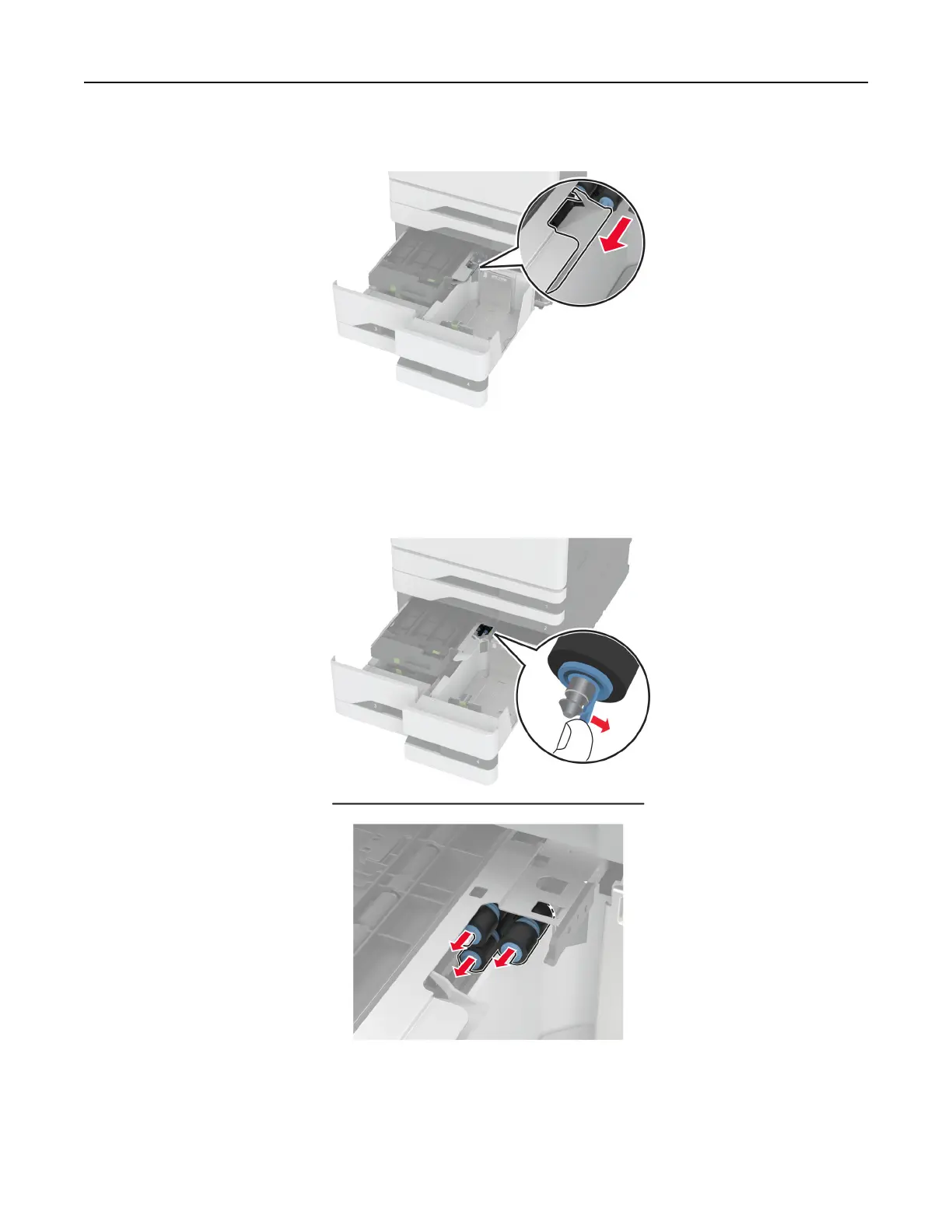
4 Open the roller kit cover.
5 Remove the tray roller kit.
Warning—Potential Damage: To prevent damage from electrostatic discharge, touch any exposed metal
frame of the printer before accessing or touching interior areas of the printer.
6 Apply water to a soft, lint-free cloth, and then wipe the pick rollers.
7 Insert the roller kit until it clicks into place.
8 Close the roller kit cover.
Maintain the printer 400



 To Next Page