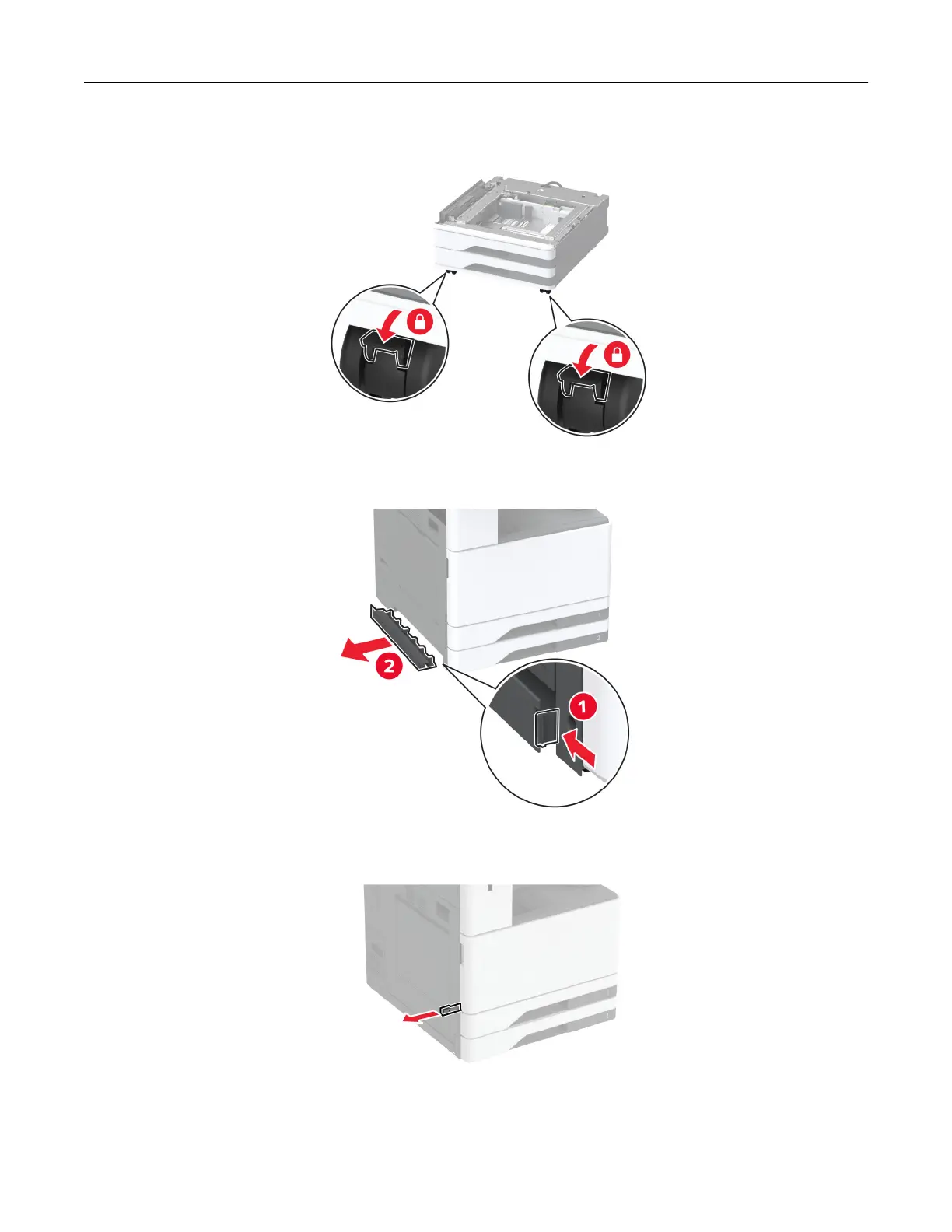
5 Lock the casters to keep the optional tray from moving.
6 Remove the option installation cover under the left side of the printer.
7 Pull out the lifting handle on the left side of the printer.
8 Align the printer with the optional tray, and then lower the printer into place.
Set up, install, and configure 90



 To Next Page