3
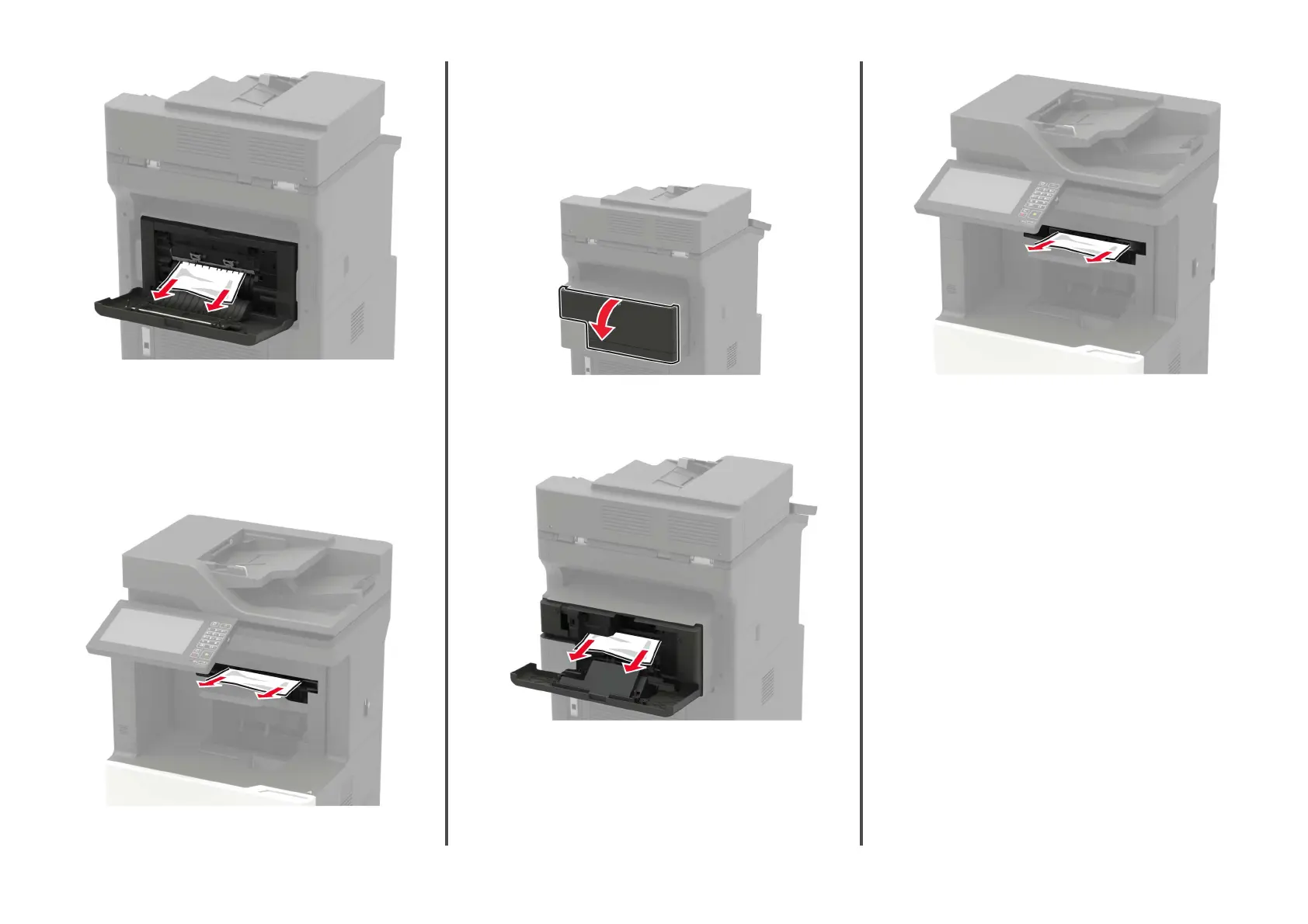
Close the door.
Paper jam in the oset stacker or staple finisher bin
Remove the jammed paper.
Note: Make sure that all paper fragments are removed.
Paper jam in the staple, hole punch
finisher
Paper jam in door P
1
Open door P.
2
Remove the jammed paper.
Note: Make sure that all paper fragments are removed.
3
Close the door.
Paper jam in the staple, hole punch
finisher
bin
Remove the jammed paper.
Note: Make sure that all paper fragments are removed.
21







 To Next Page