EasyManua.ls Logo

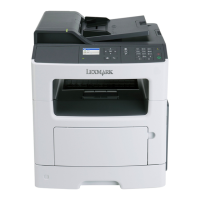
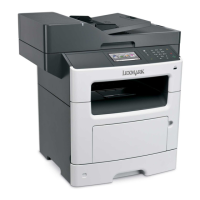
Lexmark MX410 Series - User Manual

Lexmark MX410 Series
325 pages
Print Icon
To Next Page IconTo Next Page
Loading...
MX410 and MX510 Series
User's Guide
September 2014 www.lexmark.com
Machine type(s):
7015
Model(s):
470, 630, 670, 675

Table of Contents

Questions and Answers

  • B
    bgoldenSep 15, 2025
    What to do if Lexmark MX410 Printer displays 'Too many trays attached'?
    • R
      rleeSep 15, 2025
      If your Lexmark Printer displays 'Too many trays attached': 1. Turn off the printer. 2. Unplug the power cord from the electrical outlet. 3. Remove the extra trays. 4. Connect the power cord to a properly grounded electrical outlet. 5. Turn the printer back on.
  • B
    Brittany SmithAug 25, 2025
    What to do if Lexmark MX410 memory is full [38]?
    • J
      jessica58Aug 25, 2025
      If your Lexmark Printer displays a 'Memory full' error, you can clear the message by selecting 'Cancel job' from the printer control panel. Alternatively, you can install additional printer memory to prevent this issue from recurring.
  • A
    Angela GreerAug 25, 2025
    How to fix Lexmark MX410 Printer scanner jam?
    • L
      Laura RoseAug 26, 2025
      If your Lexmark Printer's scanner is jammed, the solution is to remove the jammed paper from the scanner.
  • J
    Jacob RoachAug 26, 2025
    What to do if Lexmark Printer says 'Cartridge low'?
    • X
      xrichardsAug 26, 2025
      If your Lexmark Printer displays a 'Cartridge low' message, you may need to order a new toner cartridge. To clear the message and continue printing, select 'Continue' on the printer control panel, if necessary.
  • P
    powersmatthewSep 16, 2025
    What to do if Lexmark Printer displays 'Fax partition inoperative'?
    • K
      kelly88Sep 17, 2025
      If your Lexmark Printer shows 'Fax partition inoperative', select 'Continue' on the printer control panel to clear the message. If the issue continues, turn the printer off, and then turn it back on.
  • K
    Kathryn GoldenSep 23, 2025
    What to do if Lexmark MX410 displays 'Standard USB port disabled'?
    • M
      morenokevinSep 23, 2025
      If your Lexmark Printer displays 'Standard USB port disabled', select 'Continue' on the printer control panel to clear the message.
  • P
    Phillip BoyerSep 8, 2025
    What to do if Lexmark MX410 Printer memory is full, cannot send faxes?
    • J
      John HaneySep 8, 2025
      If your Lexmark Printer indicates 'Memory full, cannot send faxes', select 'Continue' on the printer control panel to clear the message and cancel the fax job. You can also reduce the fax resolution or the number of pages in the fax before resending.
  • N
    nmortonSep 9, 2025
    How to resolve Lexmark MX410 'Network [x] software error'?
    • R
      Rebecca WilsonSep 9, 2025
      To resolve a 'Network [x] software error' on your Lexmark Printer, select 'Continue' on the printer control panel to continue printing. If the issue persists, turn the printer off, wait 10 seconds, and then turn it back on. You may also need to update the network firmware in the printer or print server.
  • J
    jorge42Sep 2, 2025
    How to fix Lexmark Printer 'Non-Lexmark [supply type]' error?
    • B
      benderadamSep 2, 2025
      To resolve the 'Non-Lexmark' error on your Lexmark Printer, remove the third-party supply or part and install a genuine Lexmark supply or part.
  • M
    Mrs. Tracy WoodAug 31, 2025
    What to do if Lexmark MX410 displays 'Cartridge very low'?
    • M
      Margaret StanleySep 1, 2025
      If your Lexmark Printer warns that the 'Cartridge very low', you may need to replace the toner cartridge very soon. If necessary, select 'Continue' on the printer control panel to clear the message and continue printing.

Lexmark MX410 Series Specifications

General IconGeneral
Print TechnologyLaser
FunctionsPrint, Copy, Scan, Fax
Print Speed (Black)40 ppm
Print Resolution1200 x 1200 dpi
Processor Speed800 MHz
Memory256 MB
ConnectivityUSB, Ethernet, Wi-Fi
Paper Capacity250 sheets
Scan Resolution600 x 600 dpi
Fax Speed33.6 Kbps
Maximum Paper SizeLegal
Supported Media SizesA4, A5, A6, Letter, Legal
Scanner TypeFlatbed
Weight14.0 kg

Related product manuals