EasyManua.ls Logo

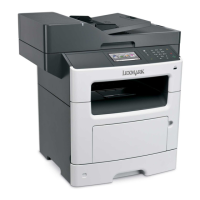
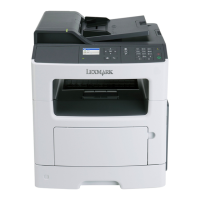
Lexmark MX417 Series - User Manual

Lexmark MX417 Series
321 pages
Print Icon
To Next Page IconTo Next Page
Loading...
MX410, MX417, MX510, and MX511
Series
User's Guide
March 2017 www.lexmark.com
Machine type(s):
7015
Model(s):
470, 630, 670, 675

Table of Contents

Questions and Answers

  • M
    Mary LindseySep 3, 2025
    How to fix Lexmark Printer 'Non-Lexmark [supply type]' error?
    • B
      Barbara BrownSep 3, 2025
      To resolve the 'Non-Lexmark' error on your Lexmark Printer, remove the third-party supply or part and install a genuine Lexmark supply or part.
  • R
    rwardAug 25, 2025
    What to do if my Lexmark All in One Printer has a scanner jam?
    • H
      Heather WilliamsAug 25, 2025
      To fix a scanner jam on your Lexmark All in One Printer, remove the jammed paper from the scanner.
  • H
    Heather GomezSep 23, 2025
    What does 'Too many flash options installed' mean on Lexmark All in One Printer?
    • E
      ericksonmarySep 23, 2025
      To resolve this issue on your Lexmark All in One Printer: 1. Turn off the printer. 2. Unplug the power cord from the electrical outlet. 3. Remove the extra flash memory. 4. Connect the power cord to a properly grounded electrical outlet. 5. Turn the printer back on.
  • A
    Autumn WarrenSep 10, 2025
    What to do if Lexmark MX417 displays 'Fax server 'To Format' not set up'?
    • L
      Laura SchmidtSep 10, 2025
      If your Lexmark Printer displays 'Fax server 'To Format' not set up', select 'Continue' on the printer control panel to clear the message. Then, complete the Fax Server setup.
  • M
    Mrs. Linda Smith MDSep 16, 2025
    What does 'Supply needed to complete job' mean on Lexmark All in One Printer?
    • C
      Christopher BrooksSep 17, 2025
      To resolve this issue on your Lexmark All in One Printer, install the missing supply to complete the job, or cancel the current job.
  • T
    Taylor WarnerSep 7, 2025
    What to do if Lexmark MX417 displays 'Not enough free space in flash memory for resources'?
    • R
      Richard Wang DDSSep 7, 2025
      If your Lexmark Printer displays 'Not enough free space in flash memory for resources', select 'Continue' on the printer control panel to clear the message and continue printing. Alternatively, delete fonts, macros, and other data stored in the flash memory, or upgrade to a larger capacity flash memory card.
  • L
    Lindsey MayAug 31, 2025
    What to do if Lexmark MX417 Printer says 'Cartridge low'?
    • J
      Jessica WellsAug 31, 2025
      If your Lexmark Printer displays a 'Cartridge low' message, you may need to order a new toner cartridge. To clear the message and continue printing, select 'Continue' on the printer control panel, if necessary.
  • C
    Corey HoustonSep 18, 2025
    What does 'Insufficient memory to collate job' mean on Lexmark All in One Printer?
    • C
      Colleen ThomasSep 18, 2025
      To address this issue with your Lexmark All in One Printer, select Continue on the printer control panel to print the part of the job already stored and begin collating the rest of the print job. Alternatively, cancel the current print job.
  • M
    Melissa BrockSep 13, 2025
    How to load manual feeder on Lexmark All in One Printer?
    • D
      Daniel ScottSep 13, 2025
      To solve this problem with your Lexmark All in One Printer, load the multipurpose feeder with the correct size of paper. Depending on your printer model, you can also touch Continue or press to clear the message and continue printing, or cancel the current job.
  • M
    Mark WilsonAug 27, 2025
    What to do when Lexmark All in One Printer says 'Imaging unit very low'?
    • A
      Andrea PrinceAug 28, 2025
      Your Lexmark All in One Printer indicates that the imaging unit is very low and may need replacement soon. Select Continue on the printer control panel to clear the message and continue printing.

Lexmark MX417 Series Specifications

General IconGeneral
Print TechnologyLaser
FunctionalityPrint, Copy, Scan, Fax
Print Speed (Black)40 ppm
Print Resolution1200 x 1200 dpi
Monthly Duty Cycle80, 000 pages
Wi-FiOptional
Operating Systems SupportedWindows, macOS, Linux
Duplex PrintingYes
Scan Resolution600 x 600 dpi
Copy Speed (Letter, Black)40 cpm
Fax Speed33.6 Kbps
Fax Transmission Speed3 seconds per page
Standard Paper Capacity250 pages
Maximum Paper Size8.5 x 14 inches
ConnectivityEthernet, USB
Scanner TypeFlatbed
Mobile PrintingGoogle Cloud Print

Related product manuals