EasyManua.ls Logo

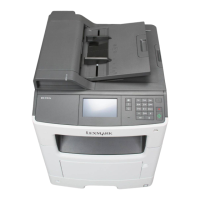
Lexmark MX410 Series - User Manual

Lexmark MX410 Series
325 pages
Print Icon
To Next Page IconTo Next Page
Loading...
MX410 and MX510 Series
User's Guide
September 2014 www.lexmark.com
Machine type(s):
7015
Model(s):
470, 630, 670, 675

Table of Contents

Questions and Answers

  • N
    nbrownSep 3, 2025
    Why Lexmark MX410 Printer shows 'Complex page, some data may not have printed'?
    • M
      marychangSep 3, 2025
      If your Lexmark Printer displays 'Complex page, some data may not have printed', you can select 'Continue' on the printer control panel to ignore the message and continue printing. Alternatively, you can cancel the current print job or install additional printer memory.
  • J
    jorge42Sep 2, 2025
    How to fix Lexmark Printer 'Non-Lexmark [supply type]' error?
    • B
      benderadamSep 2, 2025
      To resolve the 'Non-Lexmark' error on your Lexmark Printer, remove the third-party supply or part and install a genuine Lexmark supply or part.
  • J
    Joshua ArcherSep 1, 2025
    What to do if Lexmark Printer displays 'Imaging unit very low'?
    • M
      michelle76Sep 1, 2025
      If your Lexmark Printer indicates 'Imaging unit very low', you may need to replace the imaging unit very soon. If necessary, select 'Continue' on the printer control panel to clear the message and continue printing.
  • M
    Mrs. Tracy WoodAug 31, 2025
    What to do if Lexmark MX410 displays 'Cartridge very low'?
    • M
      Margaret StanleySep 1, 2025
      If your Lexmark Printer warns that the 'Cartridge very low', you may need to replace the toner cartridge very soon. If necessary, select 'Continue' on the printer control panel to clear the message and continue printing.
  • M
    Michelle PotterAug 30, 2025
    What to do if Lexmark MX410 displays 'Imaging unit nearly low'?
    • C
      christopher03Aug 30, 2025
      If your Lexmark Printer shows 'Imaging unit nearly low', select 'Continue' on the printer control panel to clear the message and continue printing, if necessary.
  • K
    kimberlyvasquezAug 29, 2025
    What to do if Lexmark Printer says 'Cartridge nearly low'?
    • J
      James Higgins MDAug 30, 2025
      If your Lexmark Printer indicates that the 'Cartridge nearly low', select 'Continue' on the printer control panel to clear the message and continue printing, if necessary.
  • H
    hopkinscynthiaAug 29, 2025
    How to fix Lexmark Printer error reading USB hub?
    • S
      Sharon BallardAug 29, 2025
      This error means that an unsupported USB hub has been inserted into your Lexmark Printer. Remove the unsupported USB hub and install a supported one.
  • A
    Angela FowlerAug 28, 2025
    What to do if Lexmark MX410 Printer displays 'Imaging unit low'?
    • M
      Melinda CookAug 28, 2025
      If your Lexmark Printer displays an 'Imaging unit low' message, consider ordering a new imaging unit. If necessary, select 'Continue' on the printer control panel to clear the message and continue printing.
  • A
    Alicia BurnettAug 27, 2025
    What to do if Lexmark MX410 Printer displays 'Replace cartridge'?
    • L
      lawrencedayAug 27, 2025
      When your Lexmark Printer shows 'Replace cartridge', you should replace the toner cartridge to clear the message and continue printing.
  • J
    Jacob RoachAug 26, 2025
    What to do if Lexmark Printer says 'Cartridge low'?
    • X
      xrichardsAug 26, 2025
      If your Lexmark Printer displays a 'Cartridge low' message, you may need to order a new toner cartridge. To clear the message and continue printing, select 'Continue' on the printer control panel, if necessary.

Lexmark MX410 Series Specifications

General IconGeneral
Print TechnologyLaser
FunctionsPrint, Copy, Scan, Fax
Print Speed (Black)40 ppm
Print Resolution1200 x 1200 dpi
Processor Speed800 MHz
Memory256 MB
ConnectivityUSB, Ethernet, Wi-Fi
Paper Capacity250 sheets
Scan Resolution600 x 600 dpi
Fax Speed33.6 Kbps
Maximum Paper SizeLegal
Supported Media SizesA4, A5, A6, Letter, Legal
Scanner TypeFlatbed
Weight14.0 kg

Related product manuals