Using the Lexus Integrated Mobile Phone
System in Vehicles equipped with Navi-
gation
Section 3
44
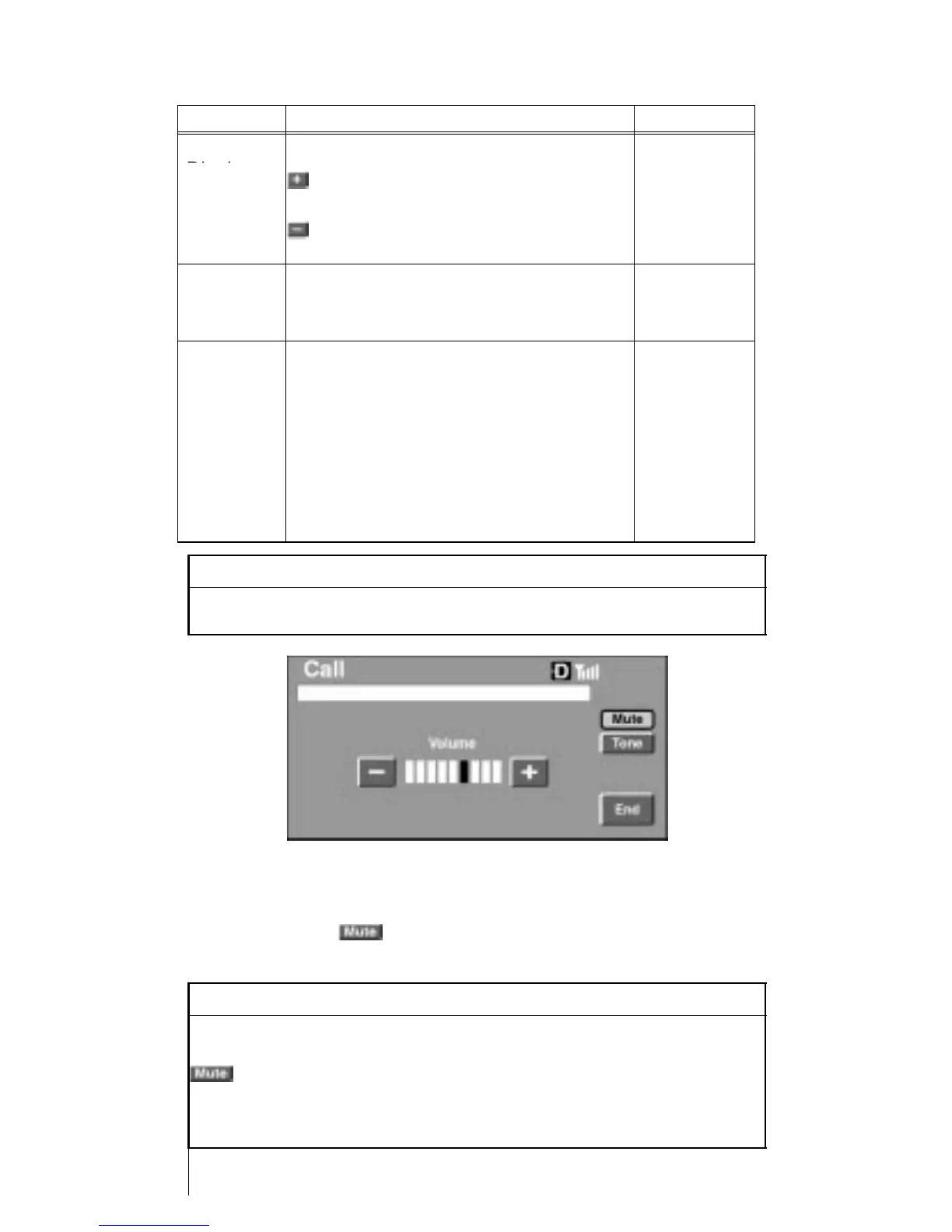
Summary –Volume Adjustment During a Call
Method Description Reference
Console
Touch the
P. 43
Display
or
on the screen to adjust the volume.
Com-
mand
Module
Press the function key 1 or 2 on the
command module.
P.10, 11,
12
Phone If the volume is adjusted using the
volume control button on the phone
when it is in the cradle, the set vol-
ume (max. and min.) of hands free
will change.
*This volume setting will be different
from the volume when the phone is
used independently.
Phone In-
struction
Manual
INFORMATION
To adjust volume, we recommend to use the Call screen or the
command module.
Microphone Mute Switch
To mute the microphone, press function key 3 on the command
module, or touch
on the console display. To unlock the mute
function, repeat the prior instruction.
INFORMATION
By pressing function key 3 on the command module, or by
touching
on the console display, the called party cannot hear the caller’s
voice, however the caller (vehicle side) can hear the voice of the
called party.












 To Next Page