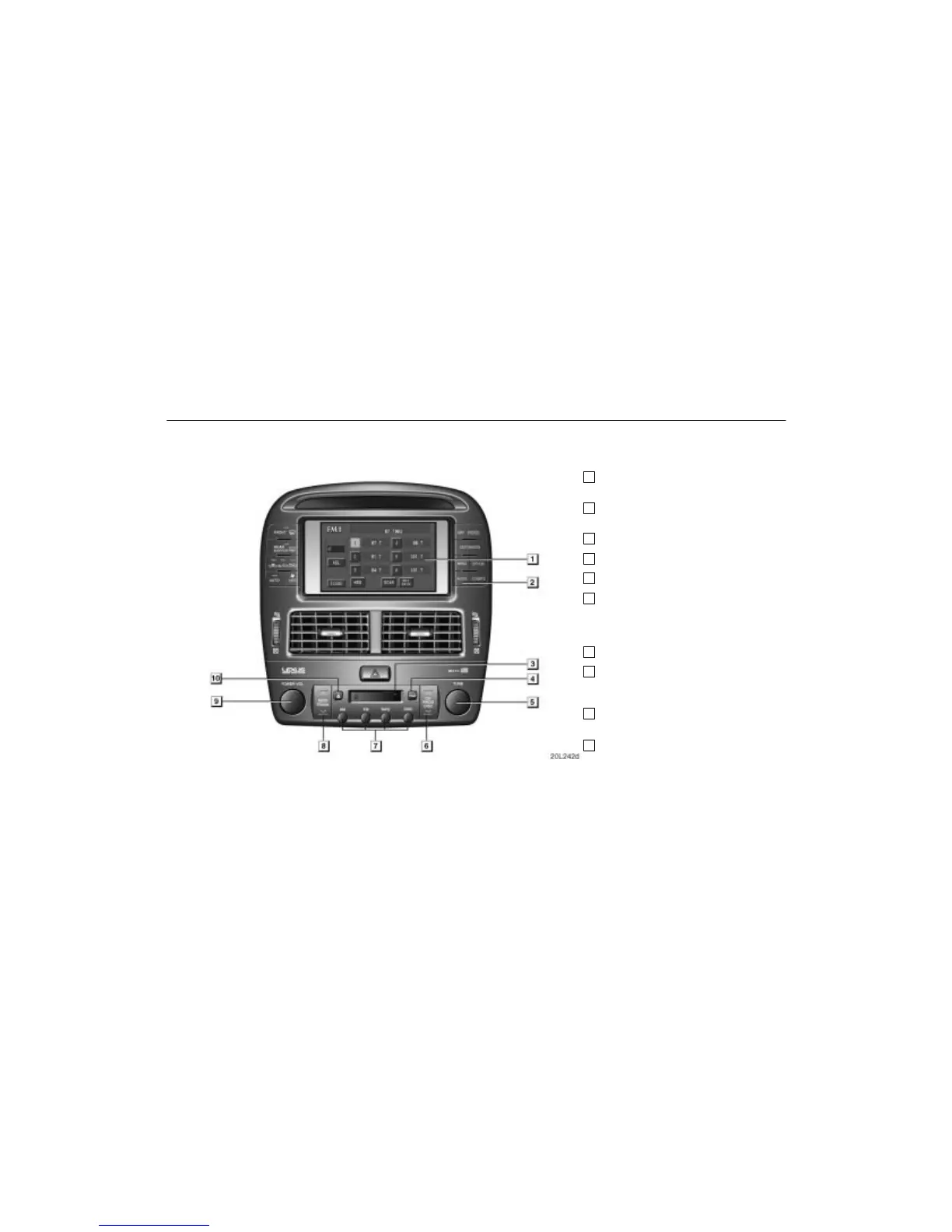
Audio System
If a Mark Levinson brand audio system is installed, the “Mark Levinson” logo
is shown on the panel.
129
Quick reference for your audio system
Page
1
Function switch display
screen 131. . . . . . . . . . . . . . . . . . . . . . .
2
Audio operation screen display
button 130. . . . . . . . . . . . . . . . . . . . . . . .
3
Cassette tape slot 139. . . . . . . . . . . . .
4
Traffic function button 137. . . . . . . . .
5
Frequency turning knob 135. . . . . . .
6
[Radio mode] Preset tuning 135. . . .
[Tape mode] Side change of
cassette tape 140. . . . . . . . . . . . . . . . .
[CD mode] Disc selection 144. . . . . .
7
Mode selectors 131. . . . . . . . . . . . . . . .
8
[Radio mode] Seek tuning 136. . . . . .
[Tape/CD mode] Direct access to
a desired program 141/144. . . . . . . . .
9
Turning the system on and
adjusting the volume 130. . . . . . . . . .
10
Stopping and ejecting a
cassette tape 139. . . . . . . . . . . . . . . . .












 To Next Page