161
3
3-4. Adjusting the steering wheel and mirrors
Before driving
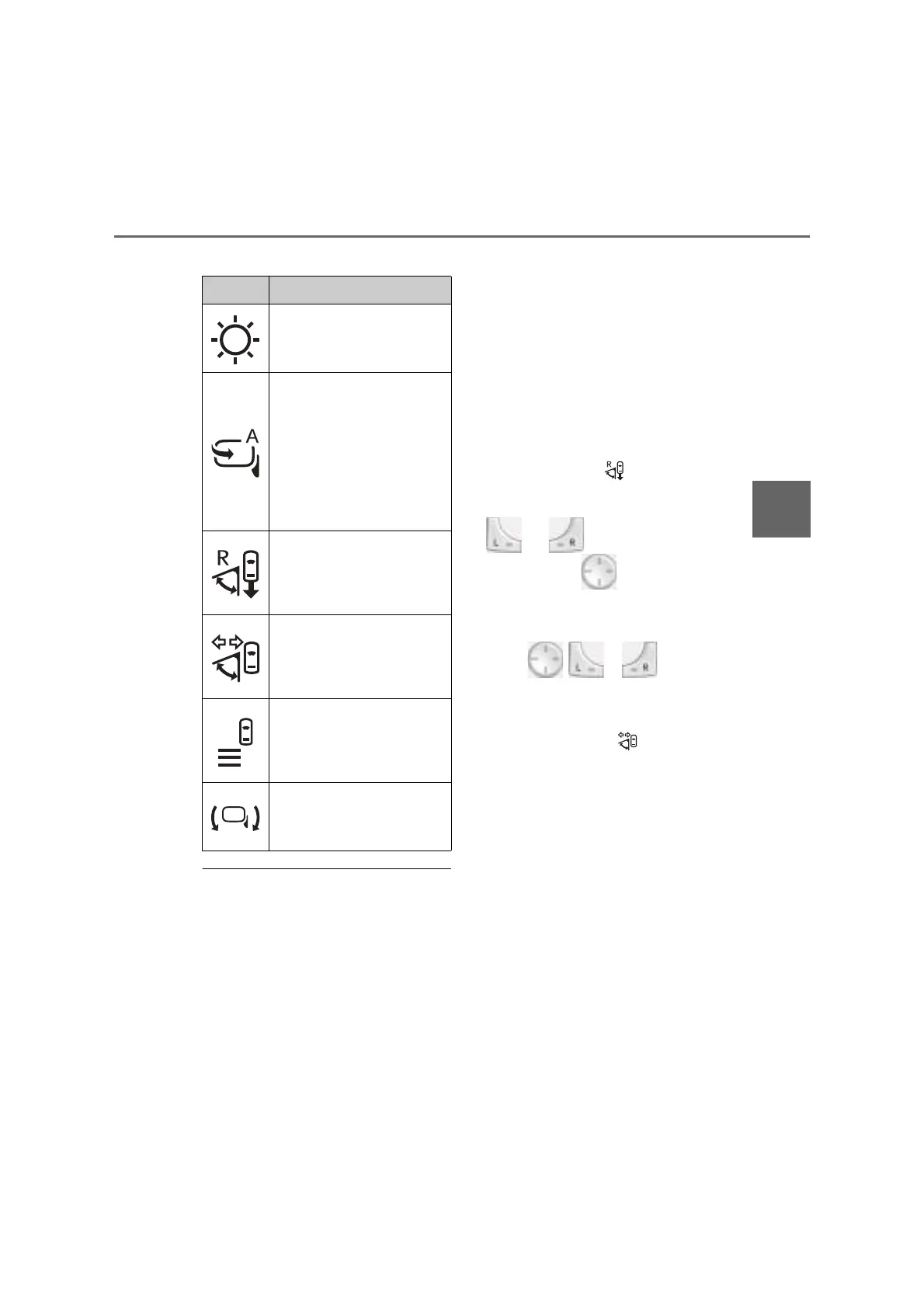
Q Adjustment menu icons
Q When adjusting the Digital Side-view
Monitor display
Stop the vehicle in a safe place before
adjusting.
Q Adjusting the Digital Side-view Moni-
tor display
O In the following situations, the icon turns
off.
• When the ON/MENU switch is pressed
• When the power switch is turned off
• When the driver side door is opened
• When the switches are not operated for a
certain period of time
• When the shift lever shifted to R
*
(When
the shift lever shifted to R, the system
switches to reverse-linked wide range
image mode.)
*
: When reverse-linked wide range image
mode is turned on
O When the following operations are per-
formed, the system will switch to wide
range image mode.
• The shift lever is shifted to R (only when
the adjustment icon is on)
When the shift lever is shifted out of R,
wide range image mode is canceled.
• and are not selected and
any direction on is pressed.
When the vehicle is driven for a certain
amount at or above a certain speed, wide
range image mode is canceled.
Also, if , or is pressed
again, wide range image mode is can-
celed.
• The turn signal lever is operated (only
when adjustment icon is on)
When a few seconds have been elapsed
after the turn signal lever is returned to its
original position, wide range image mode
is canceled.
O If the displayed image is adjusted to the
limit, it may appear distorted. This is not a
malfunction.
O If the brightness of the display is set too
high, it may cause eye strain. Adjust the
display to an appropriate brightness.
O The brightness of the display will change
automatically according to the brightness
of the surrounding area.
Q To prevent sensors from operating
improperly
Do not place anything over the sensors or
attach anything to the windshield that
blocks the sensors. If external light is
Icons Settings
Select to adjust the brightness
of the display.
Select to enable/disable the
function that automatically
retracts and extends the cam-
eras linked with the door lock
and unlock operations of the
smart entry & start system and
wireless remote control.
(P.162)
Select to enable/disable the
function that expands the dis-
play range when the shift lever
shifted to R. (P.162)
Select to enable/disable the
function that expands the dis-
play range when the turn signal
lever is operated. (P.165)
Select to enable/disable the
function that displays the dis-
tance guideline when moving
forward.
Select to adjust the angle of the
image shown on the display.



 To Next Page