162
3-4. Adjusting the steering wheel and mirrors
obstructed, the function that automatically
adjusts the brightness of the image will not
operate normally.
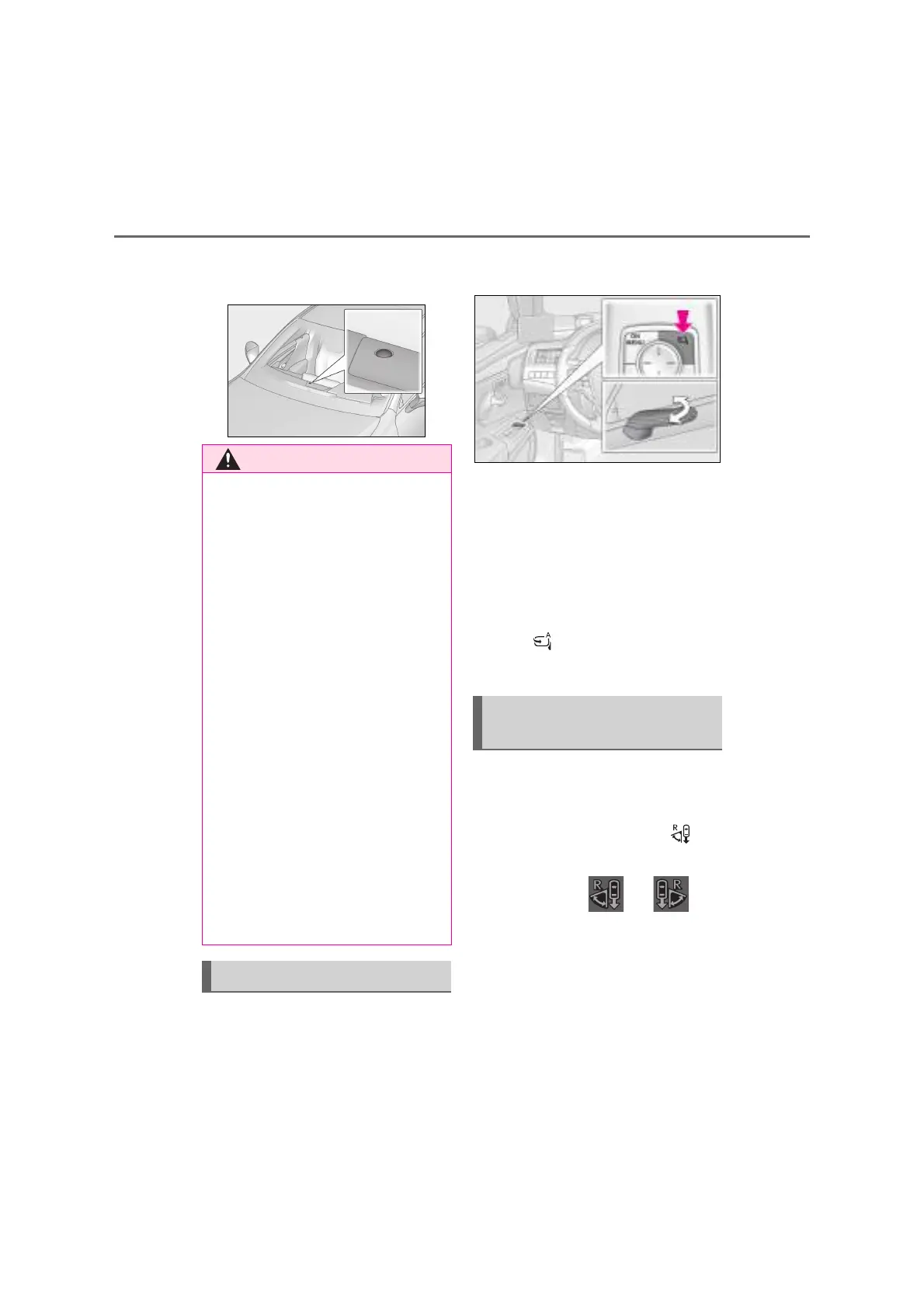
Q Retracting/extending manually
Press the button.
Press the button again to return the cam-
eras to their original positions.
Q Retracting/extending automati-
cally
The cameras can be automatically
retracted and extended linked with the
door lock and unlock operations of the
smart entry & start system and wireless
remote control.
Turn the adjustment menu icon
on. (P.159)
This provides an expanded display
range and displays distance guidelines
on the display when backing up. When
not using this function, turn the
adjustment menu icon off. (P.159)
During operation, and are
shown on the display.
Q Adjusting the range displayed
when backing up
(P.158)
Q Distance guidelines
These lines are shown on the display
Q Important points while driving
Observe the following precautions. Fail-
ure to do so may result in death or seri-
ous injury.
O Do not adjust the display range of the
Digital Side-view Monitor or operate
the adjustment menu while driving.
Stop the vehicle in a safe place before
operating the Digital Side-view Moni-
tor control switches. Operating the
Digital Side-view Monitor control
switches may cause a steering wheel
operation error, resulting in an acci-
dent.
O Always pay attention to the vehicle’s
surroundings.
• The distance to nearby people and
objects shown in the display may differ
from the actual distance such as when
backing up.
• The vehicle’s surroundings may
appear dark in multistory parking lots
or other areas with mixed bright and
dark areas, or when headlights from
vehicles to the rear are shown in the
display at night.
Retracting the cameras
Reverse-linked wide range
image mode



 To Next Page