280
4-5. Using the driving support systems
If a vehicle approaching from the right or
left at the rear of the vehicle is detected, a
buzzer will sound.
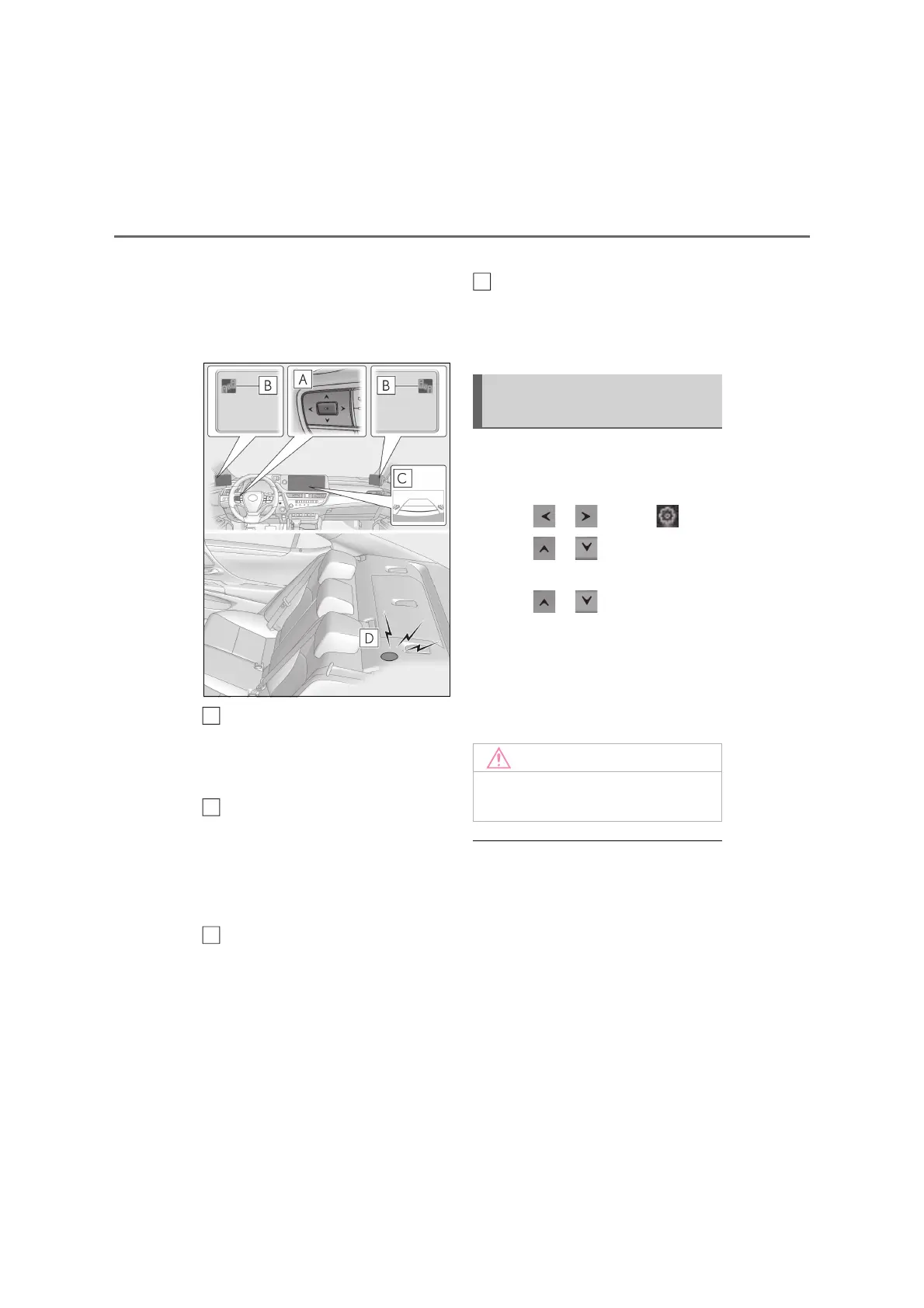
Vehicles with Digital Side-view
Monitor
Meter control switches
Turn the RCTA function on/off.
When the RCTA function is disabled, the
RCTA OFF indicator illuminates.
Digital Side-view Monitor indica-
tors
When a vehicle approaching from the right
or left at the rear of the vehicle is detected,
both Digital Side-view Monitor indicators
will flash.
Center Display
If a vehicle approaching from the right or
left at the rear of the vehicle is detected,
the RCTA icon (P.281) for the detected
side will be displayed on the Center Dis-
play. This illustration shows an example of a
vehicle approaching from both sides of the
vehicle.
RCTA buzzer
If a vehicle approaching from the right or
left at the rear of the vehicle is detected, a
buzzer will sound.
Use the meter control switches to
enable/disable the RCTA function.
(P.108)
1 Press or to select .
2 Press or to select “PKSA”
and then press “OK”.
3 Press or to select “RCTA”
and then press “OK”.
When the RCTA function is disabled, the
RCTA OFF indicator (P.94) illuminates
on the multi-information display. (Each
time the power switch is turned off then
changed to ON mode, the RCTA function
will be enabled automatically.)
Q Outside rear view mirror indicator (if
equipped) or Digital Side-view Monitor
indicator (if equipped) visibility
In strong sunlight, the outside rear view mir-
ror indicator or Digital Side-view Monitor
indicator may be difficult to see.
Q Hearing the RCTA buzzer
The RCTA buzzer may be difficult to hear
over loud noises, such as if the audio system
volume is high.
A
B
C
Turning the RCTA function
on/off
Q Before using the RCTA function
Do not place obstacles near the sensors.
D



 To Next Page