281
4
4-5. Using the driving support systems
Driving
Q When “RCTA Unavailable” is shown on
the multi-information display
Ice, snow, mud, etc., may be attached to the
rear bumper around the sensors.
(P.264) The system should return to nor-
mal operation after removing the ice, snow,
mud, etc. from the rear bumper. Addition-
ally, the sensors may not operate normally
when driving in extremely hot or cold envi-
ronments.
Additionally, the function may not function
normally when used in extremely hot or
cold environments.
Q Rear side radar sensors
P.264
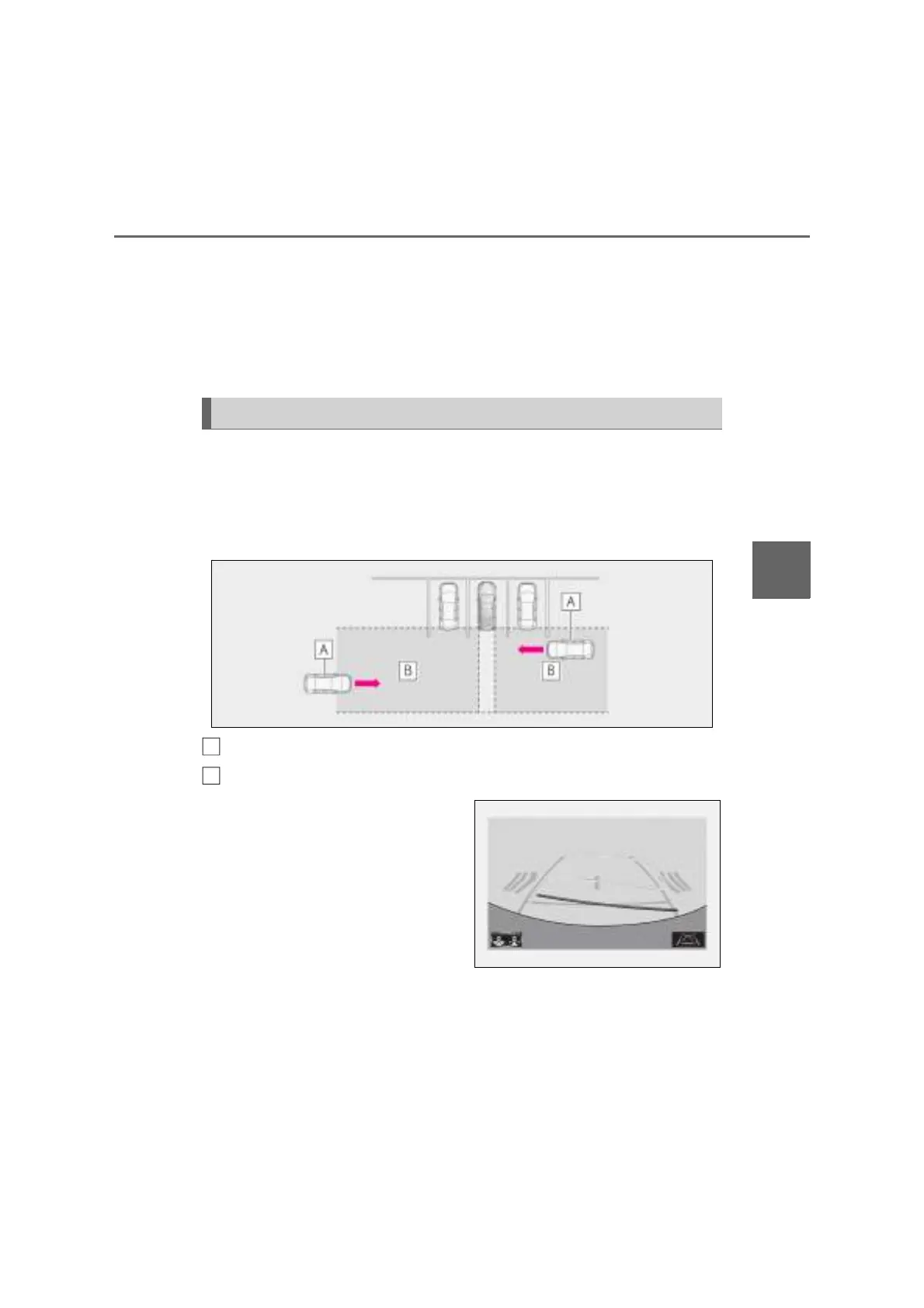
Q Operation of the RCTA function
The RCTA function uses rear side radar sensors to detect vehicles approaching
from the right or left at the rear of the vehicle and alerts the driver of the presence
of such vehicles by flashing the outside rear view mirror indicators (if equipped) or
Digital Side-view Monitor indicators (if equipped) and sounding a buzzer.
Approaching vehicles
Detection areas of approaching vehicles
Q RCTA icon display
When a vehicle approaching from the
right or left at the rear of the vehicle is
detected, the following will be dis-
played on the Center Display.
Example (Lexus parking assist moni-
tor) (if equipped): Vehicles are
approaching from both sides of the
vehicle
Q RCTA function detection areas
The areas that vehicles can be detected in are outlined below.
RCTA function
A
B



 To Next Page