300
ES350_300h_OM_OM33A60U_(U)
4-5. Using the driving support systems
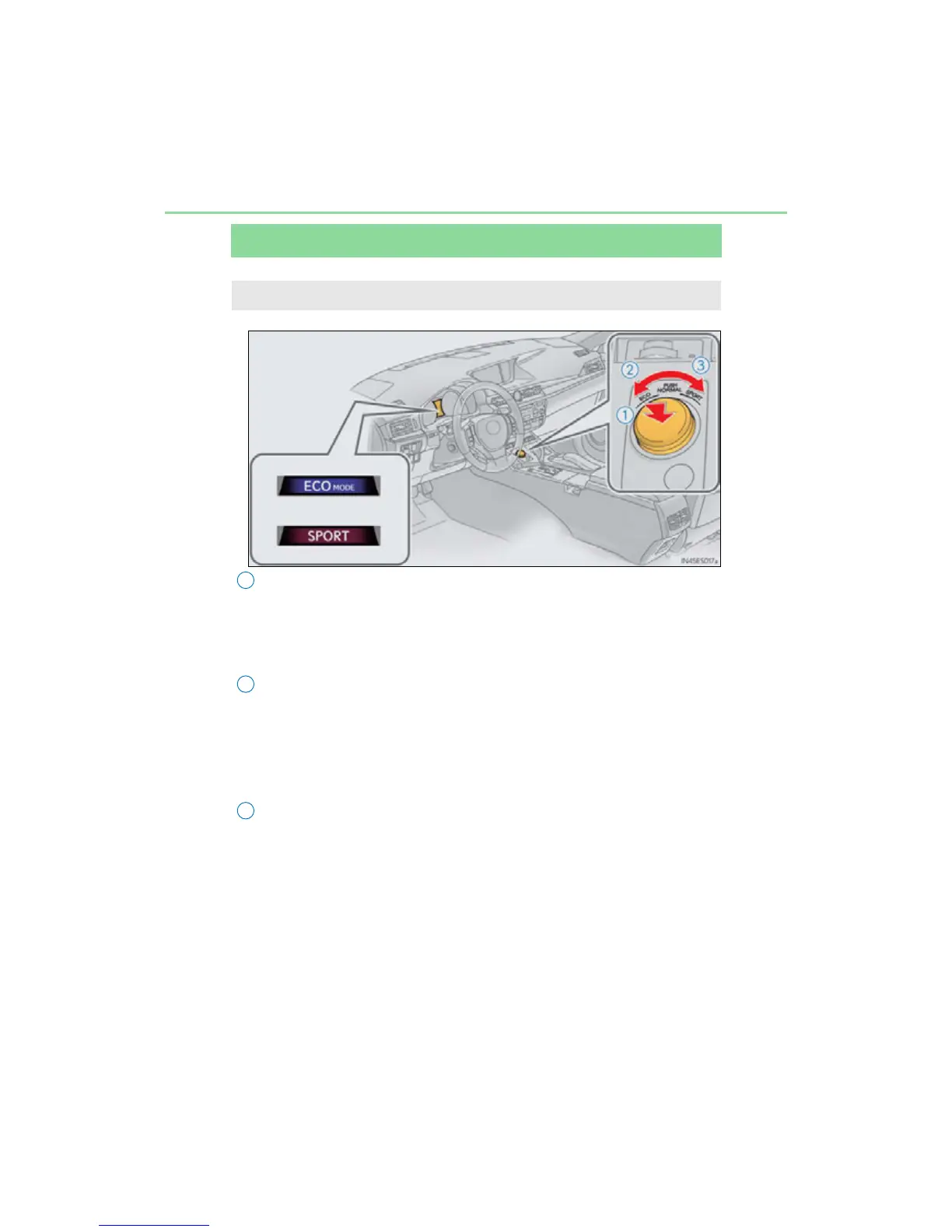
Driving mode select switch
Normal mode
For normal driving.
Press the switch to change the driving mode to normal mode when selected to
Eco mode or sport mode.
Eco drive mode
Use Eco mode to help achieve low fuel consumption during trips that
involve frequent accelerating.
When not in Eco drive mode and the driving mode select switch is turned to the
left, the “ECO MODE” indicator comes on in the multi-information display.
Sport mode
Assists acceleration response by controlling the steering and transmis-
sion <hybrid system>. Suitable for when precise handling is desirable,
for example when driving on mountain roads.
When not in Sport mode and the driving mode select switch is turned to the right,
the “SPORT” indicator comes on in the multi-information display.
Hybrid vehicles: The hybrid system indicator changes to the tachometer.
(P. 95)
The driving modes can be selected to suit driving condition.



 To Next Page