419
ES350_300h_OM_OM33A60U_(U)
5-3. Using the Lexus Display Audio system
5
Interior features
Listening to a USB memory
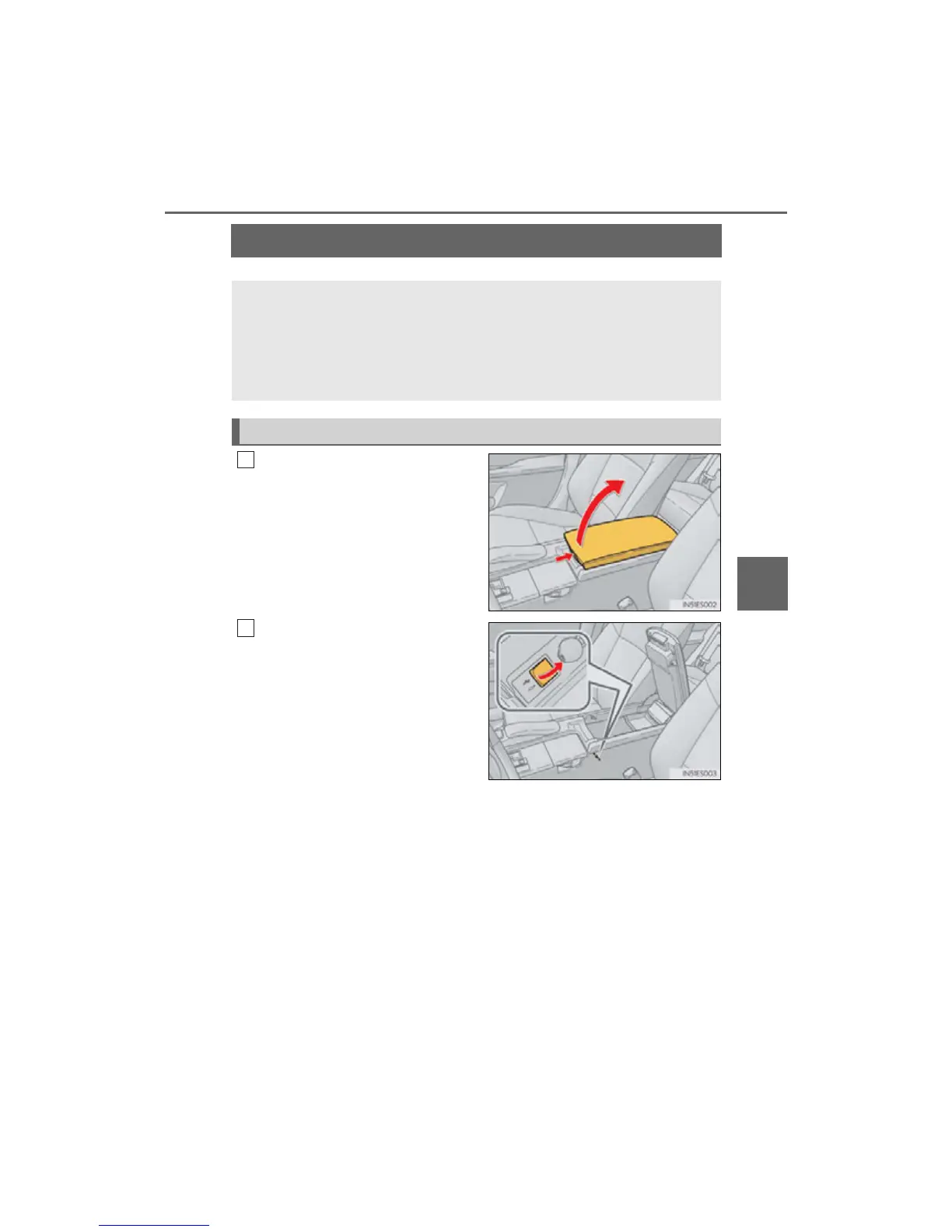
Push the knob to release the lock,
and lift the armrest to open fully.
Open the cover and connect a
USB memory.
Turn on the power of the USB memory
if it is not turned on.
Connecting a USB memory enables you to enjoy music from the vehi-
cle speakers.
Press the “MEDIA” button or the “AUDIO” button on the Lexus Display
Audio controller and then select “USB” with a USB memory con-
nected.
Connecting a USB memory
1



 To Next Page