429
ES350_300h_OM_OM33A60U_(U)
5-3. Using the Lexus Display Audio system
5
Interior features
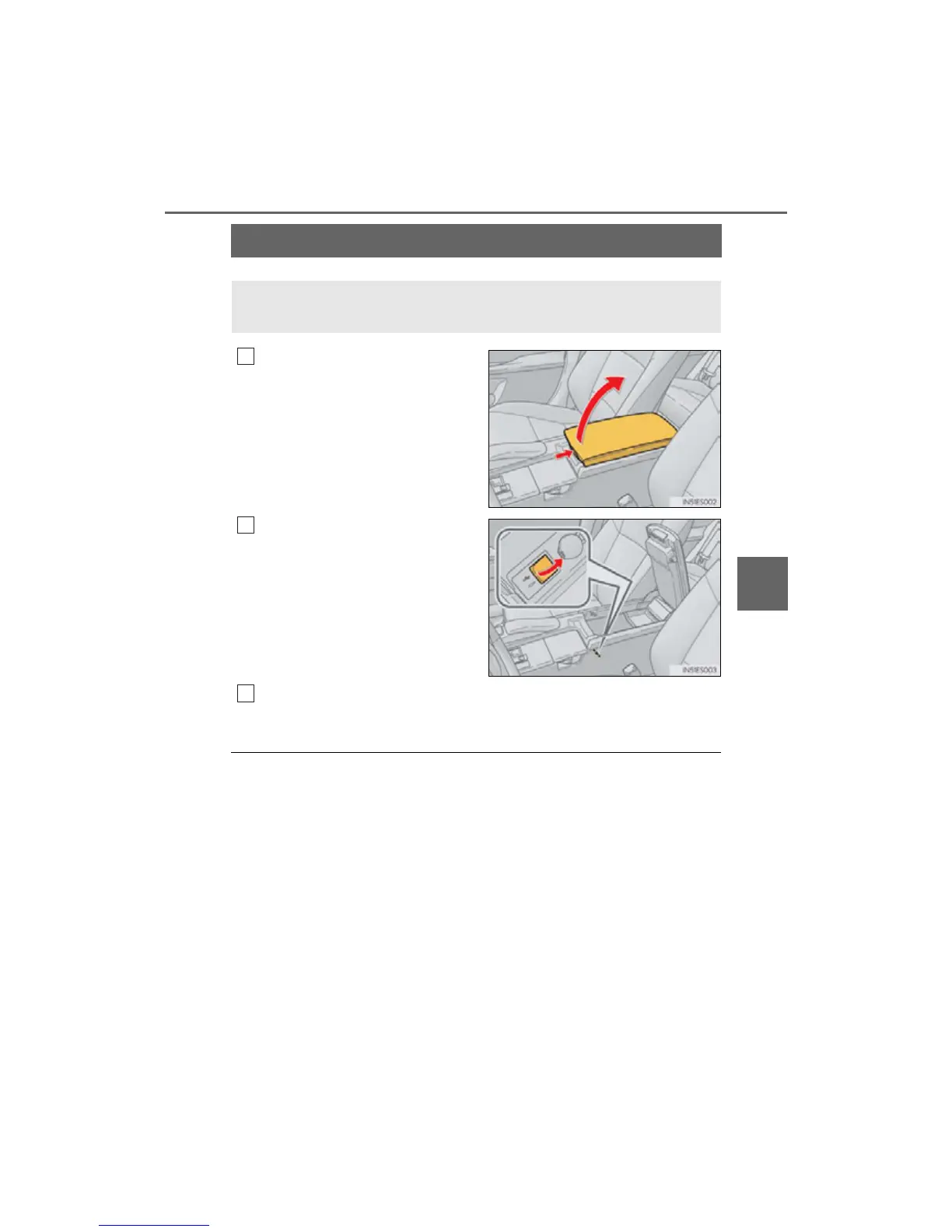
Using the AUX port
Push the knob to release the lock,
and lift the armrest to open fully.
Open the cover and connect the
portable audio device.
Press the “MEDIA” button or the “AUDIO” button on the Lexus Display
Audio controller and then select “AUX”.
■ Operating portable audio devices connected to the audio system
The volume can be adjusted using the vehicle’s audio controls. All other adjustments
must be made on the portable audio device itself.
■ When using a portable audio device connected to the power outlet
Noise may occur during playback. Use the power source of the portable audio
device.
This port can be used to connect a portable audio device and listen to it
through the vehicle’s speakers.
1



 To Next Page