343
ES350_300h_OM_OM33A60U_(U)
5-1. Lexus Display Audio system
5
Interior features
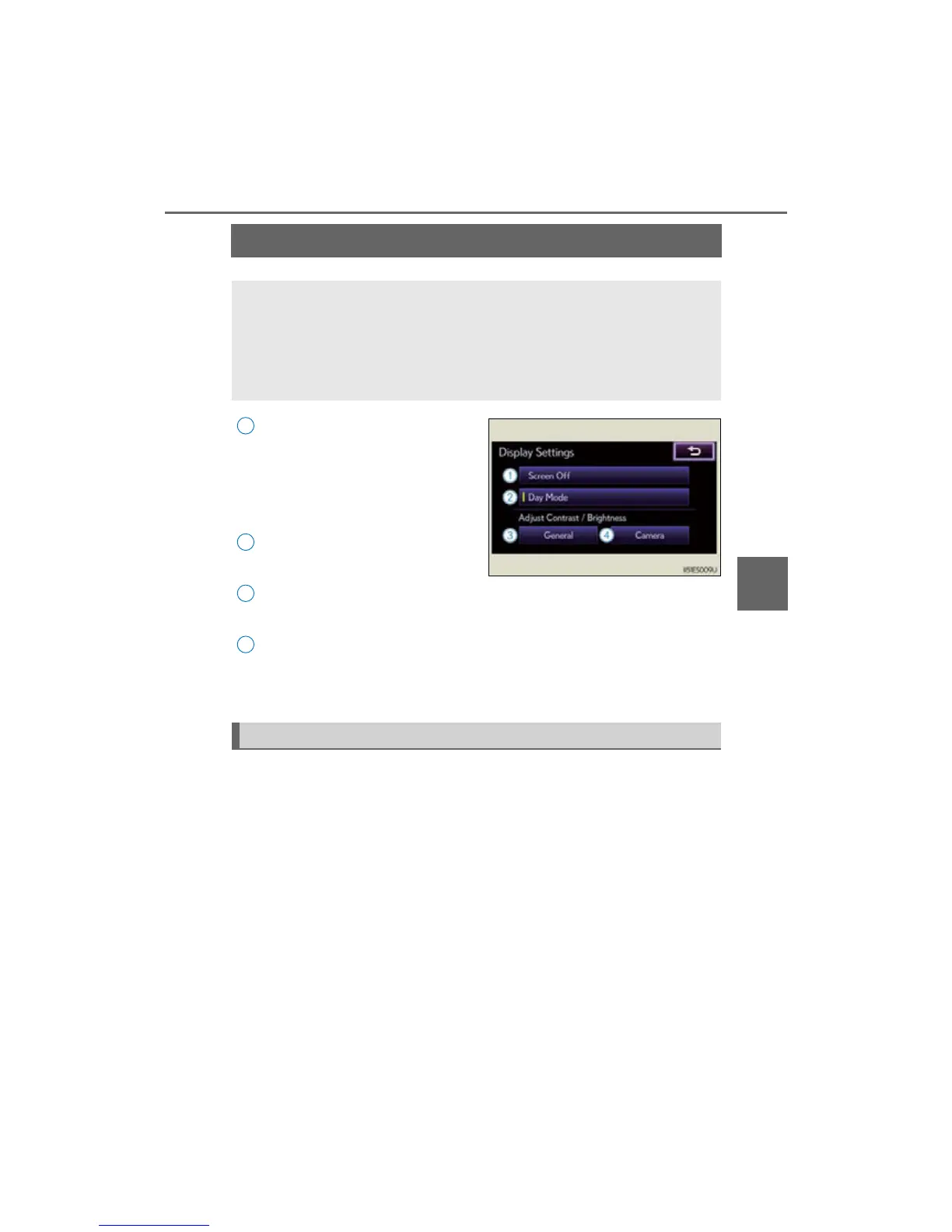
Display settings
Turns off screen
The screen is turned off. To turn it on,
press the “AUDIO” or “MENU” but-
ton on the Lexus Display Audio con-
troller.
Changes to day mode
(P. 343)
Adjusts screen contrast/bright-
ness (P. 344)
Adjusts screen contrast/bright-
ness of rear view monitor camera
(P. 3 44)
When the headlights are turned on, the screen dims.
However, the screen can be switched to day mode by selecting “Day
Mode”.
If the screen is set in day mode with the headlight switch turned on, this condition
is memorized even with the “START STOP ENGINE” <“POWER”> switch is
turned off.
You can adjust the contrast and brightness of the screen and also turn
the display off.
To display the “Display Settings” screen, press the “MENU” button on
the Lexus Display Audio controller and then select “Display” on the
“Menu” screen.
1
2
3



 To Next Page