ES350_300h_OM_OM33A60U_(U)
383
5-3. Using the Lexus Display Audio system
5
Interior features
Press the “MEDIA” button, “RADIO” button or the “AUDIO” button on
the Lexus Display Audio controller to display the audio control screen.
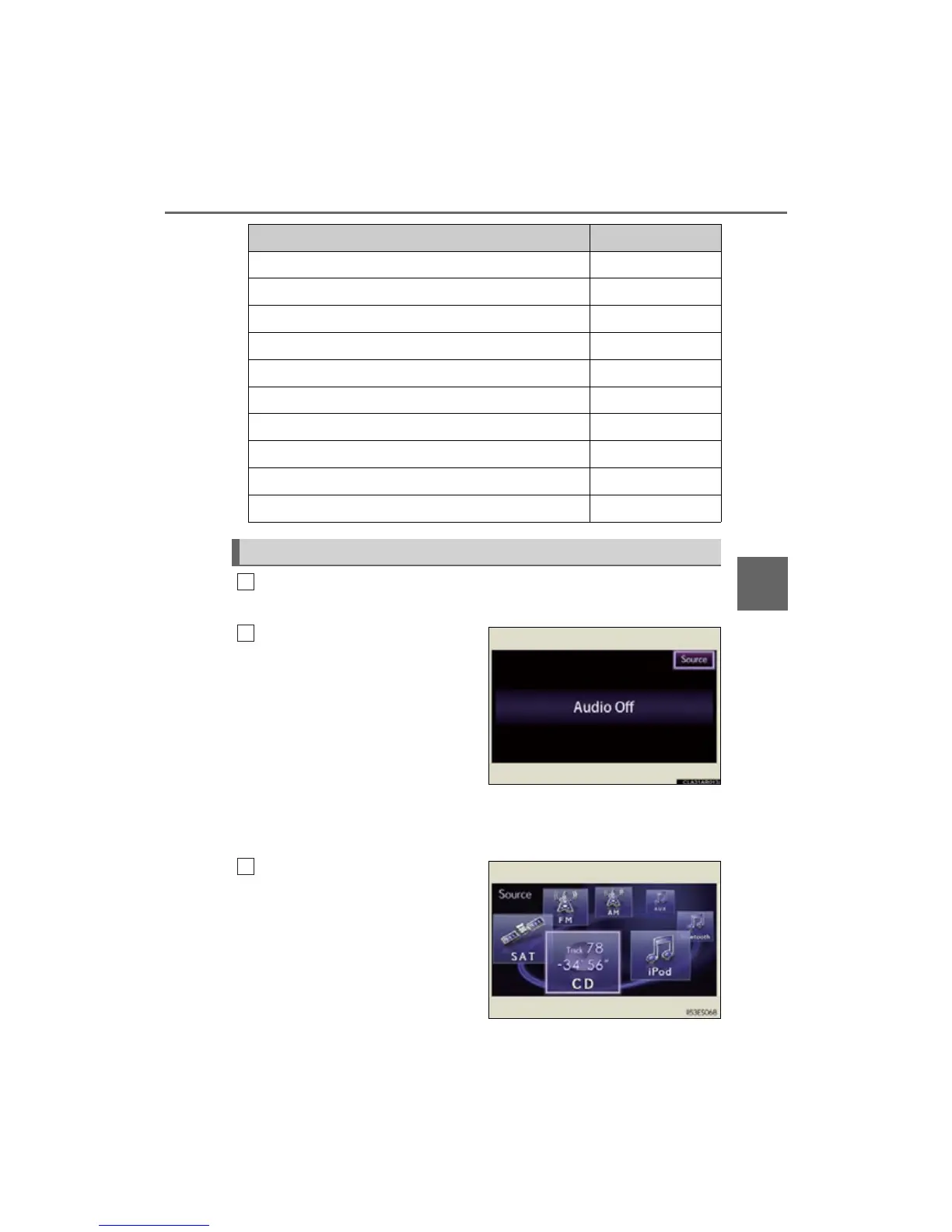
Select “Source” or press the
“AUDIO” button on the Lexus
Display Audio controller to dis-
play the audio source selection
screen.
Each time the “MEDIA” button is
pressed, an audio source other than
radio is changed to.
Each time the “RADIO” button is
pressed, radio mode is changed.
Select the desired audio source.
Button Page
Using the radio P. 385
Using the CD player P. 400
Playing an audio CD and MP3/WMA discs P. 40 1
Listening to an iPod P. 411
Listening to a USB memory P. 419
Using the AUX port P. 429
Listening to Bluetooth
®
audio P. 431
Optimal use of the audio system P. 446
Using the steering wheel audio switches P. 448
Hands-free system for cellular phone P. 451
Switching the audio source
1
2
3



 To Next Page