386
ES350_300h_OM_OM33A60U_(U)
5-3. Using the Lexus Display Audio system
Pressing the “RADIO” button or “AUDIO” button on the Lexus Display
Audio controller displays the audio control screen from any screens of the
selected source.
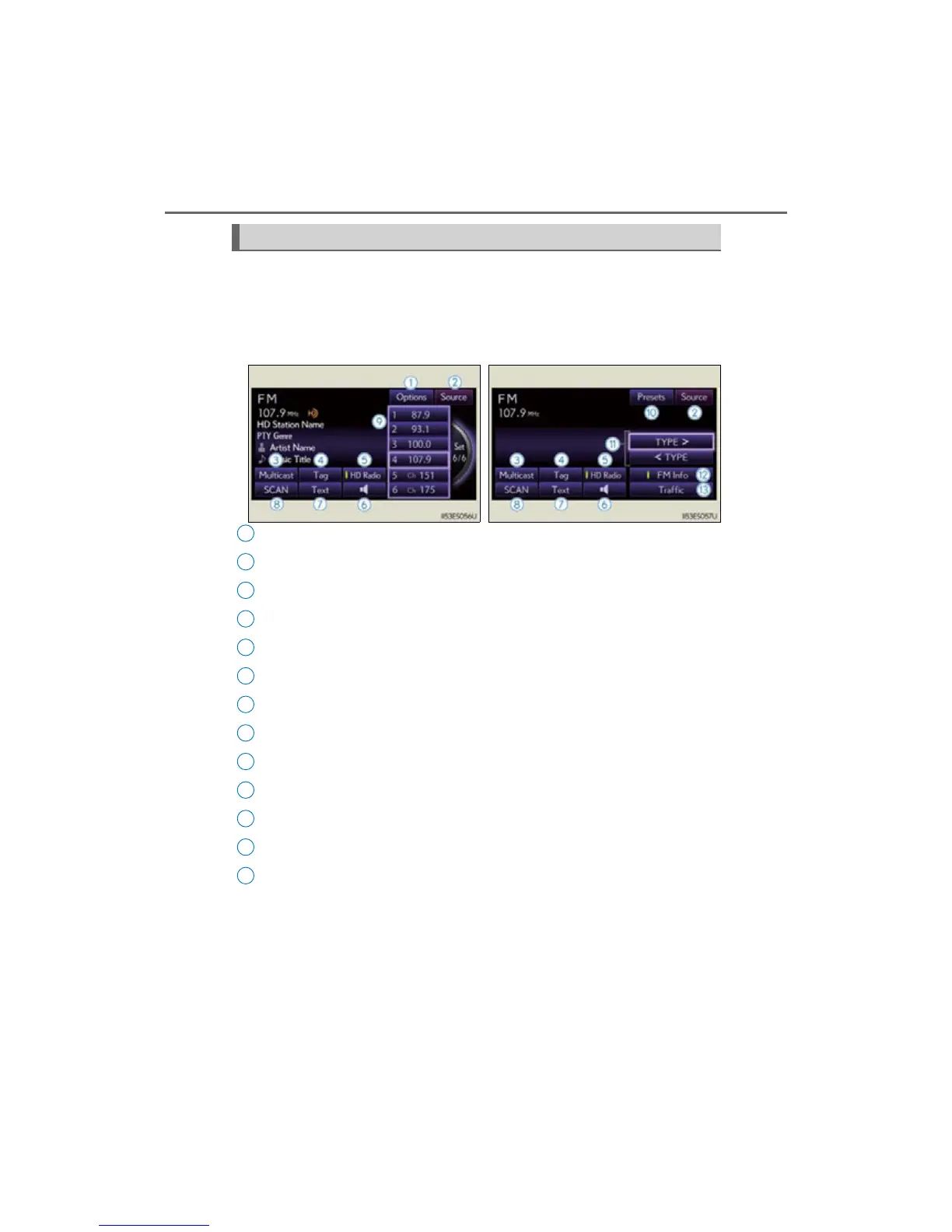
“Options” screen appears
Audio source selection screen appears
Changing the Multicast Ch
Information in the music under broadcasting is memorized
Selecting HD Radio™ technology
Setting the sound (P. 446)
Displaying text messages
Scanning for receivable station
Preset stations
“Presets” screen appears
Selecting program type or channel category
RBDS message display on/off
Displaying traffic messages
Audio control screen
“Presets” screen “Options” screen
1
2
3
4
5
6
7
8
9
10
11
12
13



 To Next Page