EasyManua.ls Logo

Lexus ES350 - Page 423

Lexus ES350
917 pages
Print Icon
To Next Page IconTo Next Page
To Previous Page IconTo Previous Page
Loading...
ES350_300h_OM_OM33A60U_(U)
423
5-3. Using the Lexus Display Audio system
5
Interior features
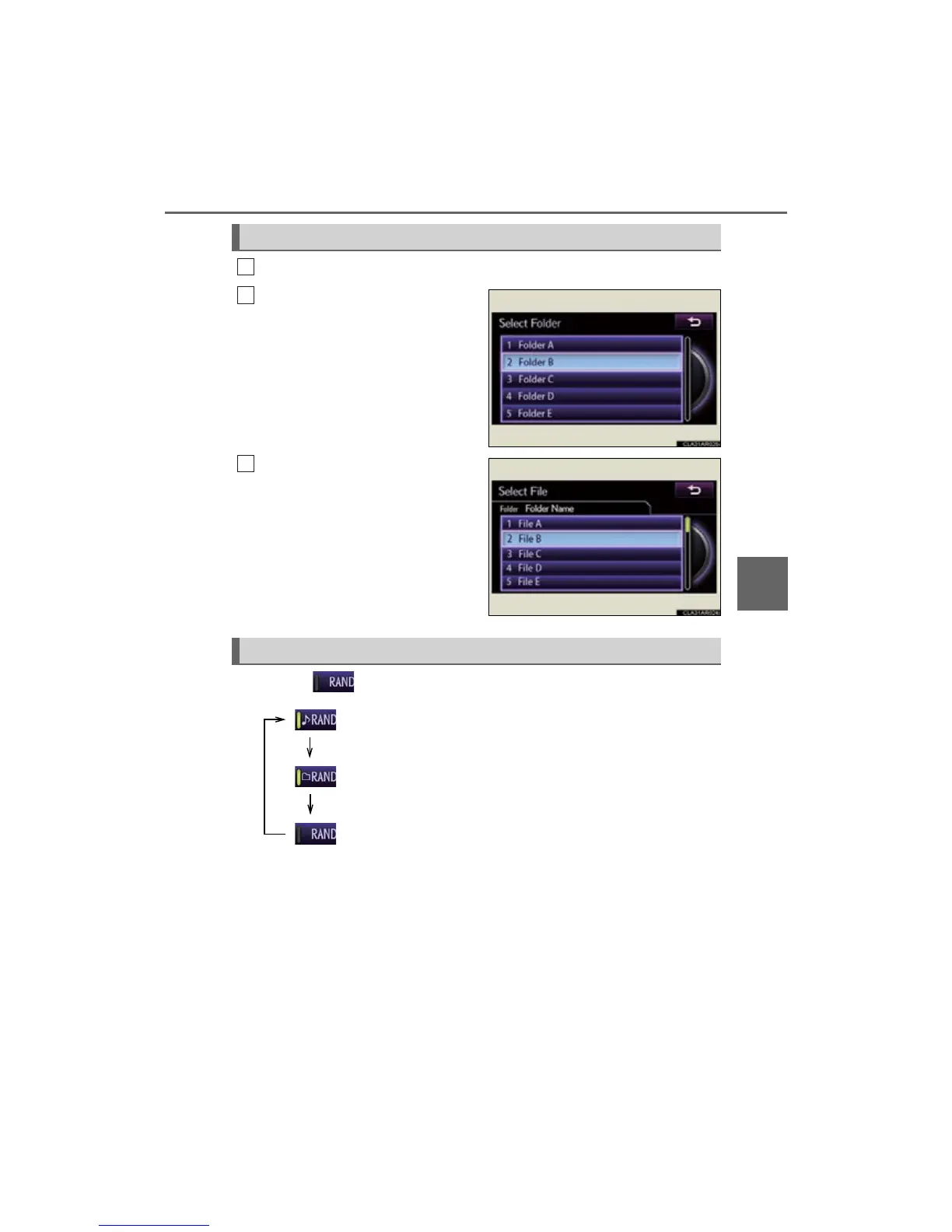
Select “Folders” on the screen.
Select the desired folder number.
Select the desired file number.
Each time is selected, the mode changes in the following order:
Selecting a folder
1
2

3
Random playback
: Random play on the folder
: Random play in all the folders
: Off

Table of Contents

Other manuals for Lexus ES350

Related product manuals