ES350_300h_OM_OM33A60U_(U)
433
5-3. Using the Lexus Display Audio system
5
Interior features
Pressing the “MEDIA” button or the “AUDIO” button on the Lexus Display
Audio controller displays the audio control screen from any screens of the
selected source.
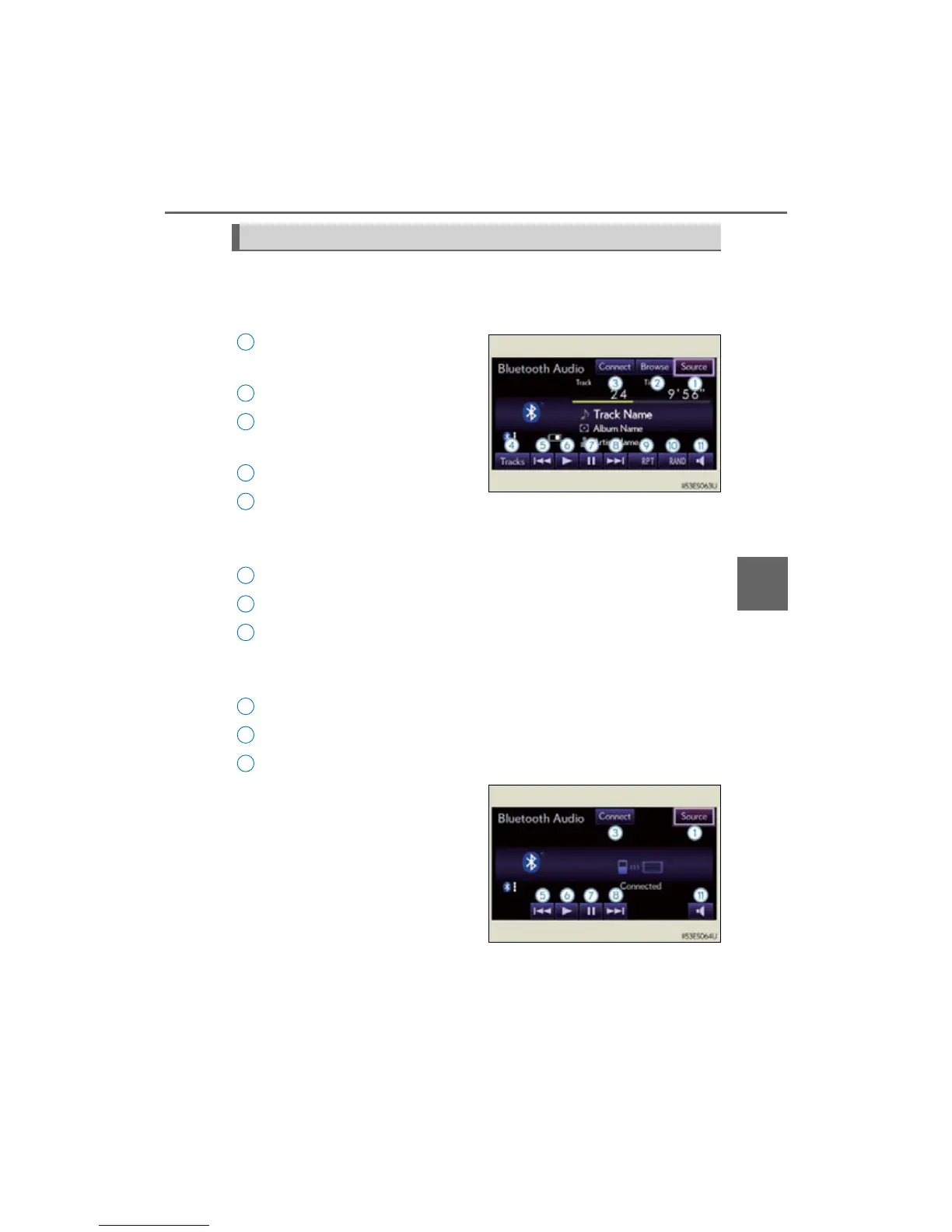
Audio source selection screen
appears
Displaying the list
Connecting a Bluetooth
®
audio
player
Displaying the track list
Select: Playing the previous track
Select and hold: Reversing a
track
Playback
Pause
Select: Playing the next track
Select and hold: Fast-forwarding
a track
Repeat play
Random playback
Setting the sound (P. 446)
Some titles and controls may not be
displayed depending on the type of
portable audio player.
Audio control screen



 To Next Page