490
ES350_300h_OM_OM33A60U_(U)
5-3. Using the Lexus Display Audio system
Display the “Phonebook Settings” screen. (P. 481)
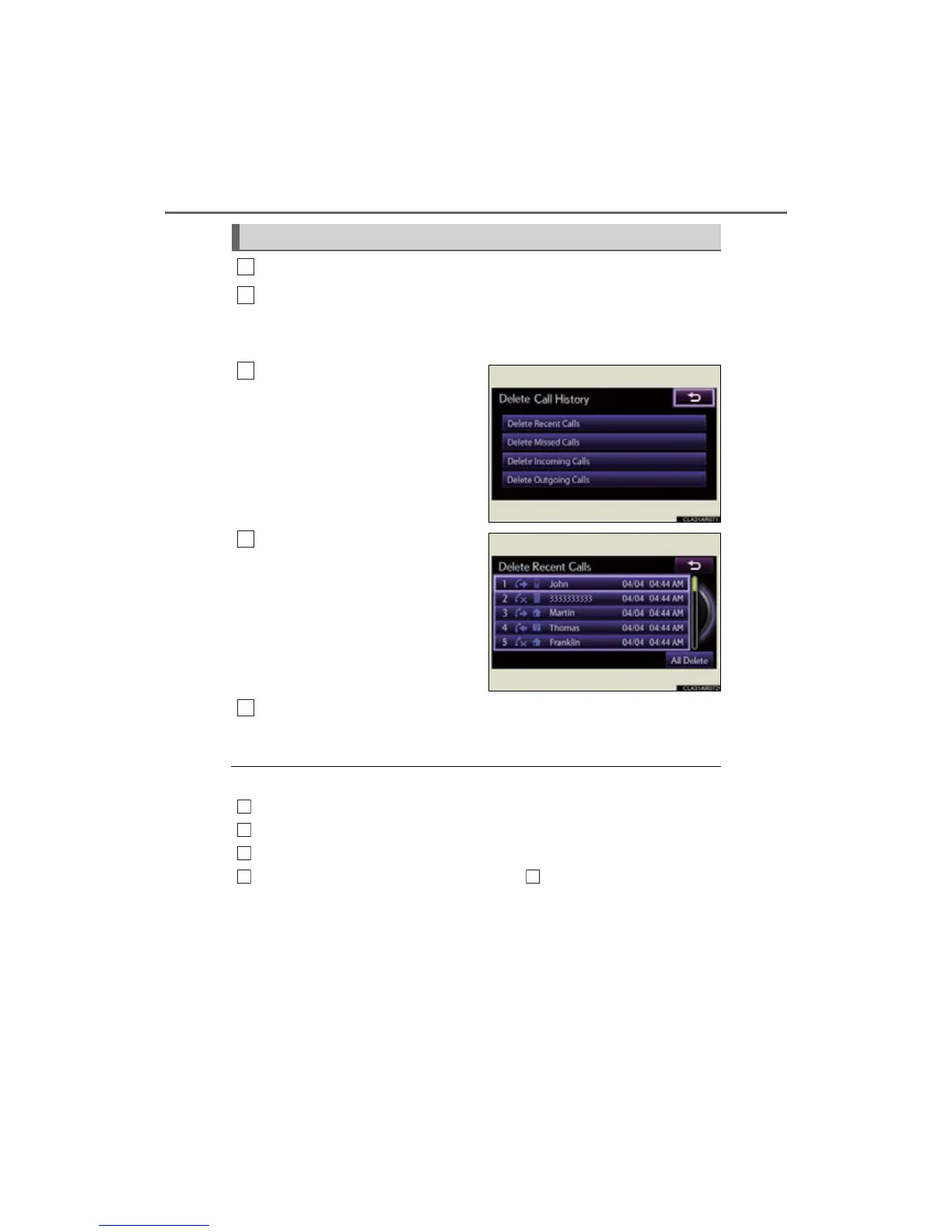
Select “Delete Call History” on the “Phonebook Settings” screen.
If your phone supports PBAP service, the “Automatically Download Contacts”
setting needs to be set to “Off”. (P. 482)
Choose the desired history to
delete.
Choose the data to delete.
To delete all data, select “All
Delete”.
A confirmation message will be displayed. If everything is correct,
select “Yes”.
■ Deleting call history in a different way
Display the “Phone” screen. (P. 459)
Select “Call History” on the “Phone” screen.
Select “Delete” on the “Call History” screen.
Follow the steps “Deleting the call history” from . (P. 490)
Deleting the call history
1
2



 To Next Page