6
ENG
ENGLISH
ASSEMBLING AND PREPARING
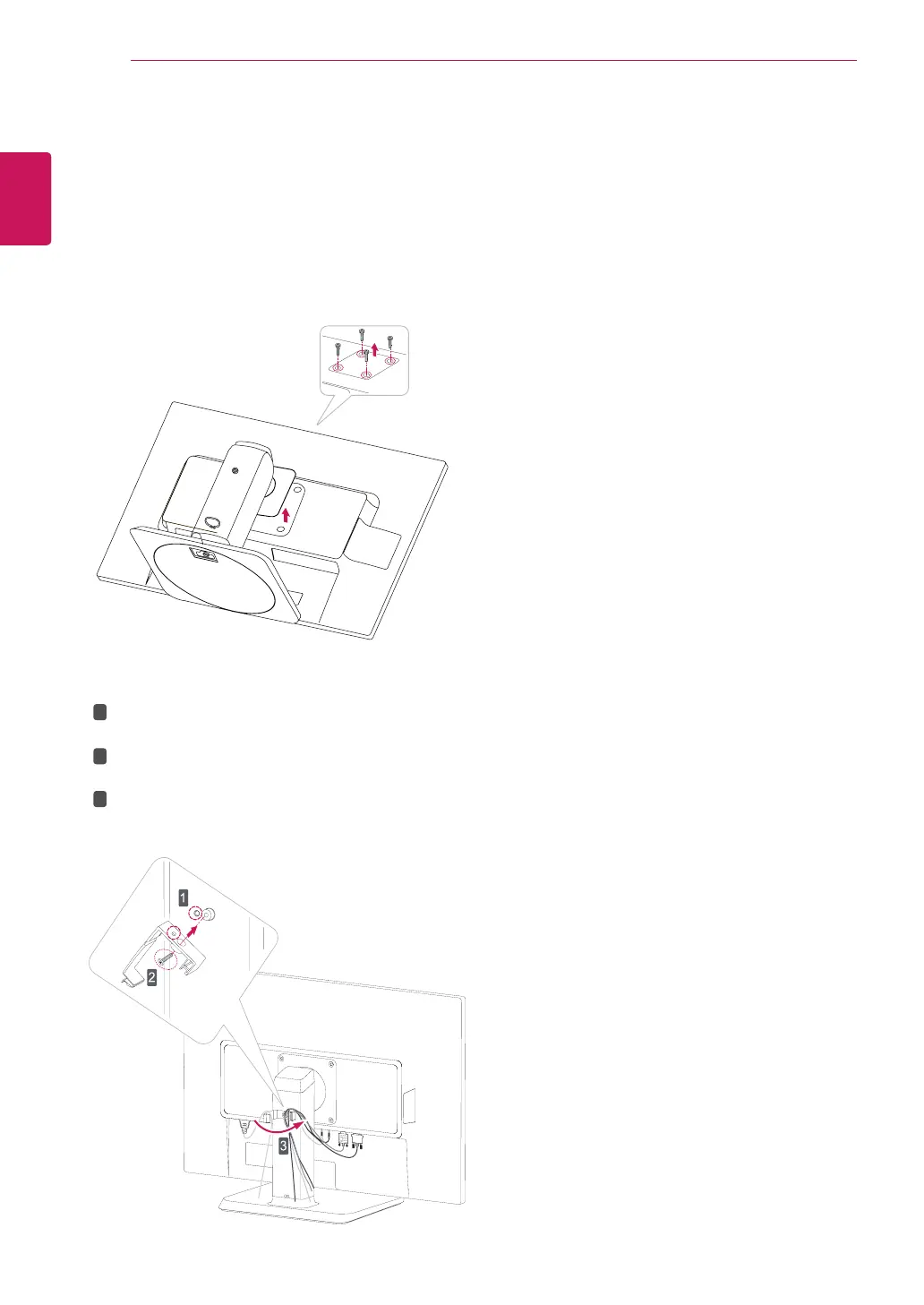
Detachingthestandbody
1
Placethemonitor'sscreenfacedown.To
protectthescreenfromscratches,coverthe
surfacewithasoftcloth.
2
Usingascrewdriver,removethefourscrews
anddetachthestandfromthemonitor.
Usingthecableholder
FixtheKnob(Cableholder)tothe
Hole(Hingebody).
1
2
3
UseonescrewtofixtheCableHolderand
monitorset.
ClosetheCableholder.


 To Next Page