7
ENG
ENGLISH
ASSEMBLING AND PREPARING
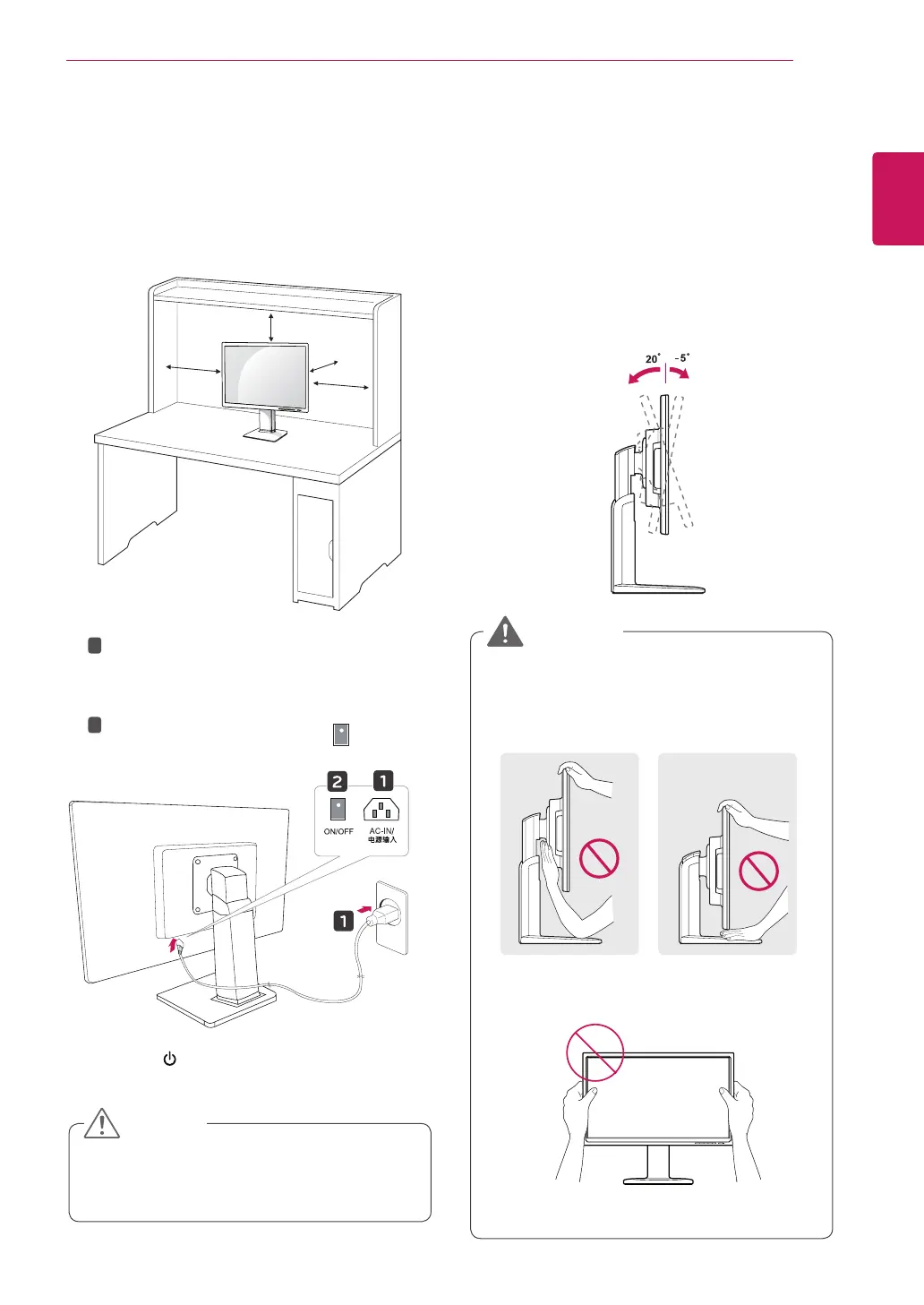
Adjustingtheangle
1
Placethemonitormountedonthestandbase
inanuprightposition.
2
Adjusttheangleofthescreen.Theangleof
thescreencanbeadjustedupto5°forwards
and20°backwardsforacomfortableviewing
experience.
Toavoidinjurytothefingerswhenadjusting
thescreen,donotholdthelowerpartofthe
monitor'sframeasillustratedbelow.
Becarefulnottotouchorpressthescreen
areawhenadjustingtheangleofthemonitor.
WARNING
Mountingonatable
1
Liftthemonitorandplaceitonthetableinan
uprightposition.
Installatleast
10cm
awayfromthewallto
ensuresufficientventilation.
2
3
Pressthe (Power)buttononthefrontofthe
monitortoturnonthemonitor.
10 cm
10 cm
10 cm
10 cm
Unplugthepowercordpriortomovingor
installingthemonitor.Thereisriskofelectric
shock.
CAUTION
FrontSideRearSide
1
2
ConnectthePowercordtothemonitor,then
plugthepowercordintothewalloutlet.
(Beforeconnectpleasecheckthe“ON/OFF”
knobin“O”state).
Pressthe“ON/OFF”knobin“”state
(Openthepower).


 To Next Page