9
ENG
ENGLISH
ASSEMBLING AND PREPARING
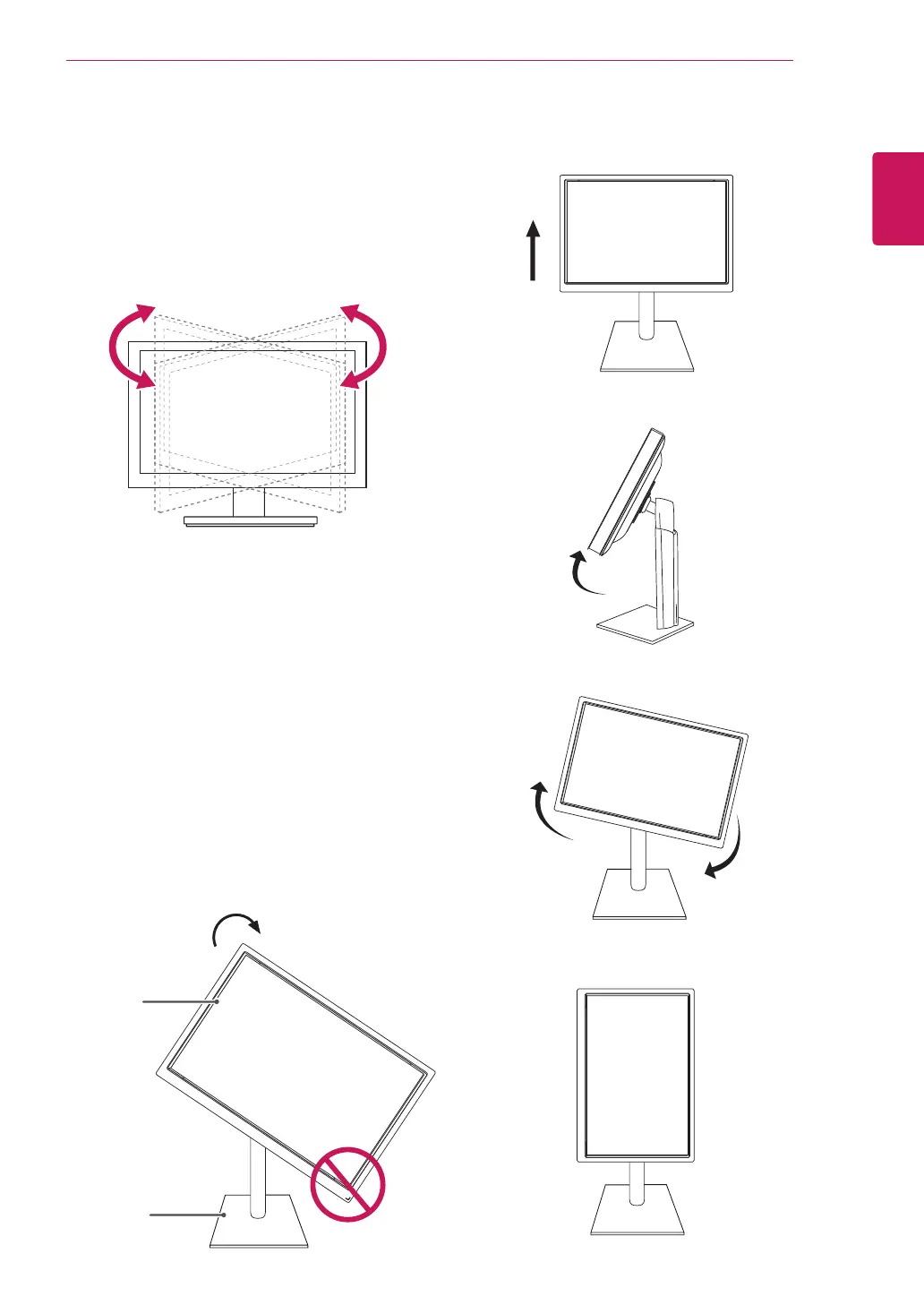
Swivelstand
ImageshownmaydifferfromyourMonitor
set.
1
Swivel355degreesandadjusttheangleofthe
Monitorsettosuityourview.
1
Liftthemonitortoitshighestheighttoutilize
thePivotfunction.
UsingthePivotfunction
Thepivotfunctionallowsyoutorotatethescreen
90degreesclockwise.
2
Landscape&Portrait:Youcanrotatethepanel
90°clockwise.Pleasebecautiousandavoid
contactbetweenthemonitorheadandthe
StandBasewhenrotatingthescreentoaccess
thePivotfunction.Ifthemonitorheadtouches
theStandBase,thentheStandBasecould
crack.
Head
section
Stand
section
3
Becarefulwiththecableswhenrotatingthe
screen.


 To Next Page