EasyManua.ls Logo

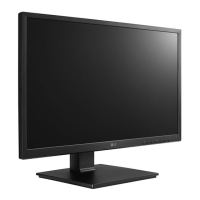
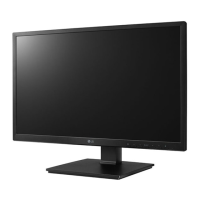
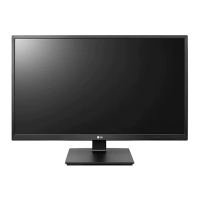
LG 24CK550Z-BP - User Manual

LG 24CK550Z-BP
22 pages
Print Icon
To Next Page IconTo Next Page
Loading...
* LG LED Monitor applies LCD screen with LED backlights.
Please read this manual carefully before operating your set and retain it for future reference.
Owner’s Manual
CLOUD Monitor
(LED Monitor*)
www.lg.com
Copyright © 2019 LG Electronics Inc. All Rights Reserved.
24CK550Z
Questo manuale d’istruzione è fornito da trovaprezzi.it. Scopri tutte le offerte per LG 24CK550Z-BP
o cerca il tuo prodotto tra le migliori offerte di Monitor

Questions and Answers

  • J
    Jennifer LoveAug 9, 2025
    How to fix LG 24CK550Z-BP Monitor when no image appears?
    • M
      Matthew CervantesAug 9, 2025
      If no image appears on your LG Monitor, ensure the power cord is properly connected to the outlet and that you've pressed the power button. Also, adjust the brightness and contrast settings. If the monitor is in power saving mode, try moving the mouse or pressing a key. Ensure your PC is turned on. If the signal cable is disconnected, check the cable and reconnect it. If the signal from the PC is out of range, see the 'Specifications' section of this manual and configure your display again.
  • D
    donna63Aug 13, 2025
    Why is the display color on my LG 24CK550Z-BP Monitor abnormal?
    • P
      peter04Aug 13, 2025
      If the display color on your LG monitor is abnormal, and the color appears discolored (16 color), set the color to 24 bit (true color) or higher via Control Panel > Display > Settings > Color Quality. Also, check if the signal cable is properly connected and re-connect it or re-insert the PC's video card. Please note that pixilated spots (red, green, blue, white or black) may appear, which is normal for LCD screens and not an error.
  • M
    Micheal BushAug 18, 2025
    What to do if there is horizontal noise on my LG Monitor?
    • M
      Mr. Rodney JacksonAug 18, 2025
      If you notice horizontal noise or unclear characters on your LG Monitor, first, press the AUTO button to automatically adjust the display image. If the issue persists, go to Control Panel ? Display ? Settings and adjust the display to the recommended resolution or adjust the display image to the ideal setting. Ensure the color setting is higher than 24 bits (true color).
  • D
    douglas82Aug 23, 2025
    Why are there vertical bars on my LG 24CK550Z-BP screen?
    • D
      Dana AveryAug 23, 2025
      If vertical bars or stripes are visible on the screen background of your LG Monitor, press the AUTO button to automatically adjust your display image to the ideal setting.
  • I
    Ian JohnsonAug 29, 2025
    How to fix incorrect display position on LG Monitor?
    • M
      Ms. Sharon WareAug 29, 2025
      If the display position is incorrect on your LG Monitor, press the AUTO button to automatically adjust your display image to the ideal setting.
  • R
    Ralph WilliamsSep 2, 2025
    What to do if my LG 24CK550Z-BP Monitor says 'OSD LOCKED'?
    • L
      lewismariaSep 2, 2025
      If you see an "OSD LOCKED" message on your LG Monitor, you can unlock the OSD controls by pushing the MENU button for several seconds until the message “OSD UNLOCKED” appears.

LG 24CK550Z-BP Specifications

General IconGeneral
Screen Size23.8 inches
Panel TypeIPS
Refresh Rate60Hz
Brightness250 cd/m²
Contrast Ratio1000:1
Response Time5ms (GTG)
Aspect Ratio16:9
VESA Mount100 x 100 mm
Resolution1920 x 1080
ConnectivityHDMI, DisplayPort
Viewing Angle178º
Color Gamut72% NTSC

Related product manuals