EasyManua.ls Logo

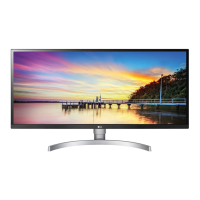
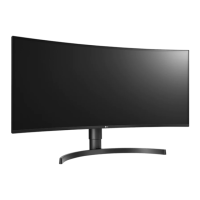
LG 34BQ75C - User Manual

LG 34BQ75C
30 pages
Print Icon
To Next Page IconTo Next Page
Loading...
* LG LED Monitor applies LCD screen with LED backlights.
Please read this manual carefully before operating your set and
retain it for future reference.
34WQ75C
34BQ75C
34WQ75X
34WQ73A
OWNER’S MANUAL
LED LCD MONITOR
(LED Monitor*)
www.lg.com
Copyright © 2022 LG Electronics Inc. All Rights Reserved.

Other manuals for LG 34BQ75C

Questions and Answers

  • A
    Annette HatfieldSep 3, 2025
    How to fix a blank screen on my LG Monitor?
    • R
      ryan38Sep 3, 2025
      To fix a blank screen on your LG Monitor, start by checking if the power cord is properly connected to the power outlet. Also, check the power cable connection and make sure to press the power button. Verify that the correct input source is selected in the monitor's settings under the 'Input' menu.
  • D
    Daniel ButlerSep 1, 2025
    Why is my LG Monitor displaying nothing?
    • D
      Daniel FriedmanSep 2, 2025
      If your LG Monitor displays nothing, it could be due to a missing or disconnected signal cable between your PC and the monitor. Check the cable and reconnect it securely. Also, the signals transferred from the PC (graphics card) might be out of the horizontal or vertical frequency range of the monitor. Refer to the Product Specification section of this manual to set the appropriate frequency.
  • J
    jasmineestradaAug 31, 2025
    Why is there no sound on my LG 34BQ75C?
    • M
      Madeline MartinezAug 31, 2025
      If images are displayed without sound on your LG Monitor, ensure that the headphone port connections are correctly made. You can also try increasing the volume using the joystick on the monitor. Finally, set the audio output of your PC to the monitor you are using. Note that the exact settings may vary depending on your operating system.
  • J
    John BradfordAug 29, 2025
    How to fix LG 34BQ75C Monitor when nothing is displayed on the screen?
    • E
      Eric BerryAug 29, 2025
      If nothing is displayed on your LG Monitor screen, first, ensure the power cord is correctly plugged into the power outlet. Next, verify the power cable connection and press the power button. Then, check that the connected input is enabled in the monitor settings (Settings > Input). If the issue persists, inspect the signal cable between your PC and the monitor, ensuring it's properly connected. Lastly, confirm that the signals transferred from your PC (graphics card) are within the horizontal or vertical frequency range supported by the monitor. Refer to the Product Specification section of the manual to set the appropriate frequency.
  • M
    marshallrobertAug 28, 2025
    Why is there no sound from the headphone port on my LG Monitor?
    • J
      Jonathan FloydAug 28, 2025
      If there is no sound from the headphone port on your LG monitor, first ensure that the headphone port connections are made properly. If the connections are correct, try increasing the volume using the joystick. Also, make sure to set the audio output of the PC to the monitor you are using. Note that the settings may differ depending on the operating system you use.
  • D
    Dennis JonesAug 27, 2025
    Why is nothing displayed on my LG 34BQ75C Monitor screen?
    • J
      jmcdonaldAug 27, 2025
      There could be several reasons why nothing is displayed on your LG monitor's screen. First, ensure the power cord is correctly plugged into the power outlet and that the power cable connection is secure, then press the power button. Also, verify that the connected input is enabled in the monitor's settings under the Input section. This issue can also occur if the signal cable between your PC and the monitor is either missing or disconnected, so check the cable and reconnect it securely. Finally, the signals transferred from the PC (graphics card) might be out of the monitor's horizontal or vertical frequency range. Refer to the Product Specification section of the manual to set the appropriate frequency.
  • E
    Elizabeth DixonAug 25, 2025
    How to fix no sound from headphone port on LG 34BQ75C Monitor?
    • K
      Kenneth WalkerAug 25, 2025
      If there is no sound from the headphone port on your LG Monitor, first ensure that the headphone connections are properly made. Then, try increasing the volume using the joystick. Lastly, set the audio output of your PC to the monitor you are using; note that these settings may vary depending on your operating system.
  • R
    rhowardAug 23, 2025
    Why is my LG 34BQ75C Monitor screen display unstable and shaky?
    • W
      Walter EatonAug 23, 2025
      If the display on your LG Monitor is unstable or shaky, or if images leave shadow trails, and the resolution is HDMI 1080i 60/50 Hz (interlaced), try changing the resolution to 1080p or the recommended resolution. Also, make sure the graphics card is set to the recommended resolution to avoid blurred text, a dimmed screen, or misalignment.

LG 34BQ75C Specifications

General IconGeneral
BrandLG
Model34BQ75C
CategoryMonitor
LanguageEnglish

Related product manuals