13
ENGLISH
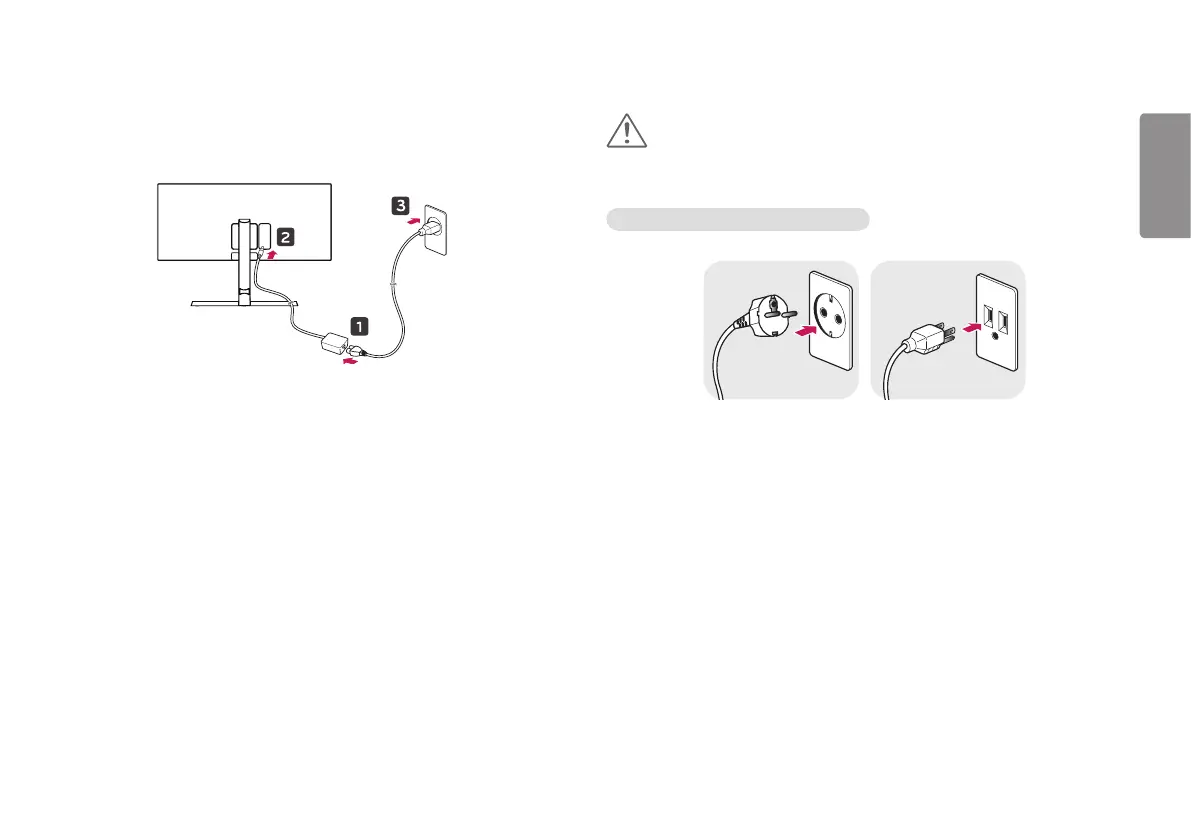
2 Connect the power adapter to the monitor and then plug the power cord into
the wall outlet.
3 Press the joystick button on the bottom of the monitor to turn on the monitor.
CAUTION
Unplug the power cord before moving or installing the monitor. There is risk of
electric shock.
Cautions When Connecting Power Cord
100-240 V ~
Make sure to use the power cord that is provided in the product package and
connect it to a grounded power outlet.
If you need another power cord, please contact your local dealer or the nearest
retail store.


 To Next Page