5
ENGLISH
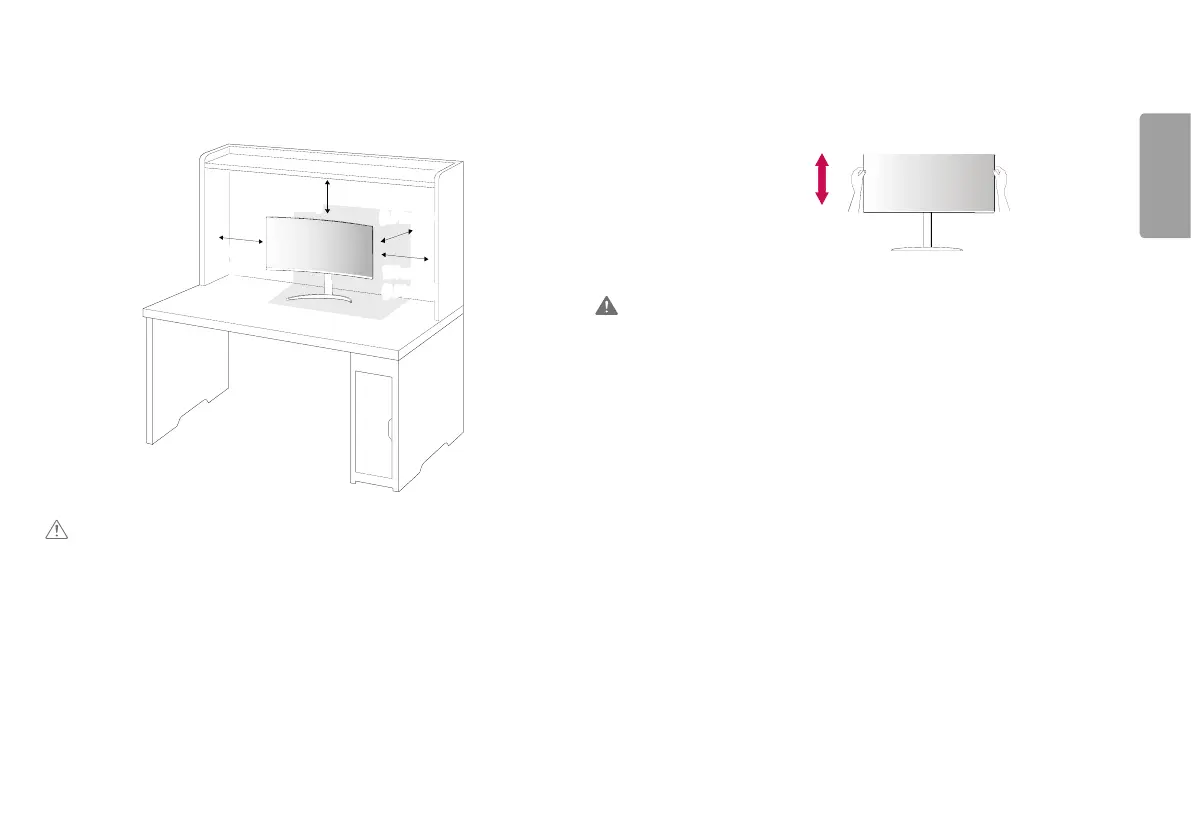
Installing on a Table
• Lift the monitor and place it on the table in an upright position. Place the monitor at least 100mm (3.9 inches)
away from the wall to ensure sufficient ventilation.
100 mm
(3.9 inches)
100 mm
(3.9 inches)
100 mm
(3.9 inches)
100 mm
(3.9 inches)
CAUTION
• Unplug the power cord before moving or installing the monitor. There is risk of electric shock.
• Make sure to use the power cord that is provided in the product package and connect it to a grounded power
outlet.
• If you need another power cord, please contact your local dealer or the nearest retail store.
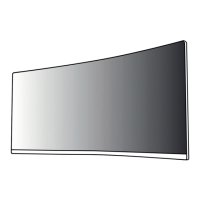
Adjusting the Stand Height
1 Place the monitor mounted on the stand base in an upright position.
2 Handle the monitor with both hands for safety.
Max. 110.0 mm (4.3 inches)
WARNING
• When adjusting the screen height, do not place your hand on the stand body to avoid injury to your fingers.


 To Next Page