EasyManua.ls Logo

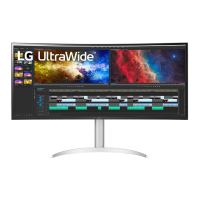
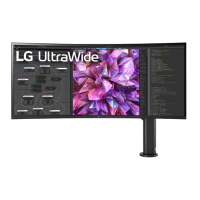
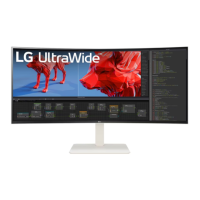
LG 38WP85C-W - User Manual

LG 38WP85C-W
28 pages
Print Icon
To Next Page IconTo Next Page
Loading...
* LG LED Monitor applies LCD screen with LED backlights.
Please read this manual carefully before operating your set and
retain it for future reference.
38WP85C
OWNER’S MANUAL
LED LCD MONITOR
(LED Monitor*)
www.lg.com
Copyright © 2021 LG Electronics Inc. All Rights Reserved.

Questions and Answers

  • P
    pcookJul 29, 2025
    What to do if nothing is displayed on my LG Monitor screen?
    • R
      Raymond RuizJul 29, 2025
      If your LG Monitor screen is blank, here are some things to try: First, ensure the power cord is securely plugged into the outlet and that the power cable is properly connected. Press the power button. Next, verify that the correct input is enabled in the monitor's settings under the Input section. Also, check the signal cable between your PC and the monitor to ensure it's properly connected. If the problem persists, try turning off HDMI Compatibility Mode in the monitor's General settings. Finally, make sure the DisplayPort Version in the General settings matches the version of your connected device.
  • M
    maryburkeAug 4, 2025
    How to fix a missing signal on my LG 38WP85C-W?
    • T
      Thomas StricklandAug 4, 2025
      If your LG Monitor displays a 'no signal' message, it means the connection between your PC and monitor is missing or faulty. To resolve this, check the signal cable and ensure it is securely reconnected. If the problem continues, verify that the correct input source is selected in your monitor's settings. Navigate to Settings > Input to confirm the appropriate input is enabled.
  • C
    Charles KellyAug 10, 2025
    What to do if my LG Monitor screen is flickering?
    • L
      lbrownAug 10, 2025
      If your LG Monitor screen is flickering, and the selected resolution is HDMI 1080i 60/50 Hz (interlaced), this could be the cause. Try changing the resolution to 1080p or the recommended resolution to see if that resolves the issue.
  • L
    Lori PriceAug 15, 2025
    Why is my LG 38WP85C-W screen blank?
    • C
      comptonjamesAug 15, 2025
      A blank screen on your LG Monitor can occur for several reasons. It could be due to a loose power cord or a disconnected signal cable between the monitor and the PC. Also, the selected input might not be enabled in the monitor's settings. In some cases, incorrect settings like HDMI Compatibility Mode or DisplayPort Version can cause this issue. Ensure that the power cord is correctly plugged into the power outlet and that the signal cable is properly connected. Check that the connected input is enabled (Settings > Input). Set HDMI Compatibility Mode to off in the monitor's General settings. Set DisplayPort Version in the monitor's General settings to the same version as the connected external device.
  • J
    Jordan CastilloAug 22, 2025
    Why does my LG 38WP85C-W Monitor retain a still image?
    • P
      Pamela ArnoldAug 22, 2025
      Displaying a still image on your LG Monitor for an extended period may cause image retention, potentially damaging the screen. To prevent this and extend the monitor's lifespan, it's recommended to use a screensaver.

Summary

ASSEMBLING AND PREPARING

Product and Button Description

How to Use the Joystick Button

Explains how to operate the joystick button.

Moving and Lifting the Monitor

Provides instructions for safe handling and transport.

Installing on a Table

Installing the Wall Mount Plate

Installing on the Wall

Steps for mounting the monitor on a wall.

USING THE MONITOR

Connecting to a PC

Guide for connecting the monitor to a computer.

USER SETTINGS

Activating the Main Menu

How to access and navigate the on-screen display menu.

Main Menu Features

Menu Settings

Details on navigating and adjusting menu options.

Quick Settings

Input

Picture

Picture Mode

Explains various preset picture modes for different content.

Picture Adjust

Game Adjust

Color Adjust

TROUBLESHOOTING

PRODUCT SPECIFICATION

LG 38WP85C-W Specifications

General IconGeneral
Screen Size38 inches
Resolution3840 x 1600
Panel TypeIPS
Aspect Ratio21:9
Contrast Ratio1000:1
HDRHDR10
Stand AdjustmentsHeight, Tilt, Swivel
VESA Mount100 x 100 mm
Curvature2300R
ConnectivityHDMI, DisplayPort, USB-C
Color GamutDCI-P3 95%
SpeakersYes
Ports2 x HDMI, 1 x DisplayPort, 1 x USB-C
Brightness300 cd/m² (Min.), 450 cd/m² (Typ.)
Response Time5ms (GtG at Faster)

Related product manuals