EasyManua.ls Logo

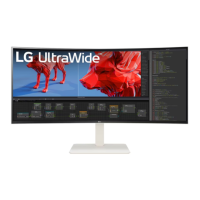
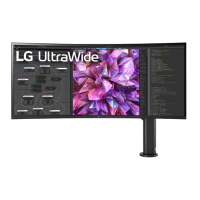
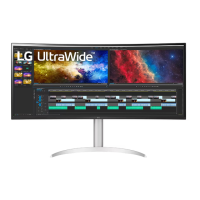
LG 38WR85QC - User Manual

LG 38WR85QC
31 pages
Print Icon
To Next Page IconTo Next Page
Loading...
* LG LED Monitor applies LCD screen with LED backlights.
Please read this manual carefully before operating your set and
retain it for future reference.
38WR85QC
OWNER’S MANUAL
LED LCD MONITOR
(LED Monitor*)
www.lg.com
Copyright © 2023 LG Electronics Inc. All Rights Reserved.

Other manuals for LG 38WR85QC

Questions and Answers

  • K
    Kimberly FriedmanAug 8, 2025
    How to fix no sound from headphone port on LG 38WR85QC Monitor?
    • T
      Thomas WebbAug 9, 2025
      Make sure the headphone port connections are properly made. Also, try increasing the volume using the joystick. Finally, ensure that the audio output of your PC is set to the LG monitor you are using; the exact settings may vary depending on your operating system.
  • B
    belldianaAug 13, 2025
    Why does my LG Monitor say 'out of range'?
    • E
      Erica SanchezAug 13, 2025
      This issue occurs when the signals sent from your PC's graphics card are outside of the monitor's supported horizontal or vertical frequency range. Refer to the Product Specification section of this manual to configure the appropriate frequency settings.
  • H
    henrybrownAug 18, 2025
    What to do if my LG Monitor is unrecognized?
    • J
      Jessica SchwartzAug 18, 2025
      Be sure to install the display driver from the display driver CD (or diskette) that comes with your display. Or, you can also download the driver from our web site: http://www.lg.com. Make sure to check if the graphics card supports Plug and Play function.
  • J
    Joshua LeeAug 23, 2025
    Why are there spots on my LG Monitor screen?
    • R
      Rebecca BrownAug 23, 2025
      When using the monitor, you might notice small colored spots (red, green, blue, white, or black) on the screen. This is normal for an LCD screen and does not indicate an error or affect the monitor's performance.
  • J
    John BakerAug 28, 2025
    Why does image sticking occur on my LG Monitor?
    • J
      Jennifer MillerAug 28, 2025
      Displaying a still image for an extended period can cause damage to the screen, resulting in image retention. To prolong the monitor's lifespan, use a screensaver.
  • L
    Lisa Kline DVMSep 2, 2025
    How to unlock the menu on my LG 38WR85QC Monitor?
    • K
      Kevin DavidsonSep 2, 2025
      Disable OSD Lock in the General settings of your LG monitor.

Summary

Assembling and Preparing

Assembly and Handling Precautions

Safety guidelines and cautions for assembling and handling the monitor.

Monitor Controls and Handling

Moving and Lifting Instructions

Safe practices for moving and lifting the monitor to prevent damage.

Monitor Usage and Connectivity

Connecting to a PC

Guide to connecting your computer via HDMI, DisplayPort, and USB-C.

User Settings and OSD Navigation

Accessing the Main Menu

Step-by-step guide to activating and navigating the OSD menu.

Main Menu Features Overview

Menu Options

Explanation of main menu items like Input, Settings, Picture Mode, and Power Off.

Settings Categories

Overview of main settings sections: Quick Settings, Input, Picture, Sound, General.

Quick Settings Configuration

Display Adjustment Settings

Adjusting Brightness, Contrast, Volume, and Color Temperature.

Input Settings and Management

Input Source and Aspect Ratio

Selecting input sources, managing auto input switch, and adjusting aspect ratio.

Picture Mode Settings (SDR)

SDR Picture Modes

Predefined picture modes for Standard Dynamic Range (SDR) signals.

HDR Picture Mode Settings

HDR Picture Modes

Optimized picture modes for High Dynamic Range (HDR) content.

Picture Adjustments and Controls

Basic Picture Adjustments

Controls for Brightness, Contrast, and Sharpness settings.

Advanced Picture Settings

SUPER RESOLUTION+, Black Level, Local Dimming, and DFC settings.

Gaming Features and Response Time

Color Settings and Picture Reset

General System Settings

System Configuration and Locks

Troubleshooting Display Issues

No Signal and Connectivity Problems

Solutions for blank screens, no signal messages, and out-of-range errors.

Image Quality and Artifacts

Troubleshooting flickering, ghosting, image sticking, and screen spots.

Troubleshooting Connectivity and Audio

Monitor Recognition Errors

Addressing "Unrecognized monitor" messages and driver installation.

Product Specifications

LG 38WR85QC Specifications

General IconGeneral
BrandLG
Model38WR85QC
CategoryMonitor
LanguageEnglish

Related product manuals