SPECIAL FUNCTIONS/ PIP / TWIN PICTURE
31
PIP (Picture-In-Picture)
SPECIAL FUNCTIONS
PIP / Twin Picture
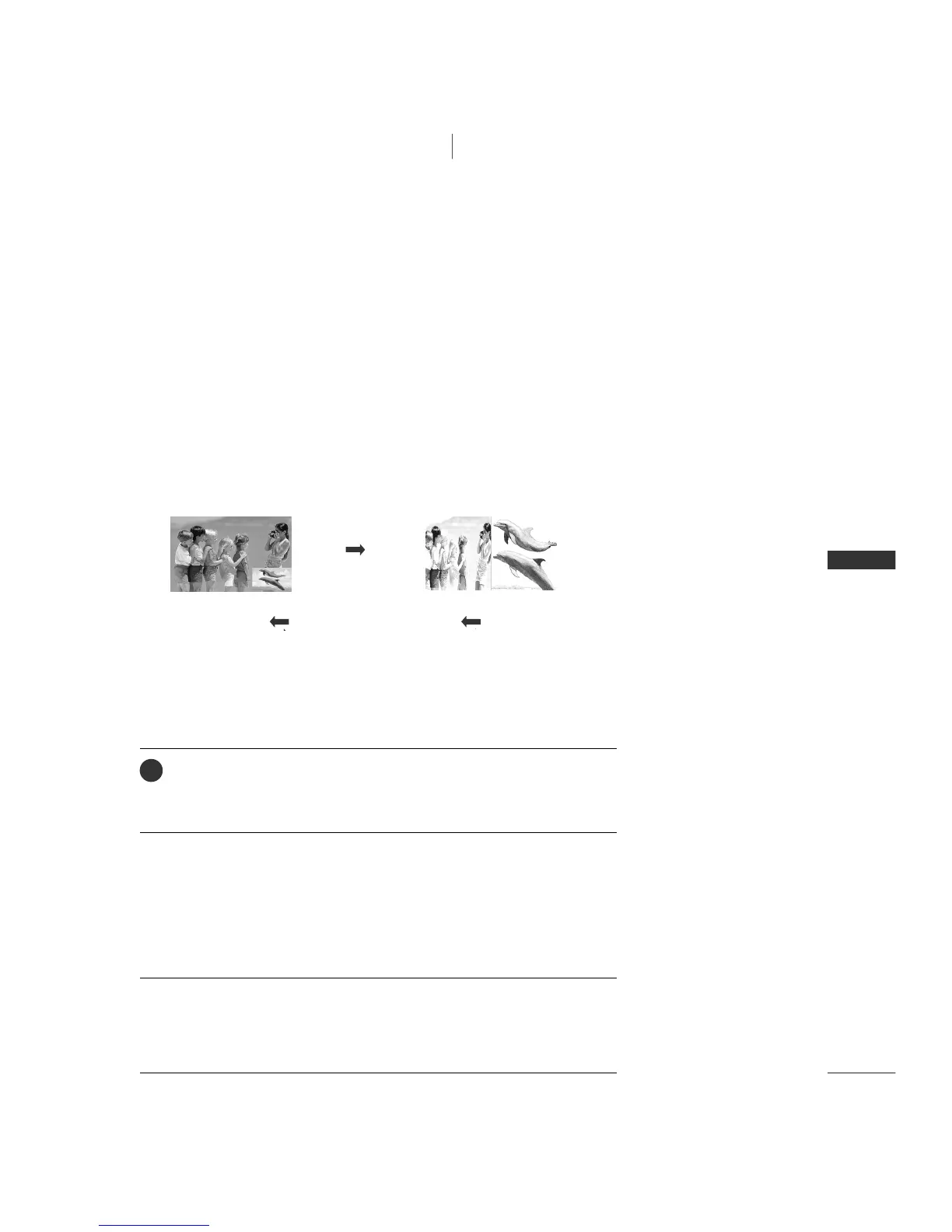
PIP lets you view 2 different inputs (sources) on your TV screen at the same time.
One source will be large, and the other source will show a smaller inset image.
PIP function is available in the Component, RGB, HDMI mode. (But, it can’t
adjust 480i resolution of Component/HDMI mode.)
Watching PIP
Press the
PP II PP
button to access the sub picture.
Each press of PIP changes the PIP options as shown below.
PIP Mode Twin Picture Mode
PIP Off
TV Program Selection for PIP
Press the
PPIIPP CCHH ++//--
button to select a programme for the sub picture.
The selected channel number is displayed just below the channel number of
main picture.
1
Selecting an Input Signal Source for PIP/Twin Picture
Press the
PPIIPP IINNPPUUTT
button to select the input source for the sub picture.
Each press of
PPIIPP IINNPPUUTT
button is pressed, each input source for the sub picture is
displayed.


 To Next Page