EasyManua.ls Logo

LG 42PC3RV - Selecting Wide VGA;XGA Mode

LG 42PC3RV
89 pages
Print Icon
To Next Page IconTo Next Page
To Previous Page IconTo Previous Page
Loading...
TV MENU
/
SCREEN ADJUSTMENT
71
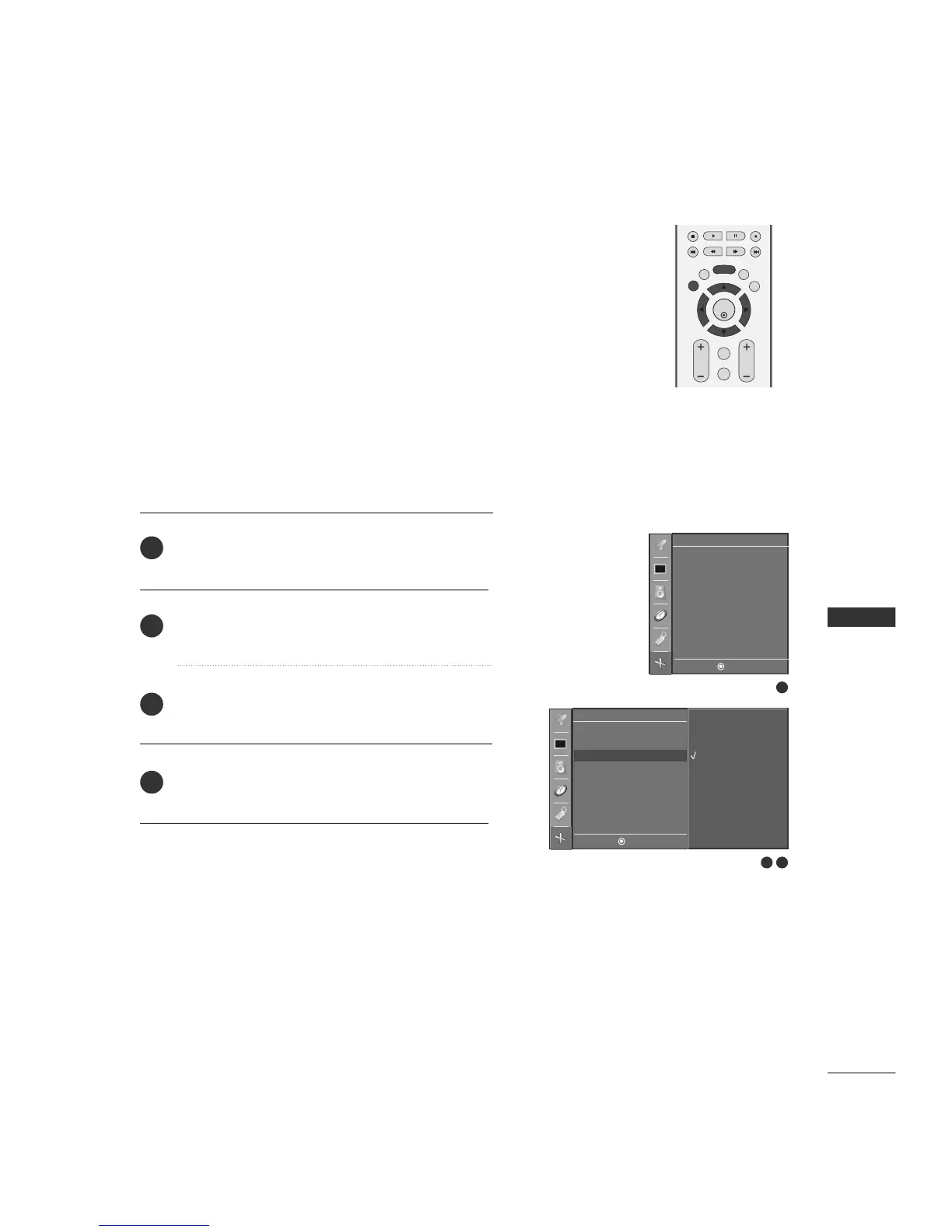
SELECTING WIDE VGA/XGA MODE
To see a normal picture, match the resolution of RGB mode and
selection of VGA/XGA mode.
This function works in the following mode: RGB[PC] mode.
VGA Mode: 42PC1RV
XGA Mode: 26/32LC2R
EXIT
VOL
MUTE
CH
SLEEP
MENU
ENTER
REVIEW
MEMORY/ERASE
MTS
1
2 3
Auto config.
Manual config.
VGA mode
ARC
Reset
Screen
DE F G
MENU
Screen
DE F G
MENU
640x480
848x480
852x480
Auto config.
Manual config.
VGA mode G
ARC
Reset
Press the
MMEENNUU
button and then use
DD
or
EE
button
to select the
SSccrreeeenn
menu.
Press the
GG
button and then use
DD
or
EE
button to
select
VVGGAA mmooddee
(or
XXGGAA mmooddee
).
Press the
GG
button and then use
DD
or
EE
button to
select the desired VGA/XGA resolution.
Press
EEXXIITT
button to return to TV viewing or press
MMEENNUU
button to return to the previous menu.
2
3
4
1

Table of Contents