Auto Program should be used to memorize all the active chan-
nels in your area before you are able to use the TV.
There are two ways of storing channels in the TV's memory. You
can use either.
One is called AUTO PROGRAM and the other is called MANUAL
PROGRAM.
In AUTO PROGRAM mode, the TV will memorize the channels in
ascending numerical order. If there are additional channels you
want to add or delete, you can manually add or delete those
channels with Manual Program.
Channel
DE F G
MENU
Auto program
Manual program
Favorite channel
Channel
DE F G
MENU
Auto program G
Manual program
Favorite channel
To start
- Redo Auto Program if the Plasma Display is ever moved to
another location.
- Auto Program will search for channels only through the Antenna
jack.
- If channels numbers for broadcast over-the air TV and cable TV
are duplicated where different channels have the same number,
press the same number buttons again to toggle between:
(For example, press 17 to go to the channel, press 17 again to go
to the duplicated channel.)
Broadcast TV Channels Cable TV Channels
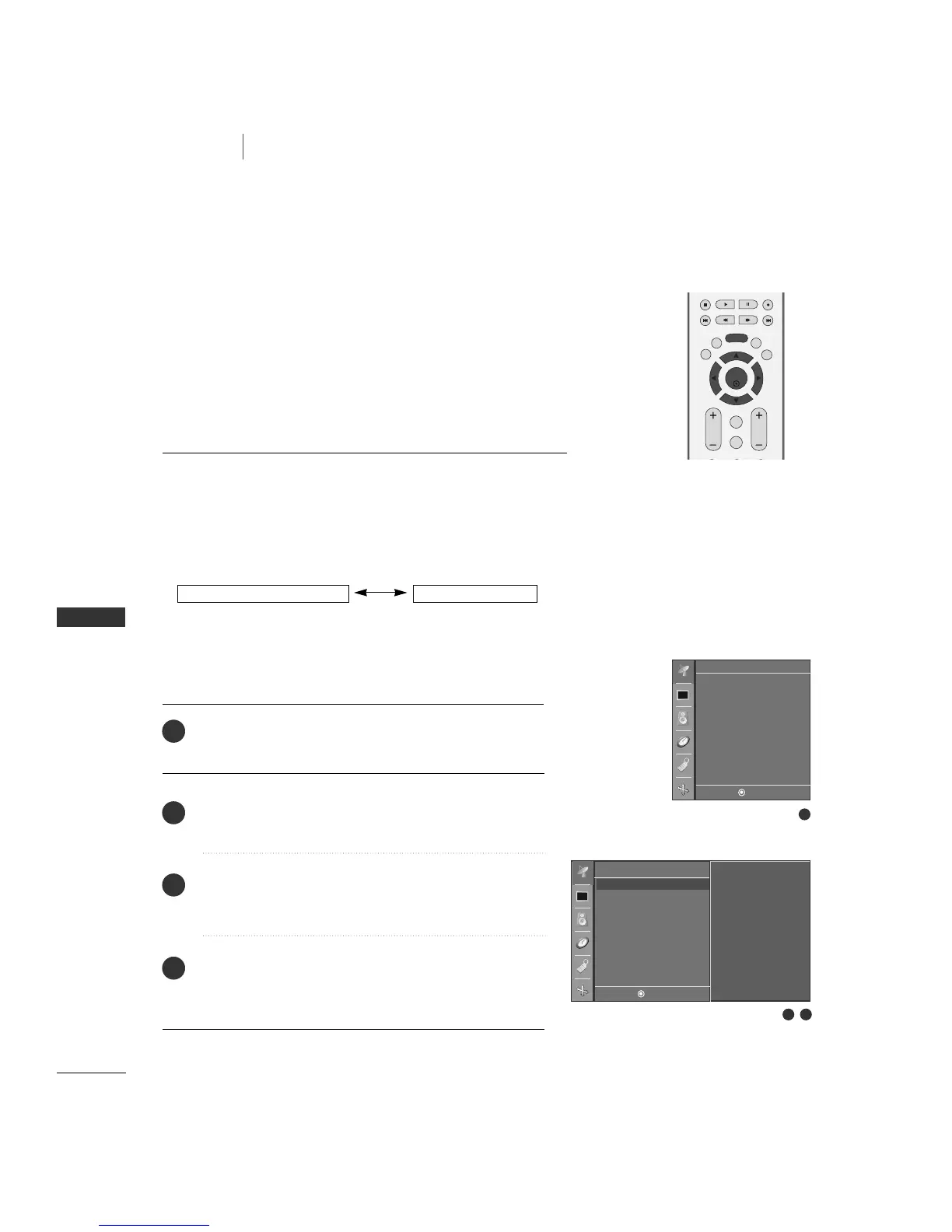
Press the
MMEENNUU
button and then
DD
or
EE
button to select
the
CChhaannnneell
menu.
Press the
GG
button and then
DD
or
EE
button to select
AAuuttoo pprrooggrraamm
.
Press the
GG
button.
AAUUTTOO PPRROOGGRRAAMM
starts the channel
search.
If you want to stop auto programming, press the
MMEENNUU
button.
Only the channels found up to at that time are memorized.
1
2
3
4
1
2 3


 To Next Page