64
MOVIE RATING (MPAA)
TV MENU
SETUP(Channel)
Blocks movies according to the movie ratings limits speci-
fied, so children cannot view certain movies. You can set
the ratings limit by blocking out all the movies with the
ratings above a specified level. Keep in mind that the
movie ratings limit only applies to movies shown on TV,
not TV programs, such as soap operas.
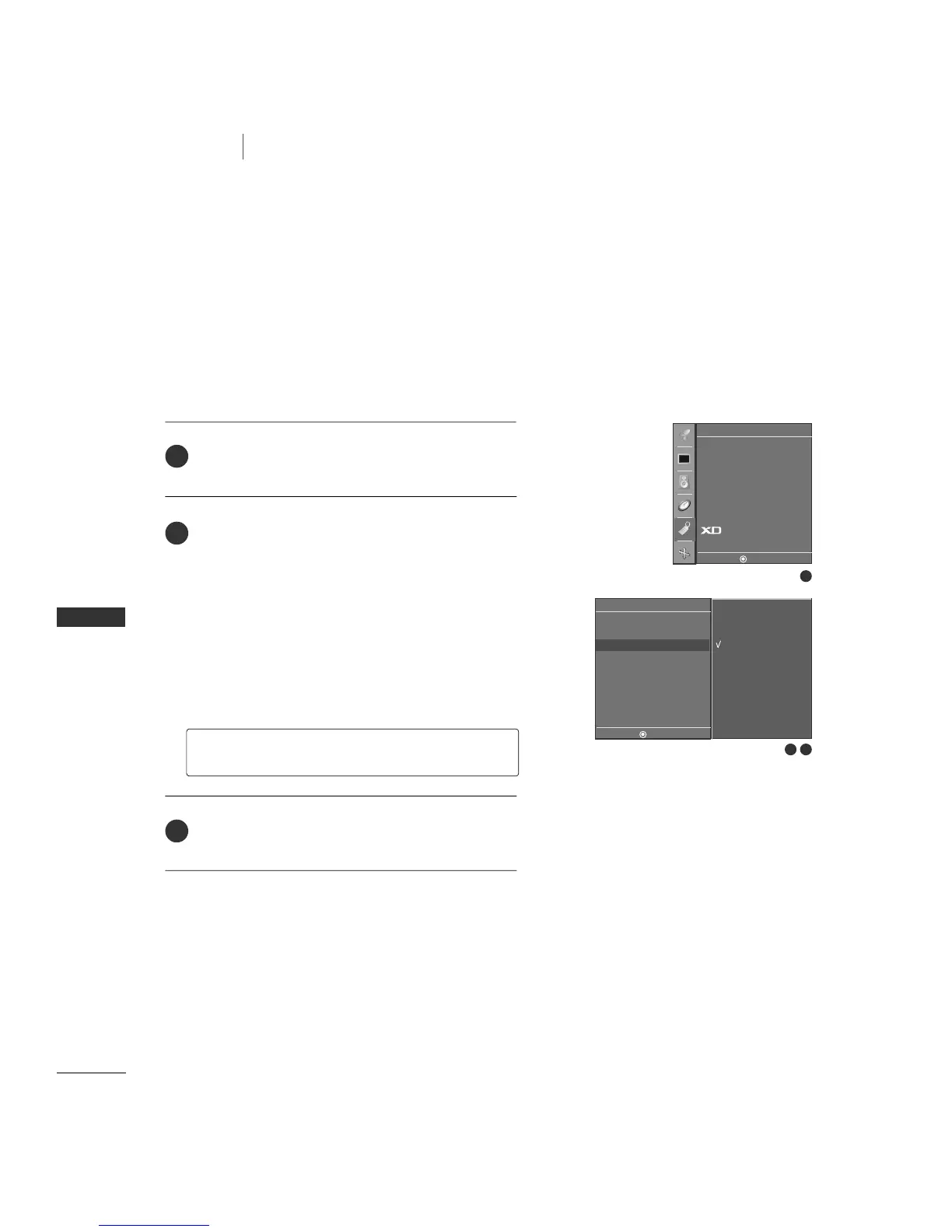
After inputting the password, use the
DD
or
EE
button
to choose
MMPPAAAA
.
Press the
GG
button and then use the
DD
or
EE
button
to select type of ratings to block.
■
Unblocked (Permits all programs)
■
G & above (General audience)
■
PG & above (Parental guidance suggested)
■
PG-13 & above (Parents strongly cautioned)
■
R & above (Restricted)
■
NC-17 & above (No one 17 and under admitted)
■
X (Adult only)
Press
EEXXIITT
button to return to TV viewing or press
MMEENNUU
button to return to the previous menu.
GG
If you set PG-13 & above : G and PG movies will be
available, PG-13, R, NC-17 and X will be blocked.
2
3
1
2 3
Parental
DE F G
MENU
Lock
Set password
MPAA G
Age block
Content block
Aux. block
Canadian
1
Language
Key lock
ISM Method
Low Power
Set ID
Caption/Text
Parental
Demo
Special
DE F G
MENU
Unblocked
G & above
PG & above
PG-13 & above
R & above
NC-17 & above
X


 To Next Page