10
ENG
ENGLISH
ASSEMBLING AND PREPARING
2
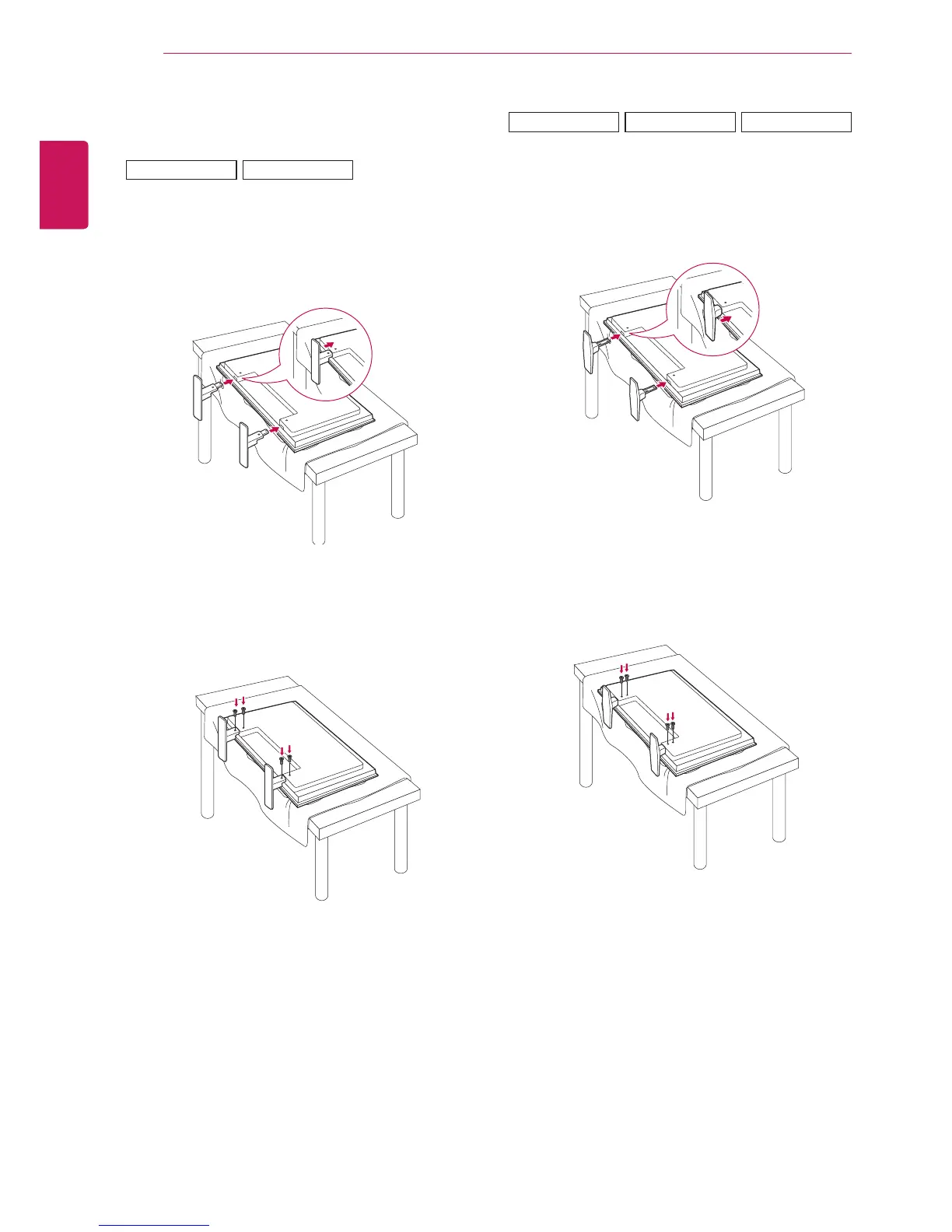
Usethescrewstosecurethestandontherear
sideoftheproductasshowninthediagram.
2
Usethescrewstosecurethestandontherear
sideoftheproductasshowninthediagram.
Connecting the stand
-Onlyonsomemodels.
1
Placeasoftclothonthetableandputthe
productwiththescreenfacingdownward.
-Onlyonsomemodels.
1
Placeasoftclothonthetableandputthe
productwiththescreenfacingdownward.
47VS20
42VS20
47VX30AS
42VX30MS
47VX30AF



 To Next Page