48
ENG
ENGLISH
CUSTOMIZING SETTINGS
Setting Description
Tile Mode TileMode Tousethisfunction
-Mustbedisplayedwithvariousotherproducts.
-MustbeinafunctionthatcanbeconnectedtoRGBCablebydistributorand
RS-232C.
TilemodeandchooseTilealignmentandsettheIDofthecurrentproductto
setlocation.
*OnlyafterpressingtheSETbuttontheadjustmentsmadetothesettingswill
besaved.
-Tilemode:columnxrow(c=1to15r=1to15)
-15x15available.
-Configurationofanintegrationscreenisalsoavailableaswellas
configurationofOnebyoneDisplay.
AutoConfig. Setstoadjustthescreenposition,clock,andphaseautomatically.
Thedisplayedimagemaybeunstableforafewsecondswhilethe
configurationisinprogress.
Position Movingthescreenpositionhorizontallyandvertically.
Size Adjustthehorizontalandverticalsizeofthescreentakingintoaccountthesize
ofthebezel.
Natural Theimageisomittedbythedistancebetweenthescreenstobenaturally
shown.
Reset FunctiontoinitializeandreleaseTile.
AllTilesettingarereleasedwhenselectingTilerecallandthescreenreturnsto
Fullscreen.
PIP/PBP DisplaysvideosorphotosstoredintheUSBdeviceonasinglemonitorbydividingitintothemain
andsubscreens.
Option
Mode Setsthetypeofsecondaryscreen.
*OFF:Disablesthesecondaryscreen.
*PIP (Picture In Picture):Displaysthesecondaryscreeninthemainscreen.
*PBP (Picture By Picture):Displaysthesecondaryscreennexttothemain
screen.
Position Adjuststhepositionofthesubscreen(topleft,bottomleft,topright,bottom
right)
Thedefaultvalueisthebottomright.
Size Adjuststhesizeofthesubscreen(Size0to10).
ThedefaultsizeofPIP(Size:0)is480x240;themaximumsize10is960x540.
Key Lock Turnsthelocalkeyfunctiononoroff.IfKeyLockisenabled,thelocalkeydoesnotwork.
Product/Service
Info.
Displaysthemodelname,softwareversion,serialnumber,IPaddress,MACaddressandhome
page.
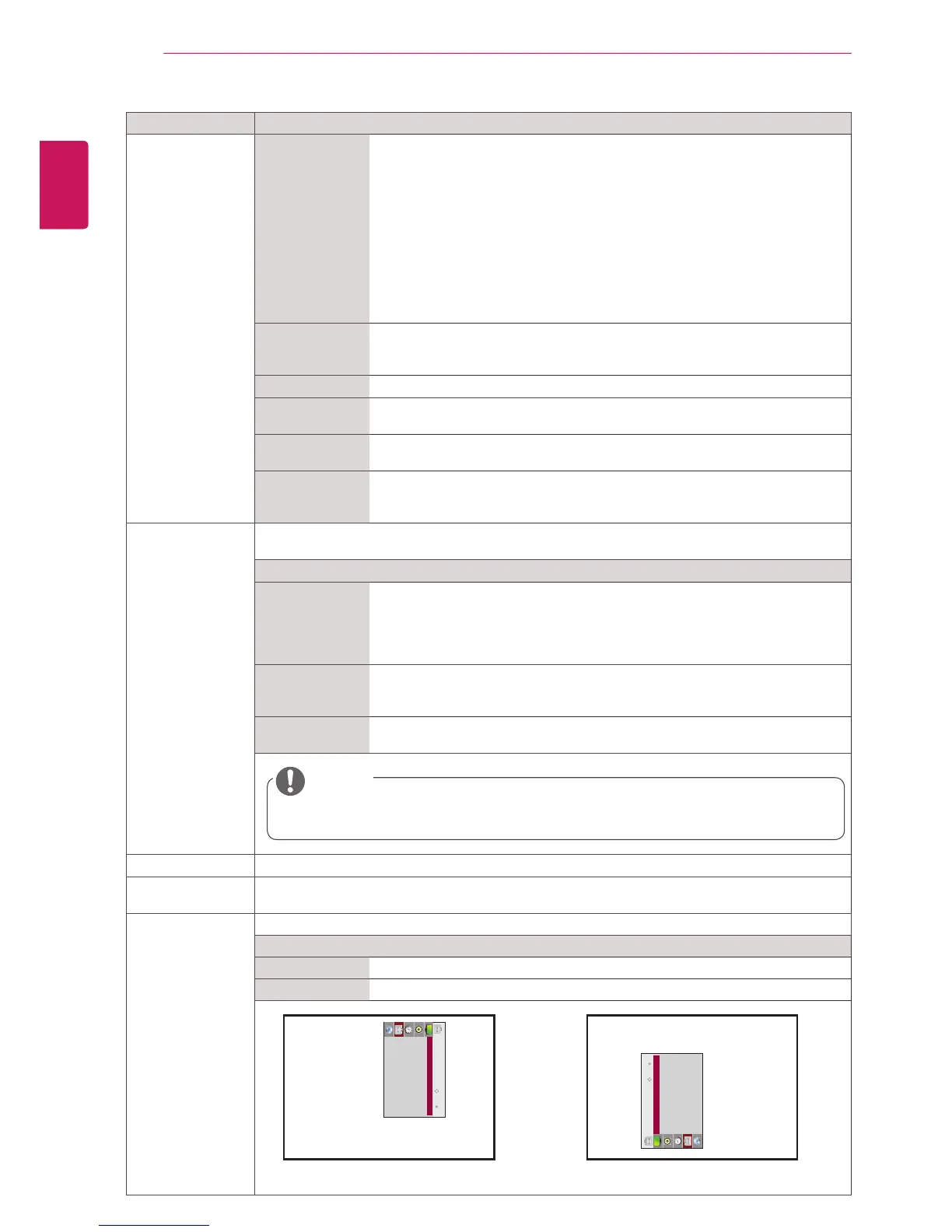
Portrait mode RotateOSDclockwise(90°,270°)
Option
90° RotateOSDclockwise90°.
270° RotateOSDclockwise270°.
90° 270°
NOTE
ThePositionandSizeoptionsareenabledonlyinPIPmode.
ꔋ
Move
OK
OPTION
• Language
• Power Indicator
• ISM Method : Normal
• DPM Select : On
• Fail Over : On
• Factory Reset
• Set ID : 1
• Tile Mode
ꔋ
Move
OK
OPTION
• Language
• Power Indicator
• ISM Method : Normal
• DPM Select : On
• Fail Over : On
• Factory Reset
• Set ID : 1
• Tile Mode



 To Next Page