34
ENG
ENGLISH
ENTERTAINMENT
When you select the Set Photo View,
1 Press the Navigation buttons to scroll to select Slide Speed, Transition Effect, or BGM.
2 Press the Navigation buttons to scroll to make appropriate adjustments.
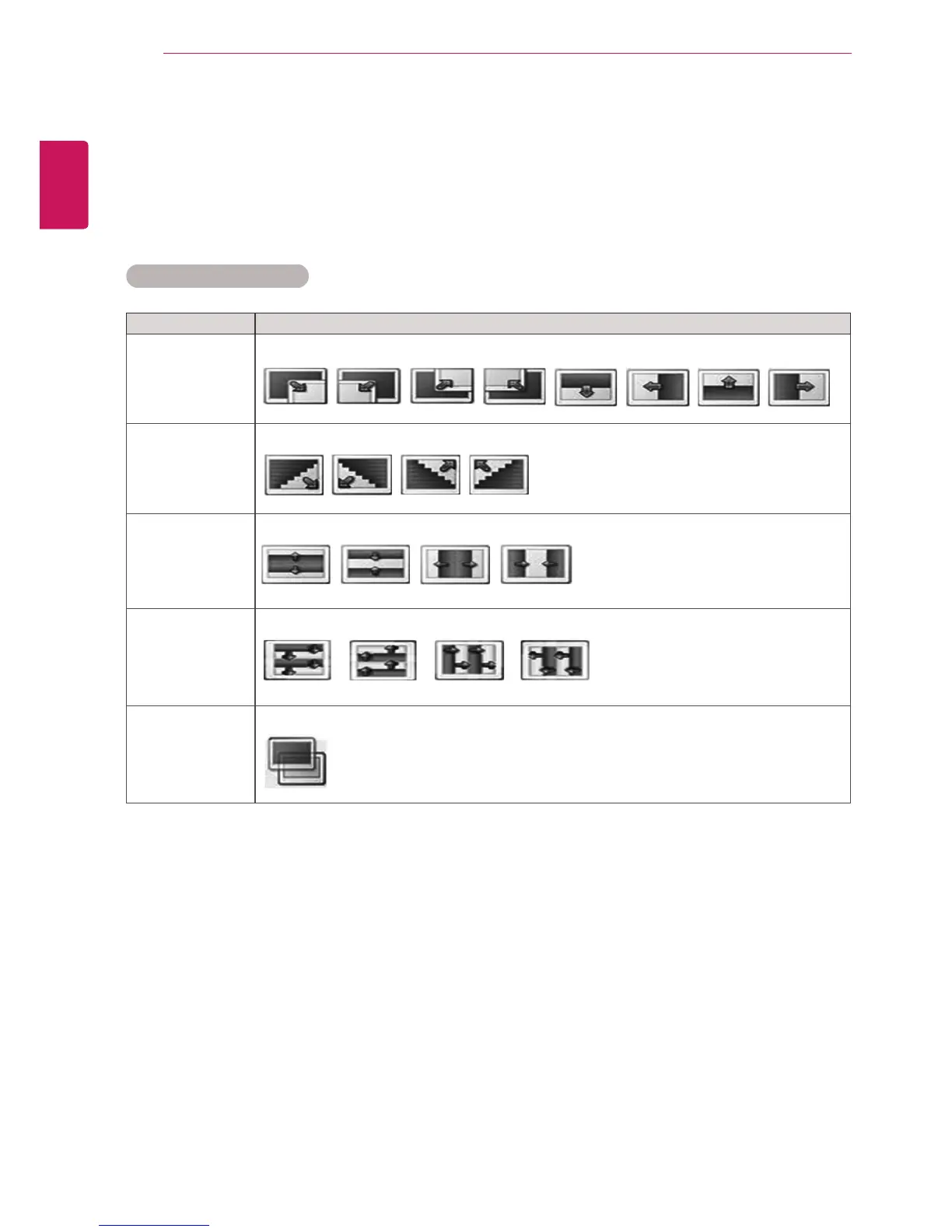
Transition Effect Option
Option Description
Sliding Pushes the current slide out of view as it plays to the next slide.
Stairs Pushes the current slide in a staircase shape as it plays to the next slide.
Door Open
/Close
Pushes the current slide like opening or closing the door as it plays to the next slide.
Shutter Pushes the current slide like drawing or pulling down the blind as it plays to the next slide.
Fade In The current photo disappears and the next photo appears slowly.



 To Next Page