11
ENG
ENGLISH
ASSEMBLING AND PREPARING
2
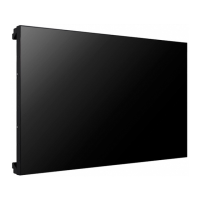
Attach the Media Player on the product using
the four screws provided.
y
Use the screws provided with the product.
(Diameter 3.0 mm x Pitch 0.5 mm x Length
6.0 mm)
NOTE
Connecting the Media
Player
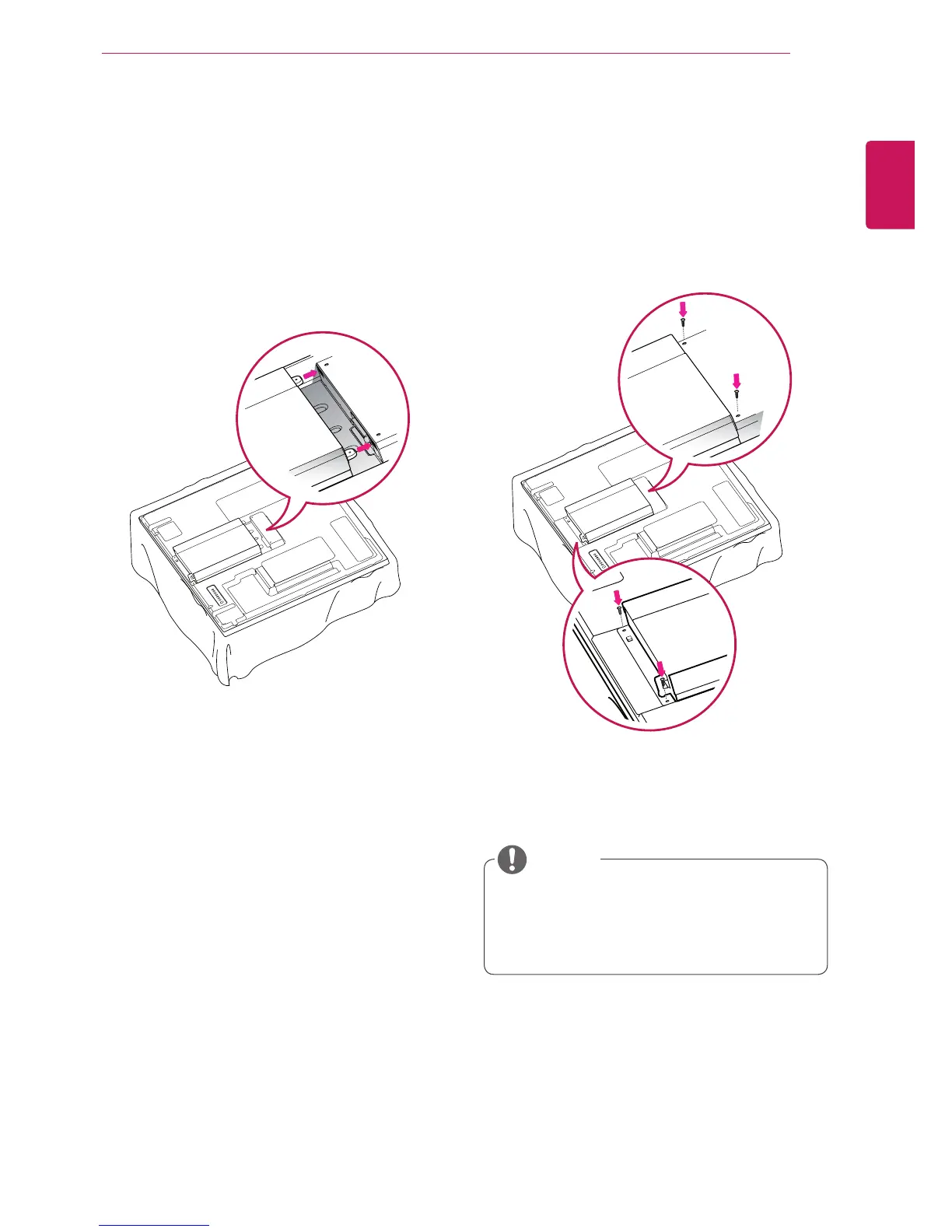
1
Place a soft cloth on the table and put the
product with the screen facing downward.
Push the Media Player into the compartment to
mount it.



 To Next Page